47
X2D 100C
User Manual
CONTENTS
Manual Exposure
Manual Exposure Mode provides total control of the shutter and aperture settings. Toggle
the front and rear scroll wheels to manually determine the aperture and shutter speed.
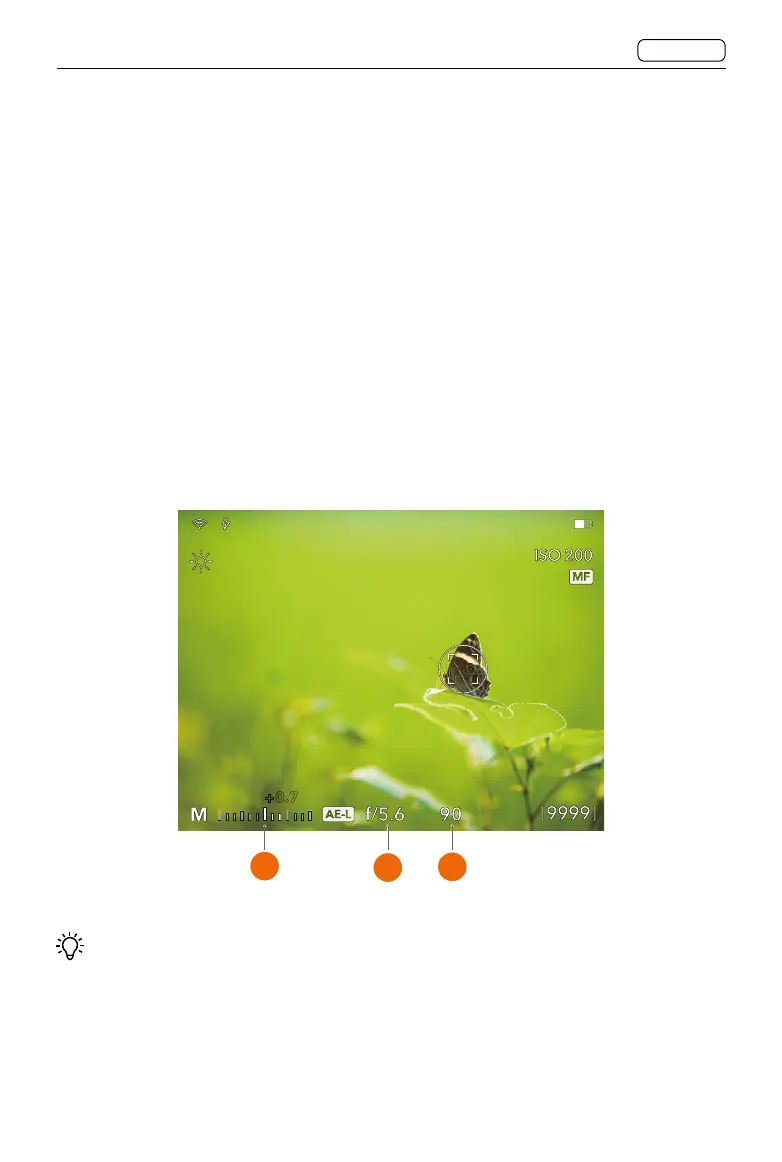
In Manual Exposure Mode, the exposure scale is displayed in Live View.
The standard exposure setting is obtained when the value displayed over the exposure
scale is 0.0 and positioned above the central index.
The value appearing elsewhere than above the central index indicates the deviation from
the standard exposure.
As shown in the figure, a “+ 0.7” above the scale in the display (A) indicates a “0.7
EV overexposure” setting. Conversely, a “-2”, for example, would indicate a “2 EV
underexposure” setting. In Manual Exposure Mode, the aperture settings (B) and shutter
speed (C) are conventionally indicated to the right of the exposure scale.
0.7+
1 step, 1/2 step, or 1/3 step adjustment for the aperture value is also reflected on the
display, according to the increment step size setting. For example, a setting between f/8 and
f/11 will appear as f/9.5 if 1/2 step is selected.
A
B
C















 To Next Page