Operating the Data Recorder
CX22B / CX22B-W A3169-8.0 HBM: public 43
6.3 Connection via remote desktop
If you do not want to use HBM's HBM Device Manager
program or are working with a permanent IP address at
the recorder end, you can also set up the connection di
rectly via the "remote desktop" program (the program is a
component of the Windows operating system). In Win
dows 7, the program can be found under
All programs −> Accessories.
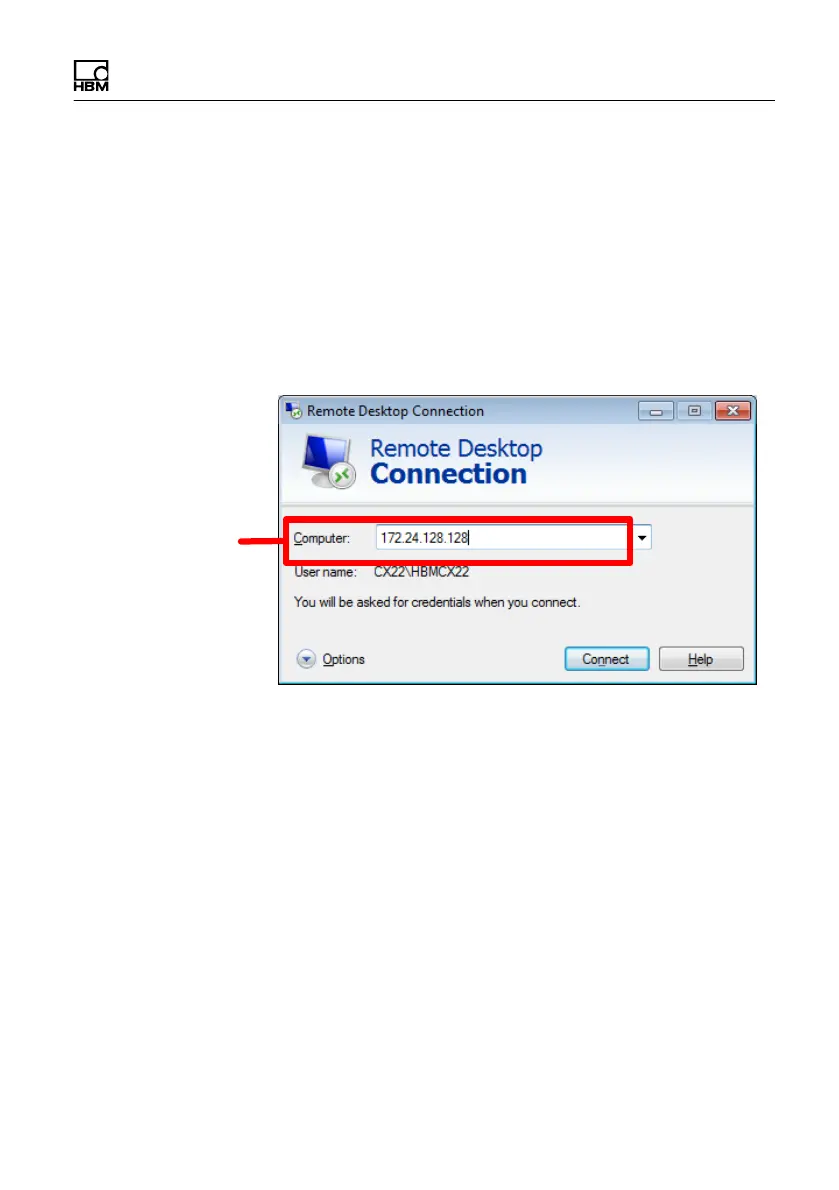
Enter the IP address of
the CX22B‒W here
Fig. 6.5 Enter the IP address of the QuantumX Data
Recorder
Procedure
► Enter the IP address of the CX22B‒W.
► Click on Connect.
Configuration of remote desktop
The HBM Device Manager program uses a minimal re
mote desktop configuration, that allows only the
CX22B‒W screen to be displayed on your PC. You can
fully configure a remote desktop connection, so that you
can also directly use your PC drives on the CX22B‒W,



 To Next Page