The first DAQ job with catman
EASY
54 A3169-8.0 HBM: public CX22B / CX22B-W
► Deactivate any unused channels
(group General, Active Deactivate channels without
sensors).
► Define calculations − if required − : Generate in the
group Calculation channels.
► Activate Live‐Display (DAQ channels , tab General
group), to display continuous measured values and
check that all channels are working correctly.
Set up the DAQ job
► Select your measurement conditions: data rate(s),
measurement start and stop.
► Select Measurement start via Trigger and Digital
input for Trigger mode, so that you can use the digi
tal inputs or the START/STOP button of the
CX22B‒W
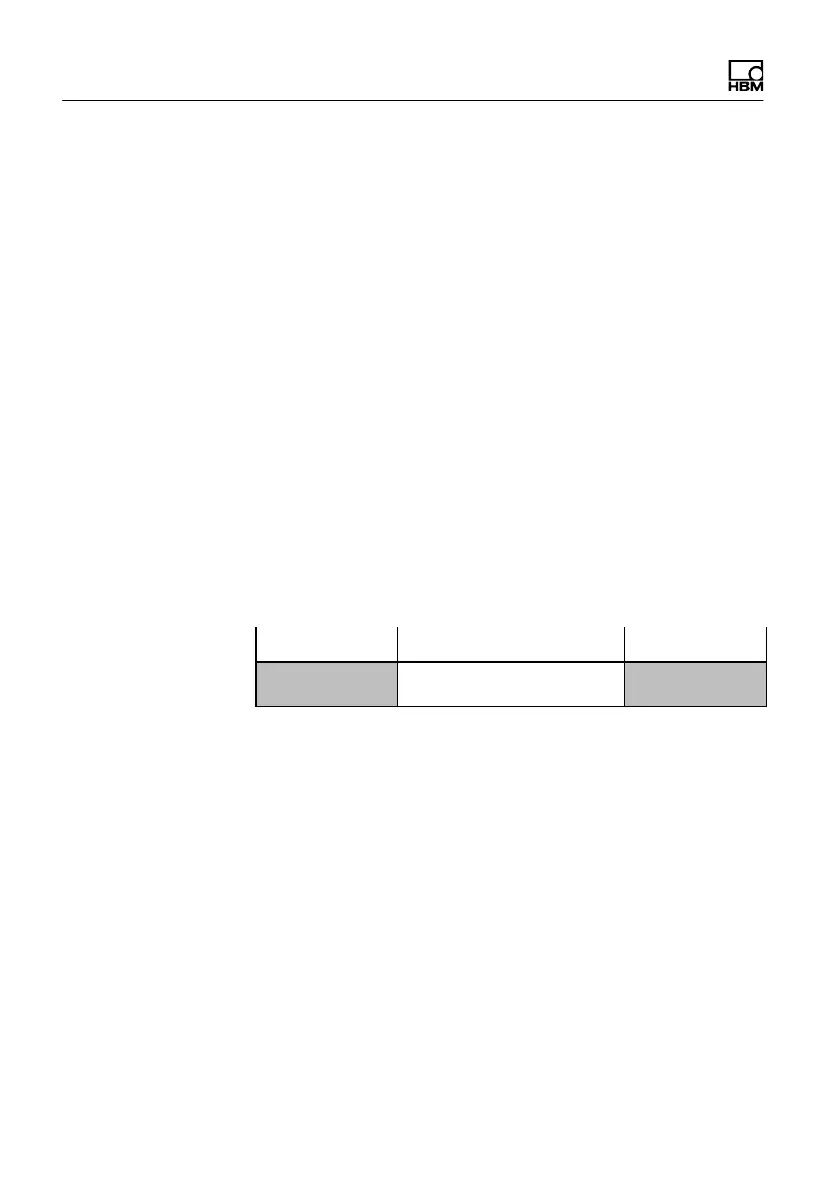
Start Stop
Pre-Trigger Post-Trigger
Fig. 8.1 Starting and stopping measurement with a trigger.
All the measured values between start and stop, as
well as those in the pre-trigger and post-trigger
periods are recorded
► Click on Data storage (Settings group) and specify
the settings for saving the data after or during mea
surement. We recommend using the Automatically
at end of job setting for data storage. Otherwise a
monitor must be connected during measurement in
order to save the data.
► Generate visualization − if a monitor is connected.



 To Next Page