28 CD 2301 Order No. BA 92-12-0231A Issue 05.01.10
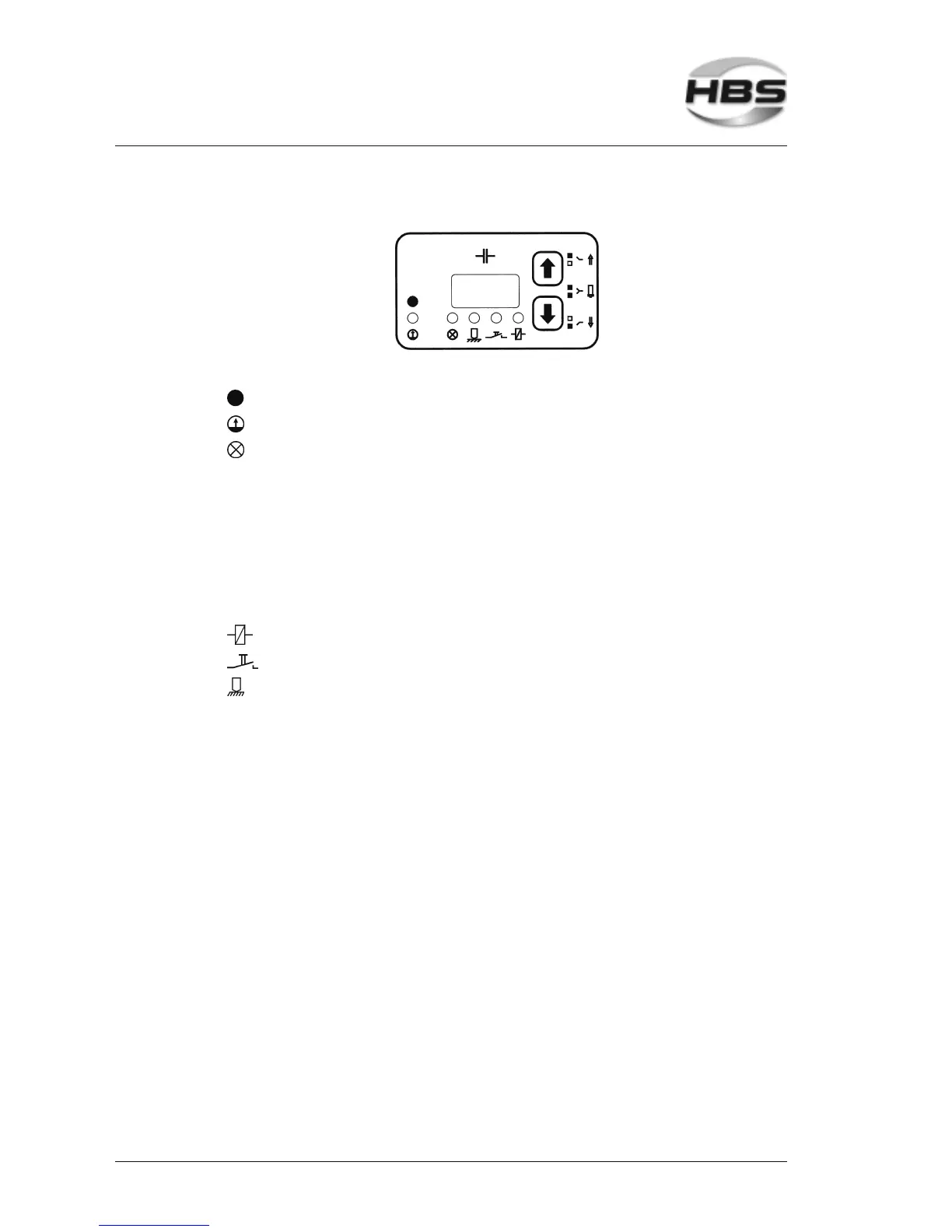
After self-test, the digital display shows the last set charging voltage.
There is a luminous indication (LED) below the display:
Green – on, power unit is ready for welding
Red – on, capacitor battery is charged
Red – on, power unit is locked
• after welding, until there is electrical contact with the
work piece
• if the power unit is overheated. After a short cooling period,
the work can continue.
• if thyristor is defective
• in the case of a charging malfunction (exceeding the
charging period)
• if arrow keys jam
• when appealing the library mode (stud diameter)
Yellow – lights if a welding gun with solenoid is connected
Yellow – lights if the welding gun button is triggered
Yellow – lights if there is electrical contact between welding element
and work piece.
5.6.1 Adjusting the Charging Voltage of Capacitors
Refer to the table in section 5.5 for the required charging voltage matching your
welding job.
Set the charging voltage (digital display) with the arrow keys
(⇑ higher – ⇓ lower) on the display.
5 Stud Welding Procedure
5.6 Switching on the Power Unit



 To Next Page