11
HVAD
®
Patient Manual
2.1 Identifying the Components of the HeartWare
™
HVAD
™
System
(continued)
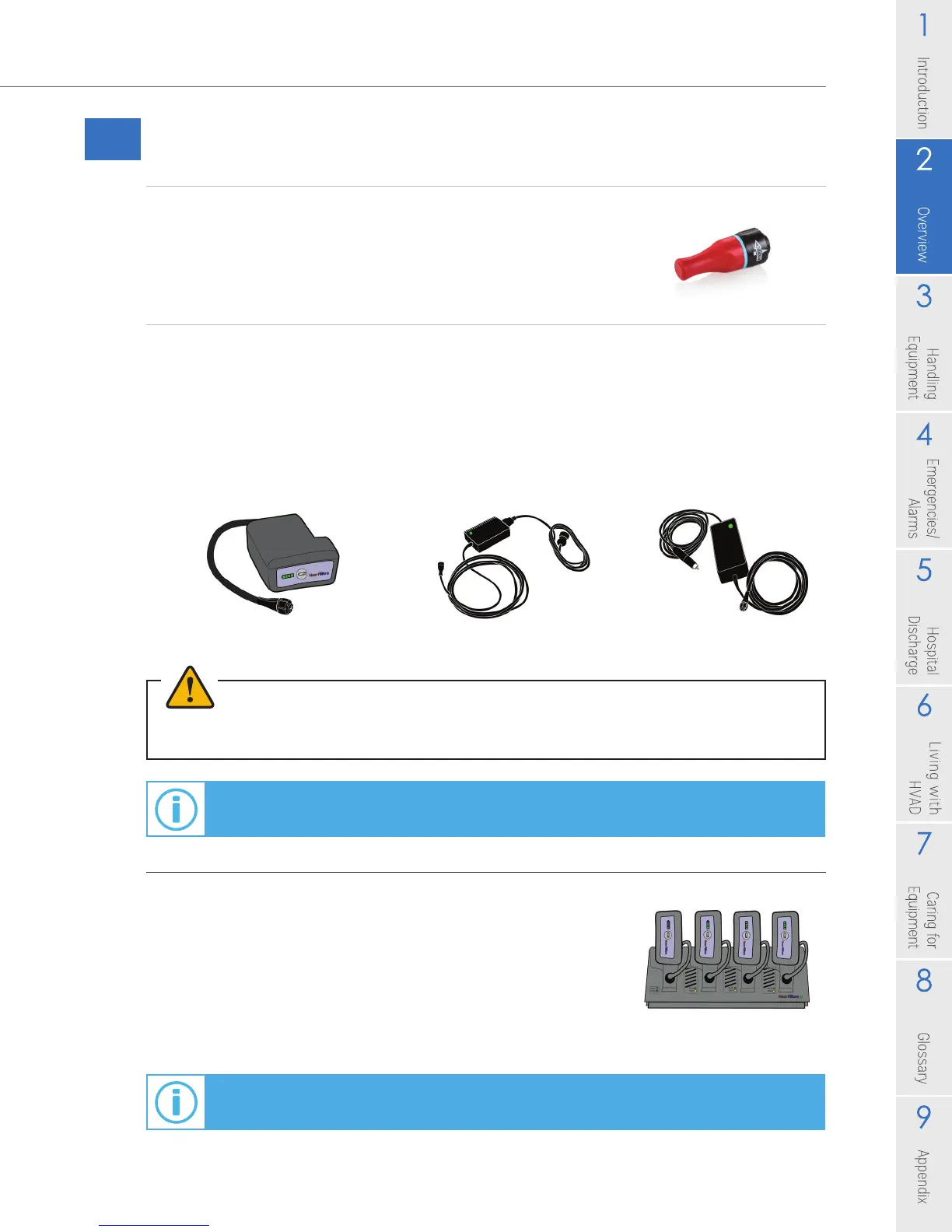
Red Alarm Adapter
The red alarm adapter (Figure 5) is for emergency use only.
The adapter is used to silence the [No Power] alarm when
power is removed from a controller that is no longer in use.
HeartWare
™
HVAD
™
System Power Sources
Since the controller requires two power sources for safety: either two batteries
(Figure 6), or one battery and an AC adapter (Figure 7) or DC adapter (Figure 8)
must be connected. While active, you will typically use two batteries. While relaxing
or sleeping, you should use power from an electrical outlet (AC adapter) because
it provides power for an unlimited period of time.
Figure 6: Battery Figure 7: AC Adapter Figure 8: DC Adapter
WARNING! ALWAYS connect an AC Adapter to the controller before relaxing or sleeping. Power
from an electrical outlet (AC Adapter) provides power for an unlimited period of time.
For additional information on HeartWare
™
HVAD
™
System Power Sources,
see Sections 3.2, 3.3, 3.4 and 3.5.
HeartWare
®
Battery Charger
The battery charger is used to charge up to 4 batteries at
a time. It takes about 5 to 6 hours to fully charge a battery.
Each battery slides into a slot and the battery is connected
to the battery charger. When not in use, you can safely
leave the battery connected to the charger.
For additional information on how the HeartWare
®
Battery Charger works, see Section 3.6.
Figure 5
Figure 9



 To Next Page