59
HVAD
®
Patient Manual
5.3 Patient and Caregiver Training
1. Match the item with the correct function:
a
This icon
is located at the front of
the controller and lights up when one or
more alarms occur.
b
This button
silences the low and
medium audible alarms.
c
This is an adapter/cable that transfers
power from an electric outlet to run
the controller.
2. Match the denition to the picture:
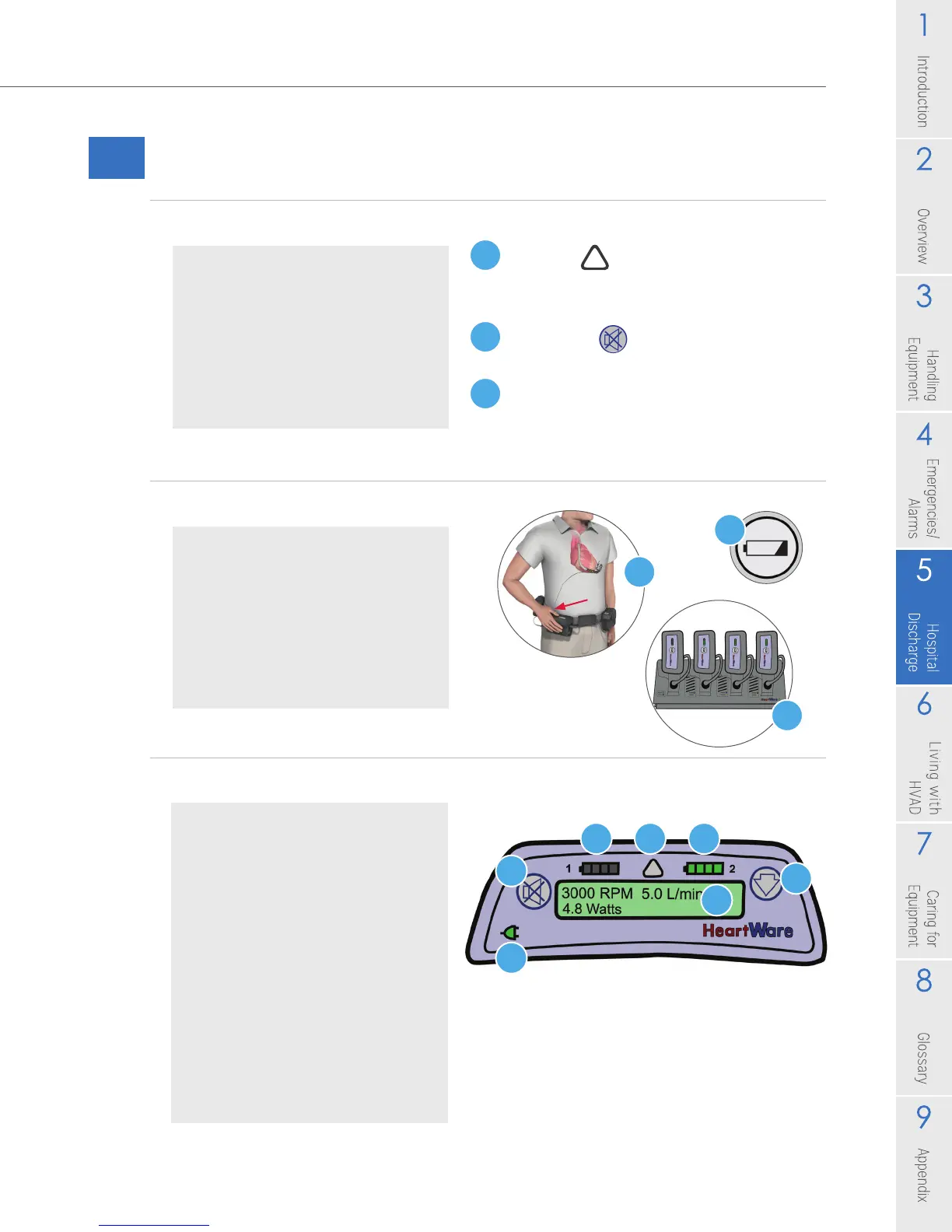
3. Match the controller label names:
Continued on next page
Fill in your answers below:
_____ AC Adapter
_____ Alarm Indicator
_____ Alarm Mute Button
Fill in your answers below:
_____ Test Button on Battery
_____ Driveline Exit Site
_____ Battery Charger
Fill in your answers below:
_____ AC/DC Indicator
_____ Controller Display
_____ Alarm Indicator
_____ Alarm Mute Button
_____ Battery Indicator 1
_____ Battery Indicator 2
_____ Scroll Button
d
e
a
f
g
b
c
b
c
a



 To Next Page