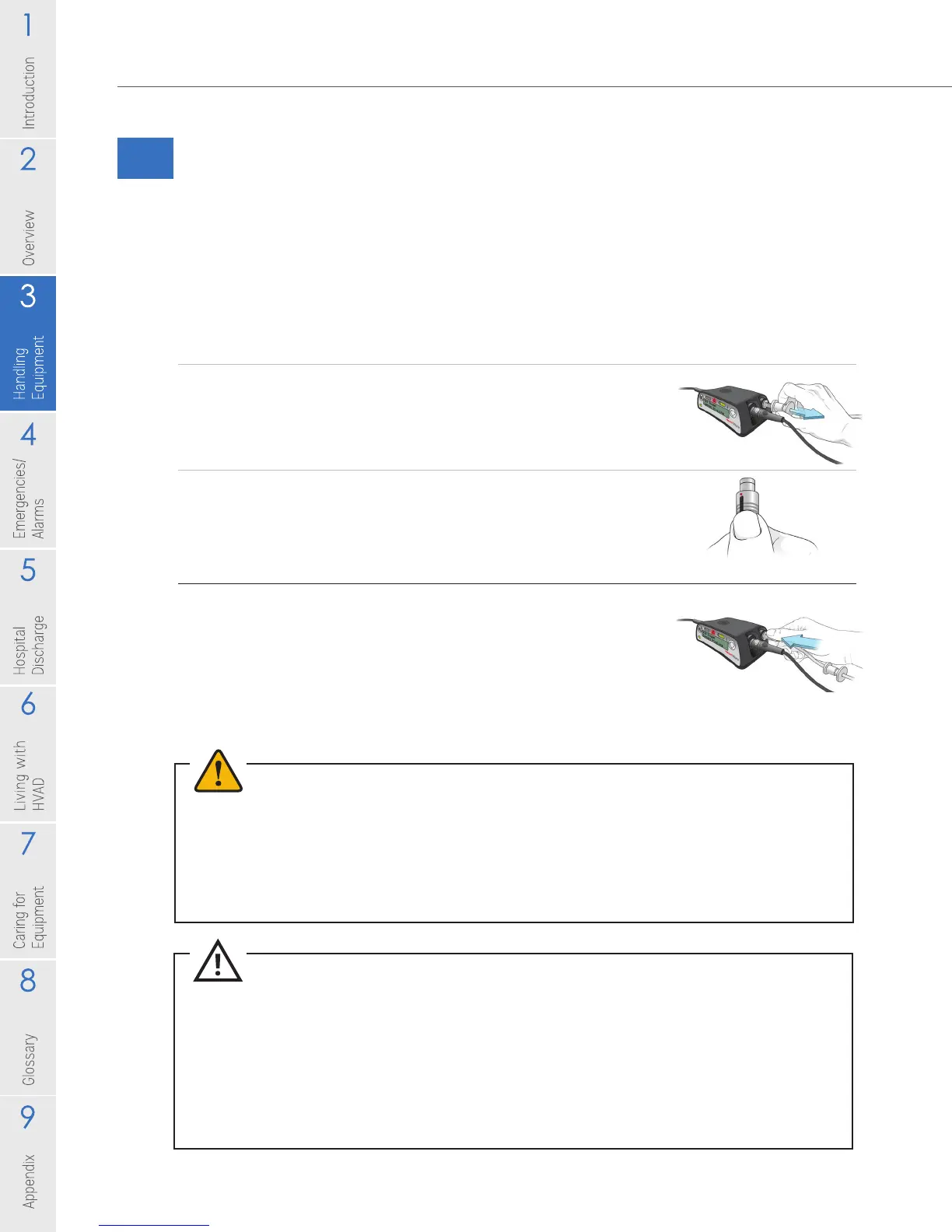
To Disconnect the Driveline from the Controller:
1. Slide the driveline cover away from the controller so
you can see the whole silver connector.
2. Place your ngers on the silver connector, over the
ringed area.
3. Pull back on the ringed area to release the locking
mechanism.
NOTE: if you pull back on any other area of the driveline or
connector it will not release the driveline from the controller.
Figure 17
Figure 18
Figure 19
24
3.0 Handling HeartWare
™
HVAD
™
System Components
3.2 Making Connections
3.2.1 Driveline Connection
Only disconnect your driveline if instructed to do so by the controller during an
alarm or by your clinician. Anytime your driveline is not connected to the controller,
your pump is not running.
WARNING! DO NOT disconnect the driveline from the controller or the pump will stop. If this
happens, reconnect the driveline to the controller as soon as possible to restart the pump.
WARNING! ALWAYS keep a spare controller and fully charged spare batteries available at all
times in case of an emergency.
WARNING! ALWAYS replace a controller if it has a blank display and/or no audible alarms.
WARNING! ALWAYS switch to the back-up controller if there is a [Controller Failed] alarm.
CAUTION: DO NOT pull, kink or twist the driveline or the power cables. Special care should be
taken not to twist the driveline while sitting, getting out of bed, adjusting controller or power
sources, or when using the shower bag.
CAUTION: ALWAYS keep extra driveline length tucked under clothing or secured with an
abdominal binder or dressing. Do not let any portion of driveline hang freely where it might get
caught on external items such as doorknobs or the corners of furniture.
CAUTION: DO NOT pull, twist or kink the driveline or power cables, especially while sitting, getting
out of bed, adjusting the controller or power sources, or when using the shower bag.



 To Next Page