50
4.0 Emergencies and Alarms
4.9 Changing Controller to Back-Up Controller
You should only change your controller when instructed to do so by your clinician, or
if there is a blank display screen when attached to a functioning power supply or if
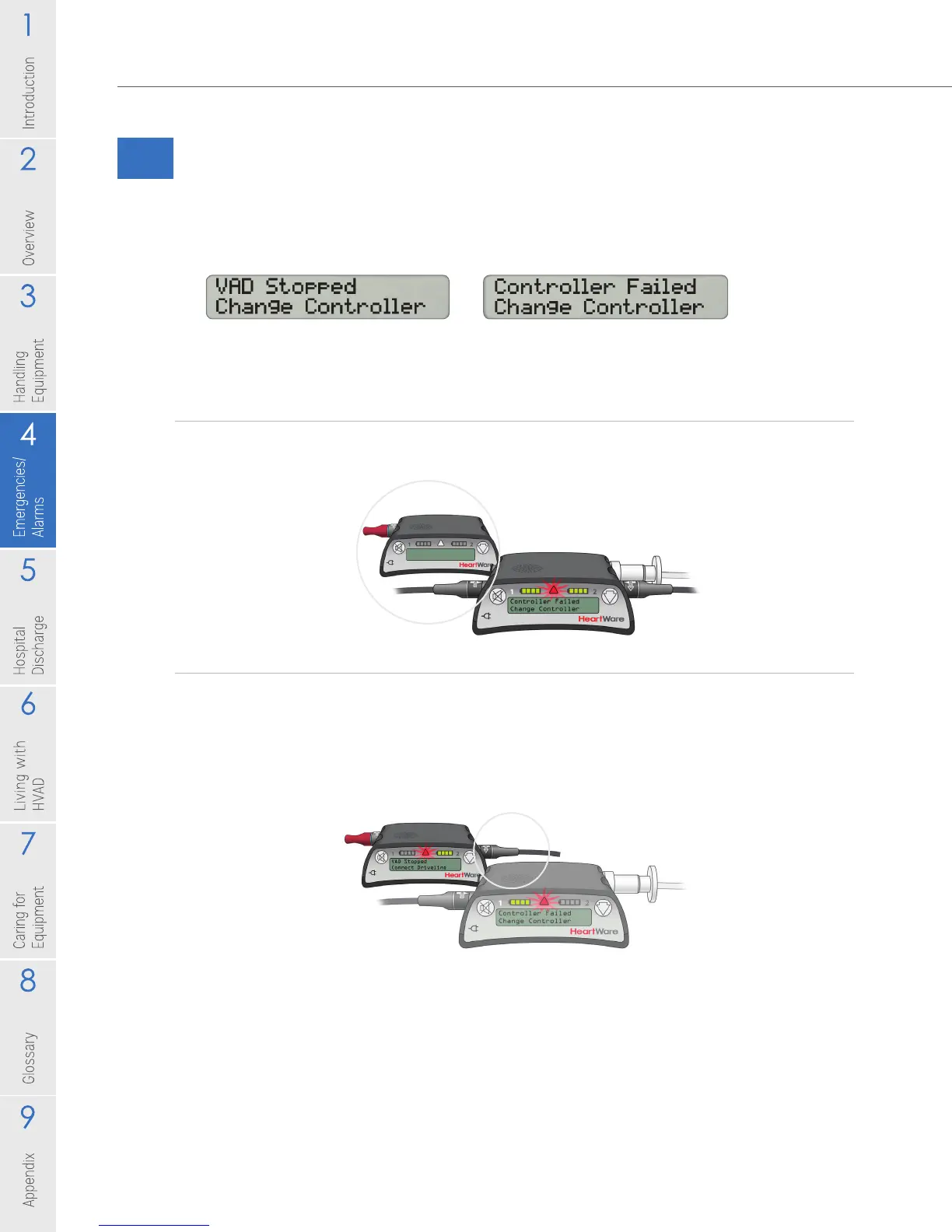
the Controller Display shows one of the following:
If possible, a caregiver should be nearby when doing a controller change.
Steps to Change the Controller:
1. Sit or lie down and place your back-up controller within easy reach. Your back-
up controller will become your new controller.
2. Connect one POWER source to the new controller.
NOTE: The new controller may alarm after 10 seconds with a [VAD Stopped,
Connect Driveline] high alarm. This is expected behavior.
Steps continued on next page
Figure 71
Figure 70



 To Next Page