Low Battery 1
Replace Battery 1
3
1
2
28
3.0 Handling HeartWare
™
HVAD
™
System Components
3.3 Changing Power Sources
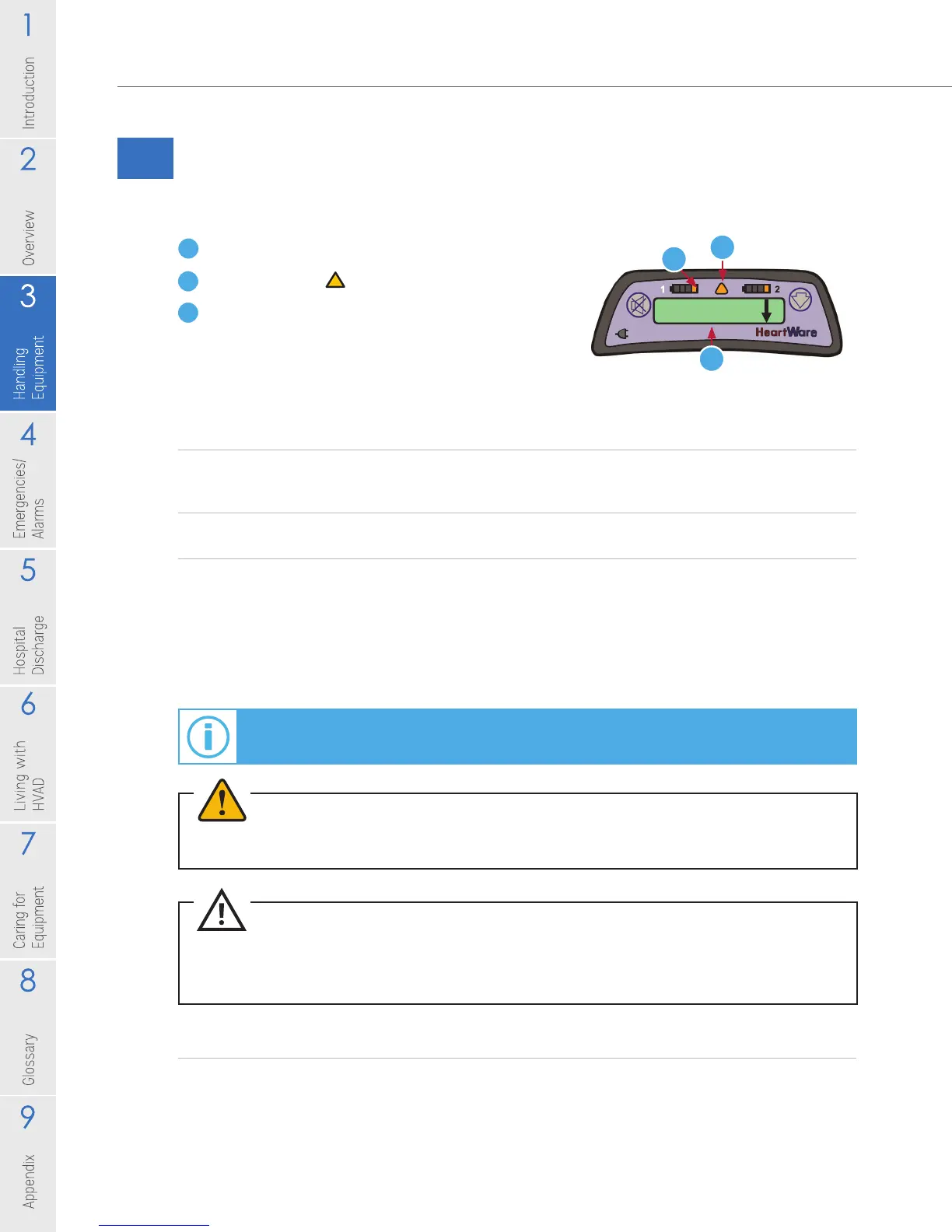
The controller will tell you when to change a battery through three indicators:1
1 Battery indicator will show 1 yellow light.
2 Alarm indicator will be solid yellow.
3 Display will read [Low Battery] [Replace Battery].
Changing from Two Batteries to a Battery and AC/DC Adapter
1. Plug the AC adapter into an electrical outlet or the DC adapter into a power
port found in most cars.
2. Disconnect the battery with the least remaining charge.
3. Connect AC or DC adapter.
Proper connection is veried when the AC/DC Indicator on the controller turns
green and the corresponding Battery Indicator turns off. If the AC/DC Indicator
doesn’t turn green, the controller is using battery power and the [Power
Disconnect] alarm will sound.
Changing from an AC/DC Adapter and Battery to Two Batteries
Before switching from AC or DC power to battery power, make sure that a fully
charged battery is available. Connect the fully charged battery after disconnecting
the AC or DC adapter.
Figure 28
For additional information on making connections, see Section 3.2.2.
For additional information on alarms, see Section 4.2.
CAUTION: ALWAYS check to be sure the DC adapter works in your motor vehicle. The DC
adapter is for use in motor vehicles only and may not t all motor vehicles.
CAUTION: Use only HeartWare-supplied power adapters with the HeartWare
™
HVAD
™
System.
WARNING! DO NOT plug the HeartWare
®
Battery Charger AC adapter into an electrical outlet
that is not properly grounded or you may receive a serious electrical shock.



 To Next Page