WARNING! ALWAYS keep a spare controller and fully charged spare batteries available at all
times in case of an emergency.
WARNING! ALWAYS investigate, and if possible, correct the cause of any alarm. Silencing an
alarm does not resolve the alarm condition.
45
HVAD
®
Patient Manual
4.2 Overview of Alarms
Alarms tell you about the pump, controller, connections, and power sources
(batteries, AC adapter, DC adapter). Alarm conditions are classied as high,
medium or low. Each of these alarms has a 1) unique sound, 2) visual display
and 3) a message. See table below.
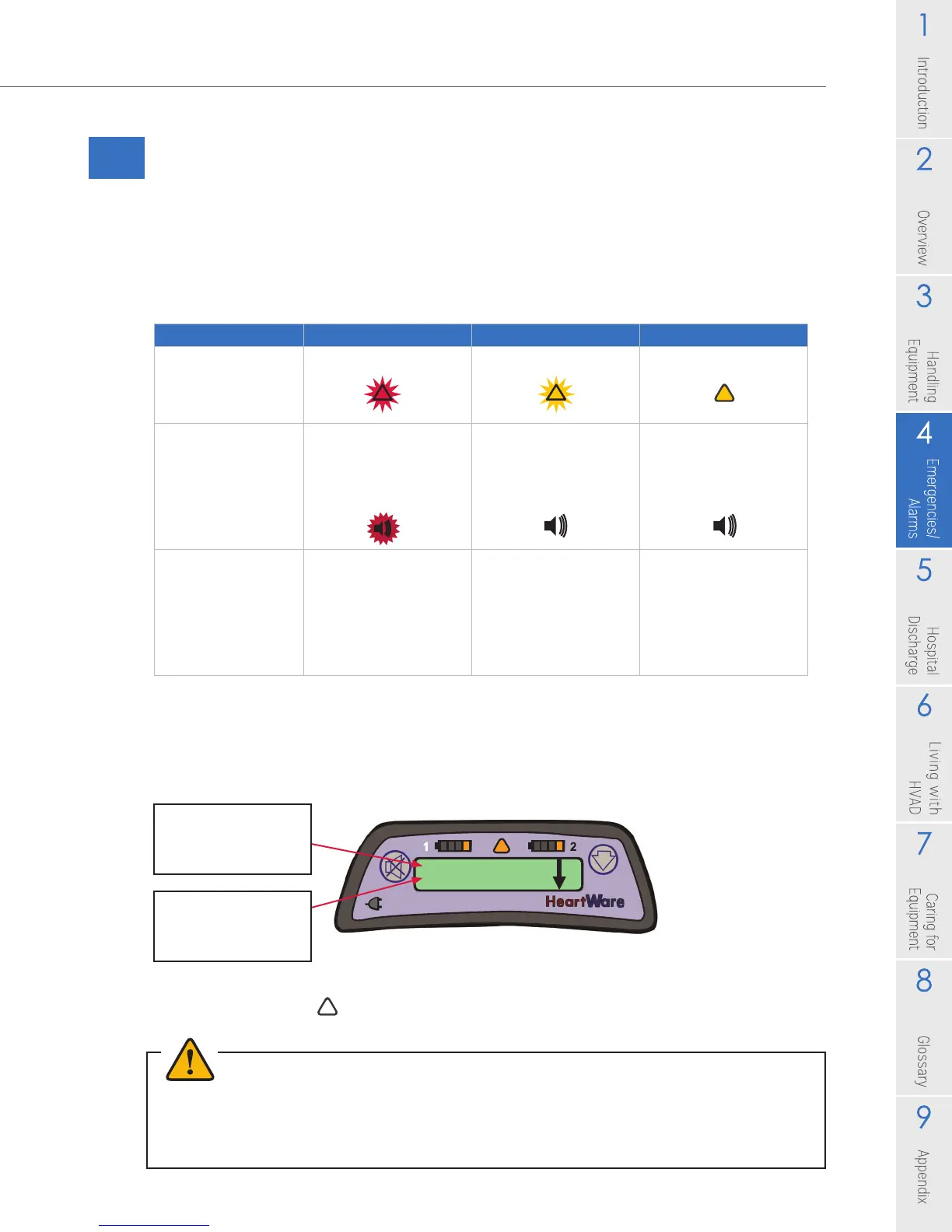
Table 6: Alarms
When an alarm occurs, two lines of text appear in the Controller Display. The
rst line tells you what the alarm is and the second line tells you what to do. See
example below:
When an alarm is resolved, there is no longer an alarm sound or a light displayed in
the Alarm Indicator ( ).
Low Battery 1
Replace Battery 1
High Medium Low
Controller Display
Flashing Red Triangle Flashing Yellow Triangle Solid Yellow Triangle
Controller Audio
• Loudest intermittent
beep
• Cannot be silenced
by the Mute button
• Intermittent beep
that becomes
louder in 1 and 5 min
• Intermittent beep
that becomes
louder in 5 and 10
min
Controller Silencing
• Cannot be silenced
by the Mute button
• The alarm will clear
once the problem is
resolved
• May be silenced for
5 min or 1 hour
• Controller and
Electrical Faults may
be permanently
silenced
• May be silenced for
5 min
1st line tells you
what the alarm is
2nd line tells you
what do to
Figure 68



 To Next Page