49
HVAD
®
Patient Manual
4.7 Multiple Alarms (continued)
WARNING! NEVER disconnect both power sources (batteries, AC adapter, DC adapter) at the
same time since this will stop the pump and activate the [No Power] alarm. At least one power
source must be connected at all times.
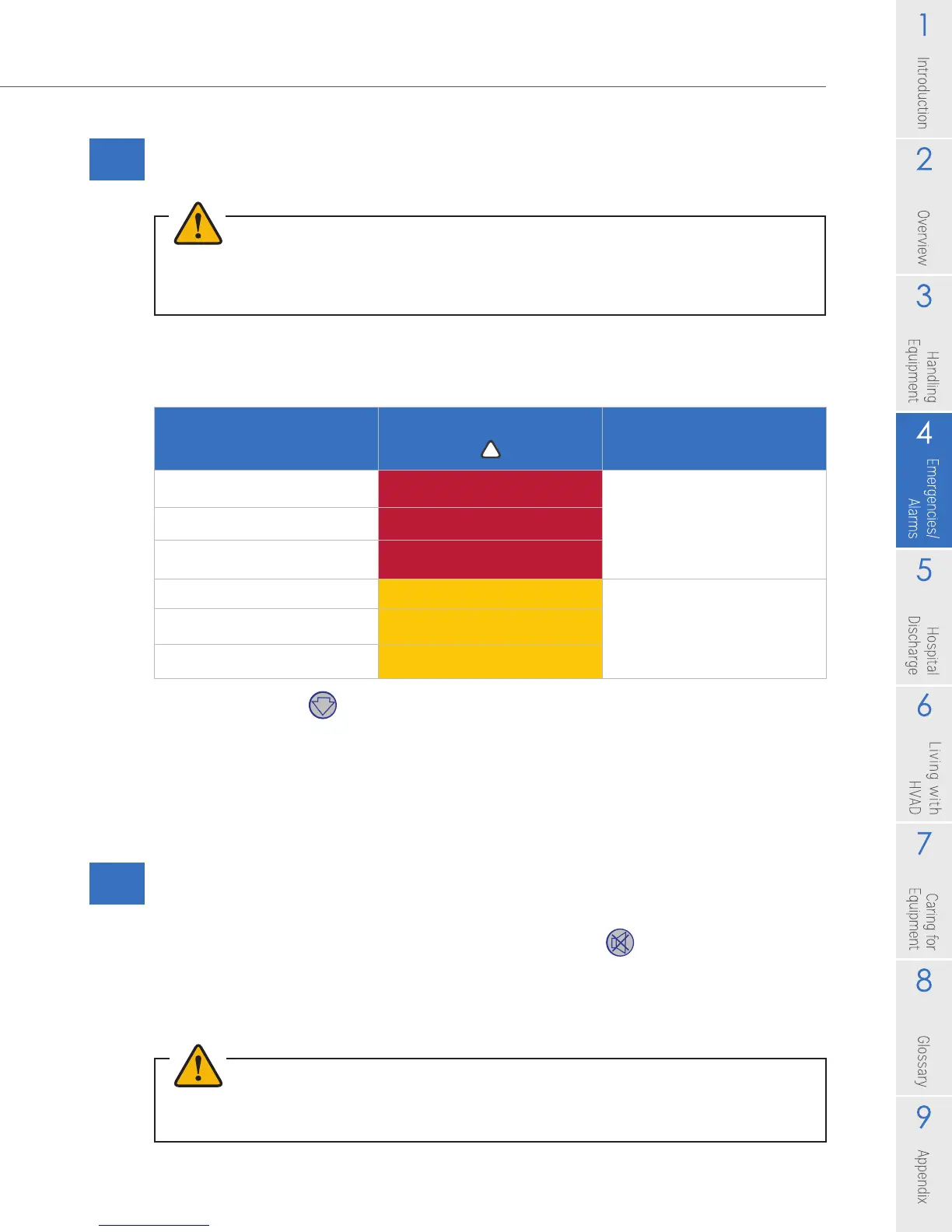
Alarm Indicator and Alarm Sound for Multiple Alarms
Table 10: Multiple Alarms
Use the Scroll button to see all alarm conditions. Press the Scroll button each time you
want to advance to the next alarm or to the VAD parameters (L/min, RPM and Watts). If
the Scroll button is not touched for 1 minute, the controller automatically displays the most
severe alarm on the Controller Display. Also, if a new alarm occurs, the Controller Display
will show you the new alarm. Remember, if an arrow is displayed on the right side of the
alarm message; use the Scroll button to see all alarms.
4.8 How to Silence (Mute) Alarms
High alarms CANNOT be silenced. However, medium and low alarms can be
silenced for 5 minutes by pressing the Alarm Mute button . The alarm will sound
again if a new alarm condition occurs or ve minutes has passed. The low and
medium alarm sound will increase to the next highest alarm volume level if the alarm
condition is not resolved or is not muted within 5 minutes.
Multiple Alarm
Condition
Alarm Indicator
Alarm Sound
2 or More High Alarms Flashing RED
Loud, continuous,
unable to mute
High and Medium Alarms Flashing RED
High and Low Alarms Flashing RED
2 or More Medium Alarms Flashing Yellow
Gradual increase
in volume
if alarm NOT muted
Medium and Low Alarms Flashing Yellow
2 or More Low Alarms Yellow
WARNING! ALWAYS investigate, and if possible, correct the cause of any alarm. Silencing an
alarm does not resolve the alarm condition.



 To Next Page