35
HVAD
®
Patient Manual
3.7 Setting Up Your HeartWare
™
HVAD
™
System Carrying Cases
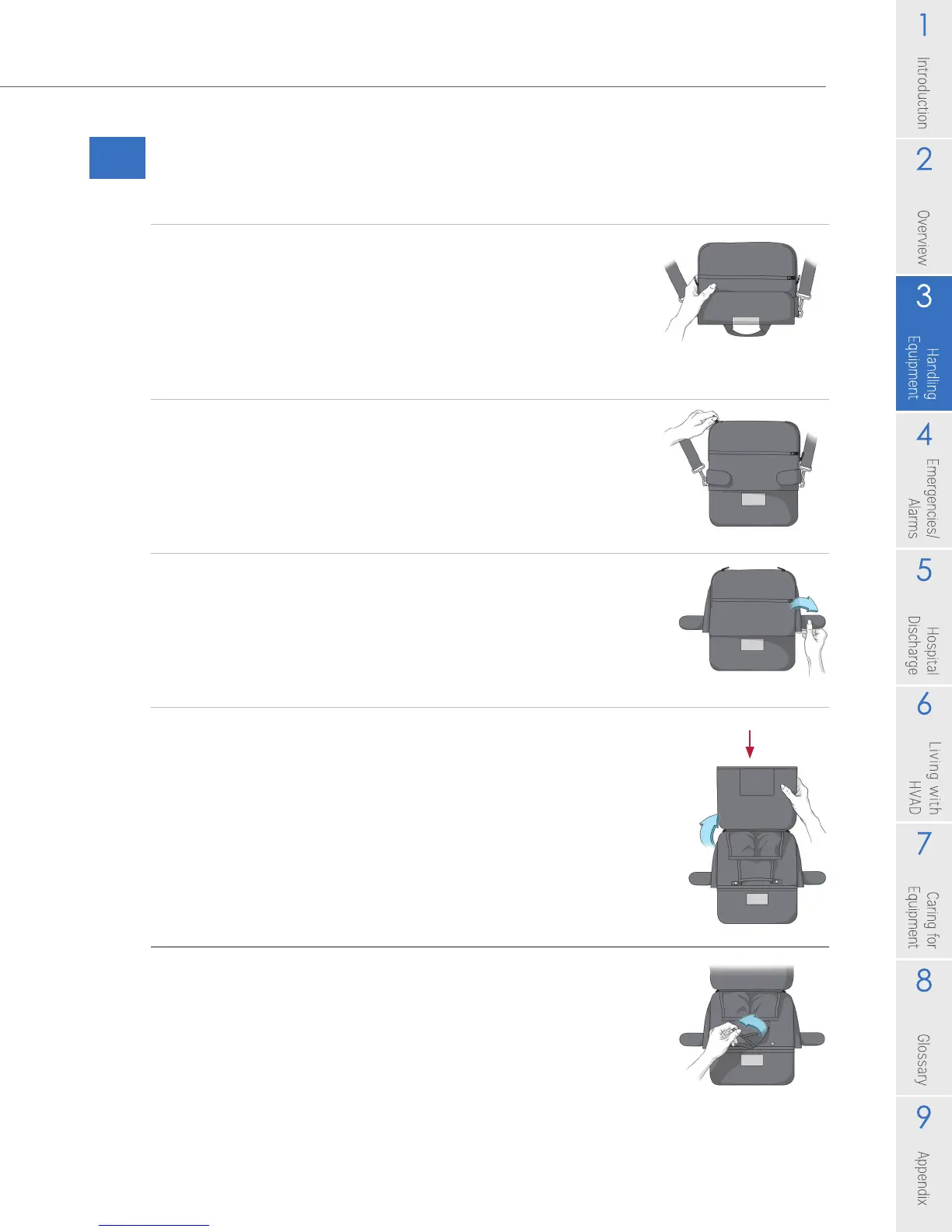
To Set Up and Use Your HeartWare
®
Shoulder Pack:
1. Place the shoulder pack on a table or other at surface
with the clear window facing you.
NOTE: For added support, attach the waist belt to the
shoulder pack using the belt loops on the back of the
pack before loading any equipment into it. If necessary,
use the belt extender to make the belt longer.
2. Open top ap and unzip the zippers to access the
equipment pockets.
3. Open the magnetic aps.
4. Open the large ap to access the equipment pockets.
You should receive a patient ID Card from your clinician,
which can be placed in the clear pocket.
5. Open the snap-on buttons snaps on the controller
pocket.
Pocket for Patient ID Card
Figure 40
Figure 41
Figure 42
Figure 43
Figure 44
Steps continued on next page



 To Next Page