CAUTION: NEVER use other battery chargers to charge HeartWare
®
Batteries. Other battery
chargers may damage the batteries.
CAUTION: ALWAYS wait until the "Ready" light turns on to disconnect the battery from the battery
charger. If this is not followed over consecutive charging cycles, the Battery Capacity Display will
not function properly and may convey misleading battery capacity.
34
3.0 Handling HeartWare
™
HVAD
™
System Components
3.6 Battery Charger (continued)
Table 5: "Status" Light Description
Battery Charger "Status" Light What it Means
Yellow
Battery being charged;
NOT ready for use.
Flashing Yellow
Battery not charging.
Check battery connections. If connections
are intact, switch to another battery slot.
If problem persists, return battery
to Clinician.
Red
Battery too cold or too hot;
waiting to charge.
Flashing Red
Defective battery. Do NOT use.
Mark battery and return to Clinician.
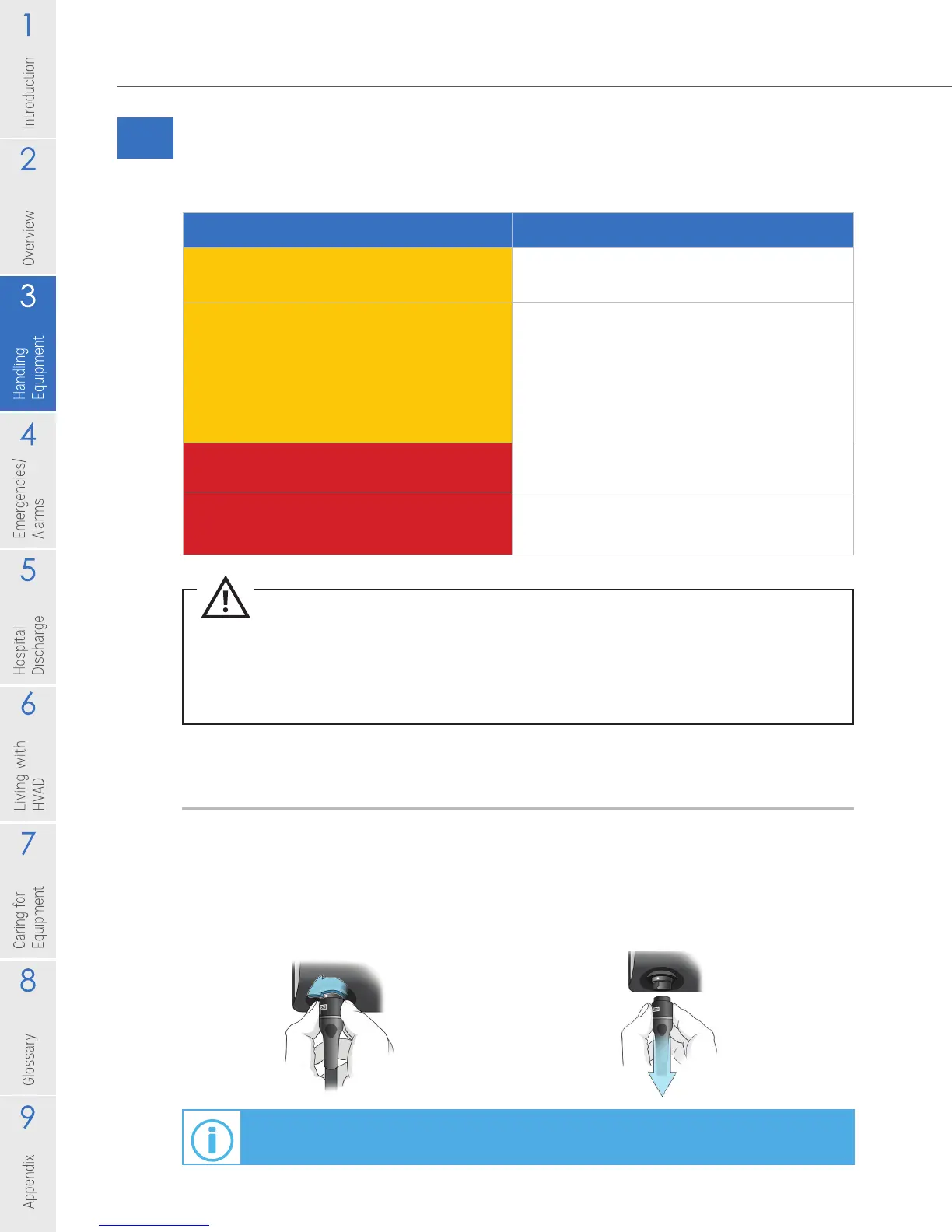
Disconnecting Batteries from the Battery Charger:
The battery disconnects from the battery charger the same way it disconnects from
the controller.
1. Disconnect the battery by turning the connector counterclockwise until it stops.
2. Pull the connector straight out from the battery charger.
For additional information on disconnecting power sources, see Section 3.2.2.
Figure 38 Figure 39



 To Next Page