33
HVAD
®
Patient Manual
3.6 Battery Charger (continued)
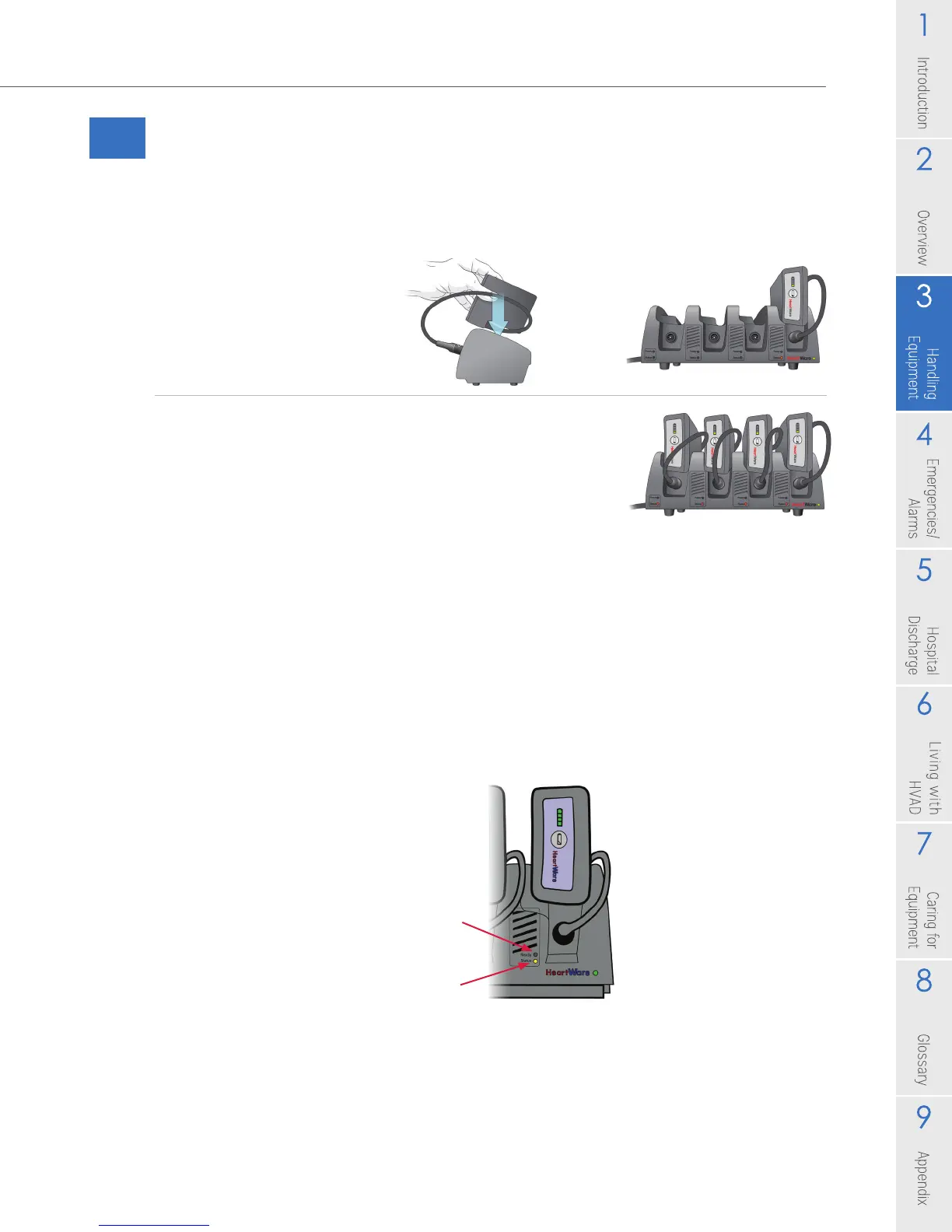
Each battery charging slot has two lights that tell you the status of the battery. A
green light next to "Ready" means the battery is fully charged. The light next to
'Status" may mean different things, depending upon the color. The table below
describes the lights that appear next to "Status".
'Ready" Light
"Status" Light
Figure 37: Indicator Lights on Battery Charger
2. Place the battery into the slot. For the best t, loop the cable gently to the side
and place the battery with the cable-side down.
3. Repeat steps 1 and 2 for all batteries. The
charger can hold up to 4 batteries at one time.
Figure 35
Figure 36



 To Next Page