WARNING! DO NOT operate the controller in temperatures less than -20°C (-4°F) or greater than
+50°C (+122°F) or the controller may fail.
WARNING! DO NOT disconnect the driveline from the controller or the pump will stop. If this
happens, reconnect the driveline to the controller as soon as possible to restart the pump.
WARNING! DO NOT attach the alarm adapter to a controller that is connected to a running pump.
The alarm adapter silences the [No Power] alarm and should only be attached to a controller
that has failed or malfunctioned and is no longer connected to a pump.
CAUTION: ALWAYS keep all connectors free of liquid, dust and dirt, or the HeartWare
™
HVAD
™
System may not function as intended.
22
3.0 Handling HeartWare
™
HVAD
™
System Components
3.1 How the Controller Works
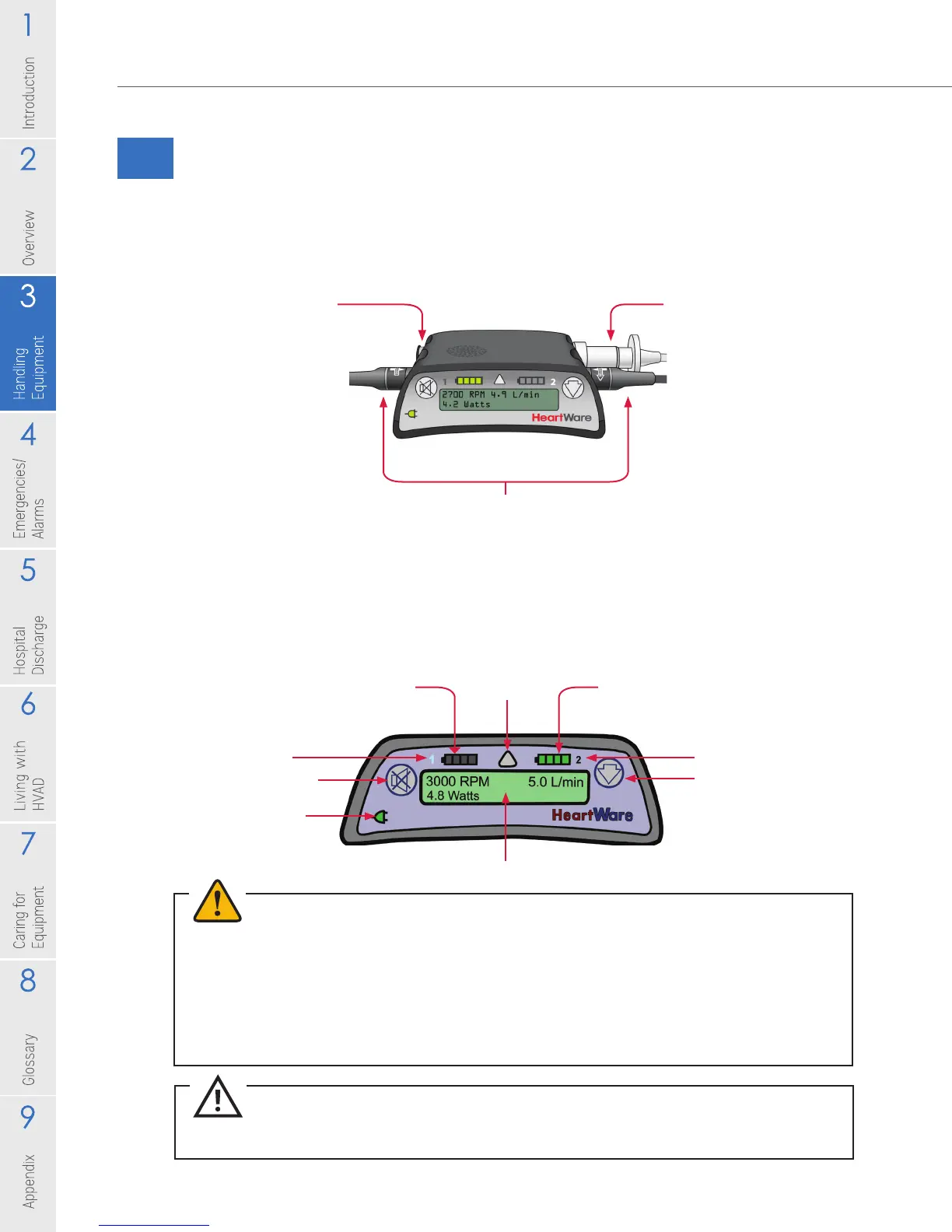
Controller Connections
There are four ports on the controller.
Controller Display, Buttons and Indicators
Battery Indicator 1
Alarm
Indicator Battery Indicator 2
Scroll Button
Power Source 2
Controller Display
AC/DC Indicator
Alarm Mute Button
Power Source 1
Data Cable
Connection
• Usually covered
with the cap
• Accepts the data
cable from the
monitor or the red
alarm adapter
with the blue ring
Power Connection
• Connects the controller to the power sources
• Accepts battery, AC, or DC adapter power
• Never disconnect both power sources at the
same time or the pump will stop
Driveline
Connection
• Connects the
pump driveline to
the controller
• Should never be
removed unless
performing a
controller exchange
Figure 15
Figure 16



 To Next Page