26
3.0 Handling HeartWare
™
HVAD
™
System Components
3.2 Making Connections (continued)
3.2.2 Power Source Connections3
To Connect a Power Source:
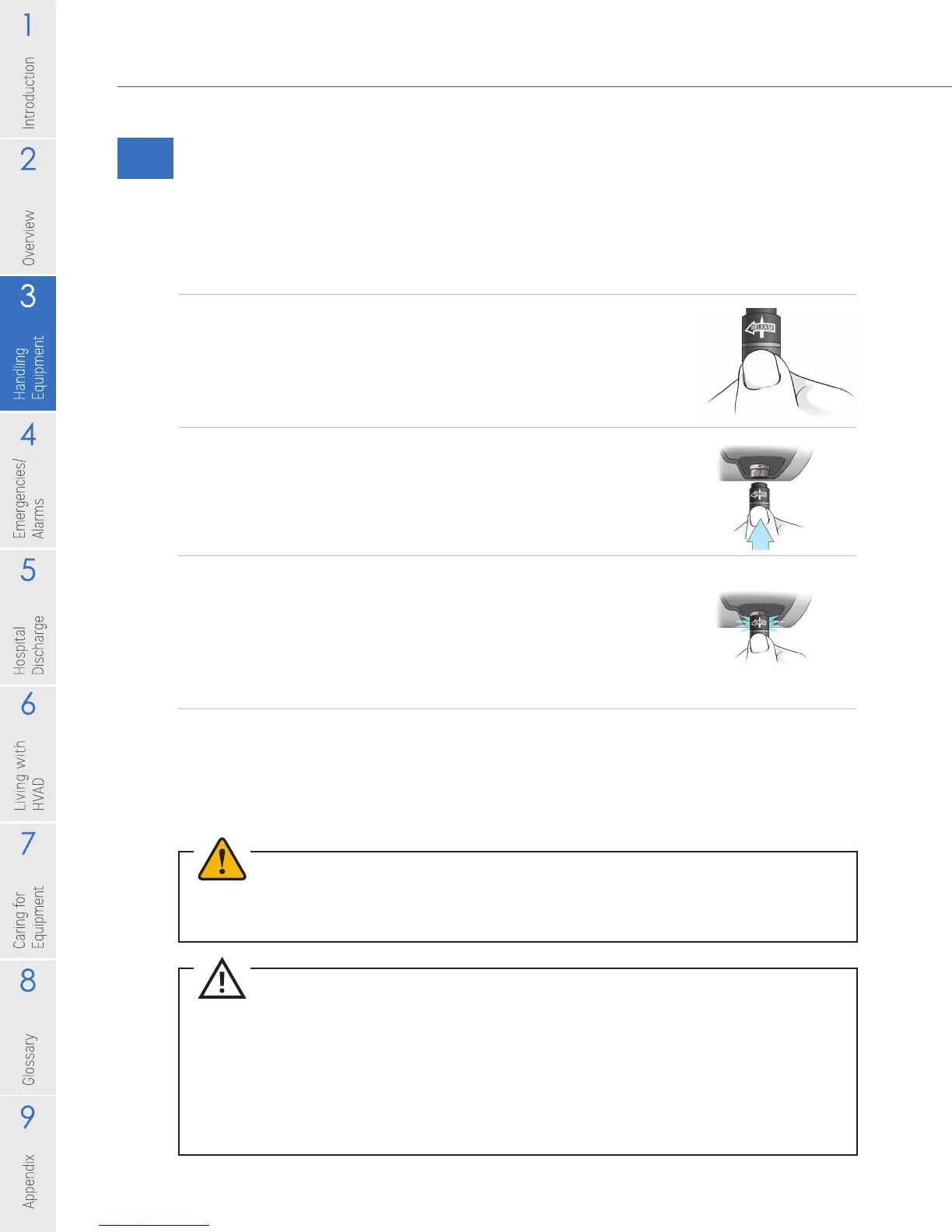
1. To connect all power supplies (battery, AC adapter or
DC adapter) grasp the power cable near its connector.
Leave the connector free to rotate.
2. Line up the solid white arrow on the cable connector
with the dot on the controller (Figure 24).
3. Gently push the cable into the controller. DO NOT twist
the connector, but allow it to naturally lock in place. A
good connection will result in an audible click.
NOTE: When pushing the connector into the controller the
white arrow will shift slightly into the correct locking position.
4. Conrm that the power cable is properly locked to the
controller by gently pulling on the cable near the
connector.
Repeat steps above for second power source.
WARNING! NEVER disconnect both power sources (batteries, AC adapter, DC adapter) at the
same time since this will stop the pump and activate the [No Power] alarm. At least one power
source must be connected at all times.
CAUTION: ALWAYS conrm that the power cables are properly locked to the controller by
gently pulling the cable near the connector.
CAUTION: DO NOT force connectors together without proper alignment. Forcing together
misaligned connectors may damage the connectors.
CAUTION: ALWAYS keep all connectors free of liquid, dust and dirt, or the HeartWare
™
HVAD
™
System may not function as intended.
Figure 23
Figure 24
Figure 25



 To Next Page