25
HVAD
®
Patient Manual
3.2 Making Connections (continued)
3.2.1 Driveline Connection (continued)3.2
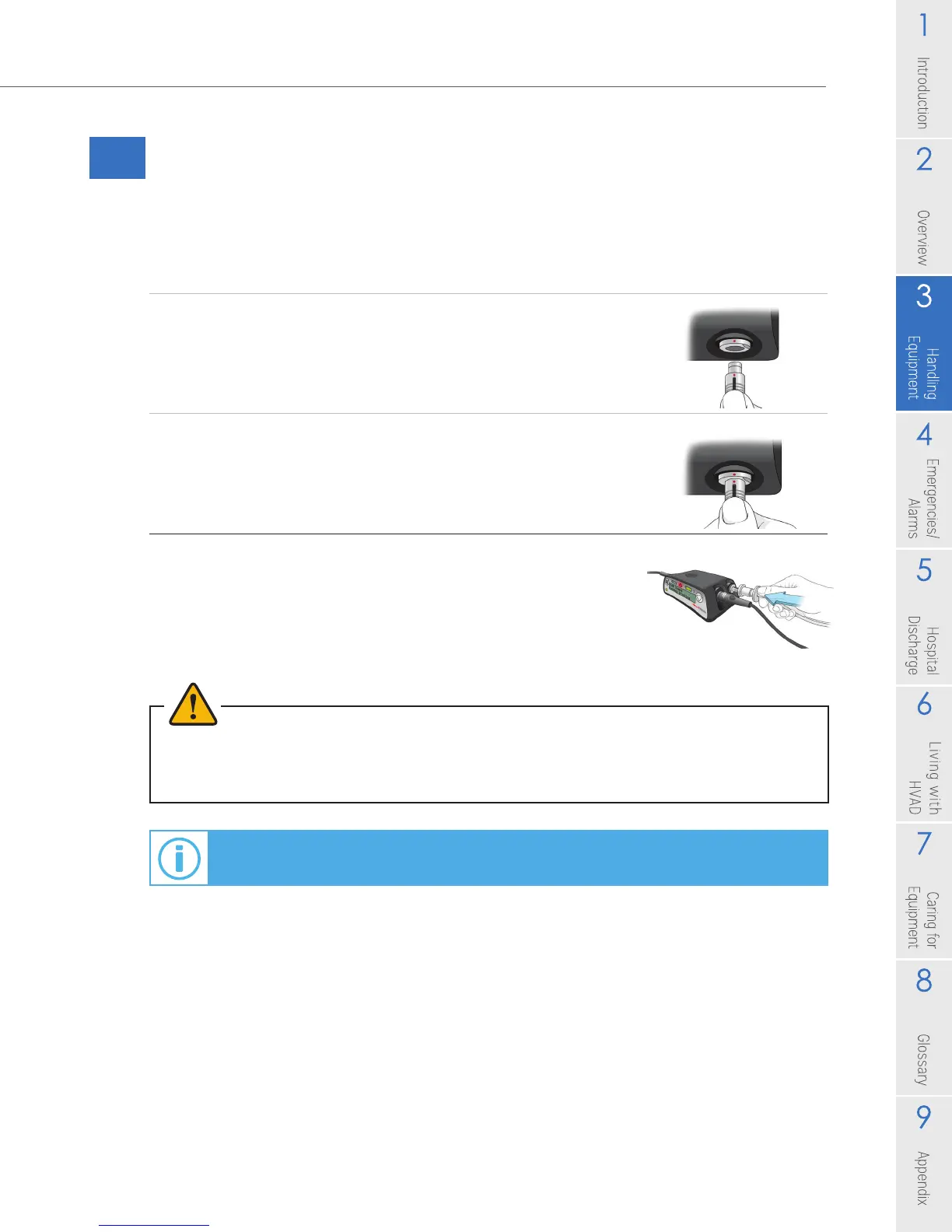
To Connect the Driveline to the Controller:
1. Line up the red dots on the silver driveline connector and
on the silver controller driveline port.
2. Push the driveline connector straight into the silver port.
NOTE: Verify the pump is running to ensure proper
connection.
3. Slide the driveline cover over the driveline connector.
WARNING! DO NOT attach the alarm adapter to a controller that is connected to a running pump.
The alarm adapter silences the [No Power] alarm and should only be attached to a controller
that has failed or malfunctioned and is no longer connected to a pump.
For information on exchanging your controller, see Section 4.9.
Figure 20
Figure 21
Figure 22



 To Next Page