WARNING! ALWAYS respond to low battery alarms. Silencing an alarm does not resolve the
alarm condition and will eventually deplete the batteries.
48
4.0 Emergencies and Alarms
4.6 Low Alarms
A low alarm is resolved by following the instructions on the screen. Once resolved,
the audible tone will stop, the alarm message will automatically clear from the
controller and VAD parameters will be displayed on screen. The table below
describes low alarms and possible meaning.
Table 9: Low Alarms
NOTE: [Low Battery 2] [Replace Battery 2] will appear on the Controller Display
screen as the second alarm until Battery 1 is replaced with a new power source.
4.7 Multiple Alarms
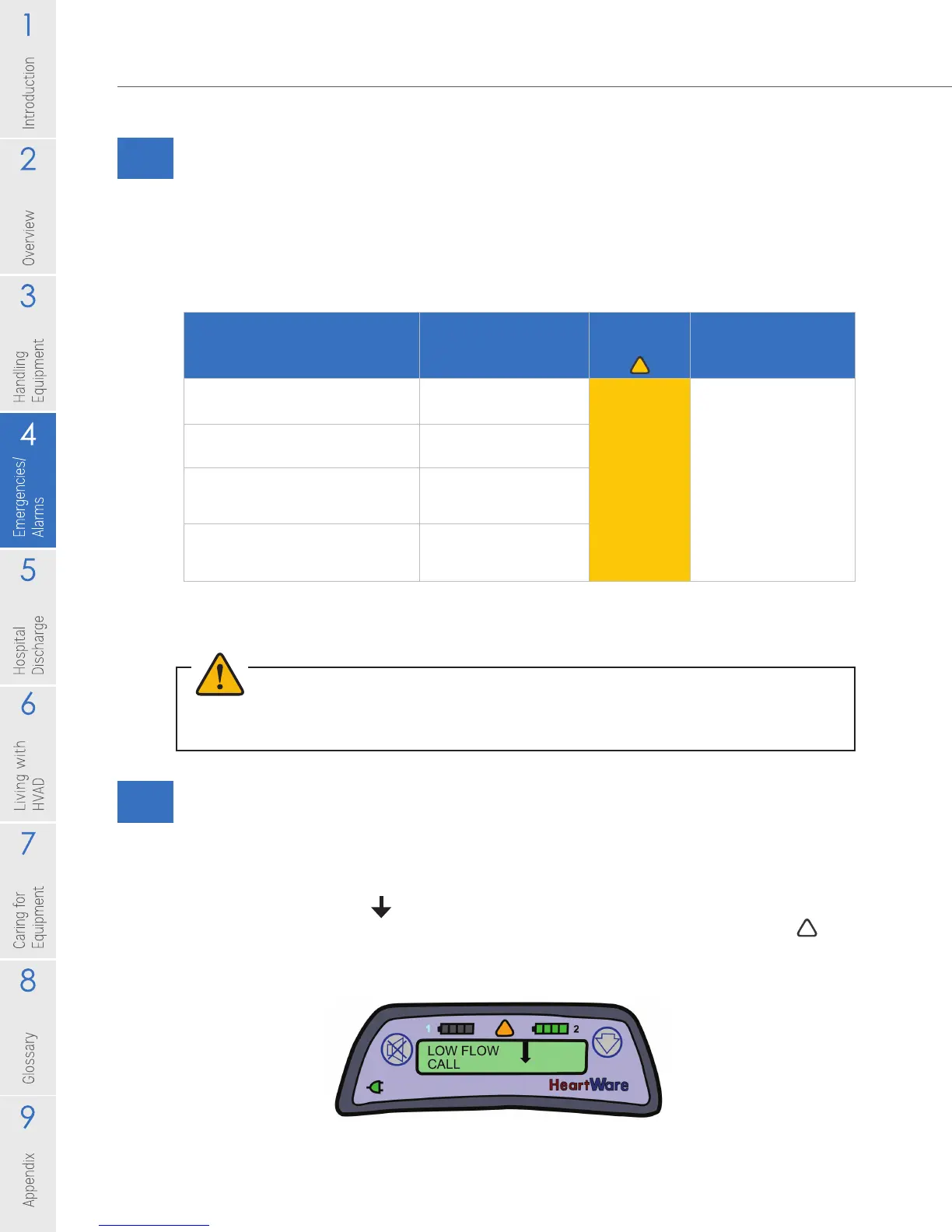
You may have more than one alarm condition at the same time. As mentioned
previously, when an alarm occurs, two lines of words appear on the Controller
Display. The rst line tells you what the alarm is, and the second line tells you
what to do. An arrow ( ) is displayed on the right side of the alarm if there is
more than one alarm (Figure 69). For multiple alarms, the Alarm Indicator ( )
and alarm sound will display the most severe alarm. Follow the directions on the
display for the most severe alarm, rst. Then scroll to the additional alarms.
Figure 69: Controller with Multiple Alarms (Note Arrow in Controller Display)
Alarm (Line 1 on controller)
Action (Line 2 on controller)
Meaning
Alarm
Indicator Alarm Sound
[Low Battery 1]
[Replace Battery 1]
Battery 1 is low
Yellow
Alarm gets louder
after 5 minutes and
even louder after 10
minutes, if alarm not
muted.
Able to mute alarm
for 5 minutes by
pressing Alarm Mute
Button.
[Low Battery 2]
[Replace Battery 2]
Battery 2 is low
[Power Disconnect]
[Reconnect Power 1]
Power Source 1
disconnected
or defective
[Power Disconnect]
[Reconnect Power 2]
Power Source 2
disconnected
or defective



 To Next Page