E9Screen Software EPC9 Manual 43
<>: This will select both amplitude and time constant of C-fast. Values for each may
be changed manually depending on whether the mouse is moved horizontally or
vertically.
Auto C-fast: Selection of this button performs an automatic compensation of C-fast
and τ-fast. The procedure uses a routine that applies a number of small pulses (5
mV), averages the resulting currents and fits an exponential to deduce the
capacitance compensation values required to cancel the current. During this
procedure some parameters are changed temporarily: R
s
-comp is turned off, the
stimulation is interrupted and the Gain is internally set to an appropriate value (0.2, 2
or 50 mV/pA, depending on the effective gain range). The values are updated in the
respective displays. If the automatic compensation routine fails to converge to ideal
adjustment, the small box in the Auto button (E) will be darkened to indicate the
error. Auto compensation works best with Sylgard-coated pipettes in the cell-
attached configuration with C-slow turned off.
The software allows for two ways of making the compensation. The fastest is to use a
look-up table for setting C-fast. In order to do this you have select the option Make C-
fast. If the file created by this procedure (“CFast.epc”) is found in the default
directory (“E9Screen”), the table will be used. Otherwise, when starting E9Screen, a
message will appear that the file could not be found and that the (slower) default
method will be used (iterative compensation).
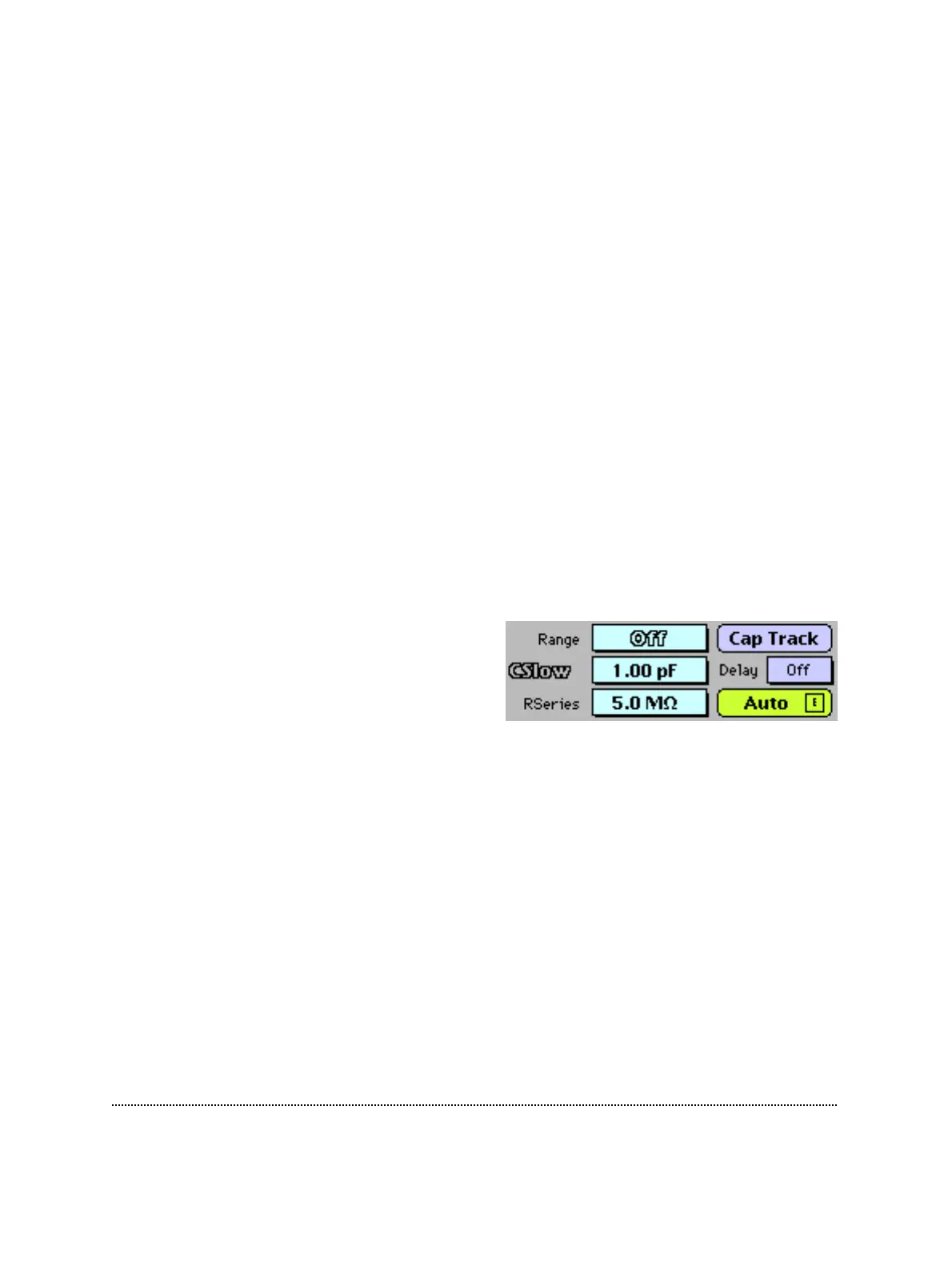
C-slow Range: Selects the range for slow
capacitance compensation:
• Off - Turns cancellation off.
• 30 pF - Small cells.
• 100 pF - Small and medium-sized cells.
• 1000 pF - Large cells (low and intermediate Gain Range only).
The program will prevent oscillations by limiting compensation according to the
selected range and the effective capacitance values (R-series * C-slow > 5 µs). Selecting
the 1000 pF range will limit the Gain adjustment to a maximum of 20 mV/pA.
Note: If you are using the “Cap. Track” feature to measure small capacitance changes, it is
advantageous to use a higher C-slow range when possible. Counter-intuitive as it
may seem, the digital control of the C-slow circuitry is more precise in higher
ranges, resulting in higher resolution, consistent with the gain range and capacitance.
C-slow: This is used to cancel slow capacitive currents that charge the cell membrane
in the whole-cell configuration. The 30, 100 and 1000 pF ranges actually allow
capacitance values to be compensated in the ranges of 0.12-30 pF, 0.4-100 pF and 4-
1000 pF, respectively. The adjustment range is also limited by the program in order



 To Next Page