17
(b) Odometer/Tripmeter
The tripmeter (2) shows distance travelled
since trip meter was reset last time. There are
two tripmeters, “Trip-1” and “Trip-2”.
Push the ode button ( ) to select m 3 “Trip-1”
and “Trip-2” “Trip-1” and “Trip-2” . can be
displayed upto " 999.9" km.
If the tripmeter exceeds " " km it will 999.9
return to " " km automatically.0.0
The odometer (1) shows accumulated
distance travelled.
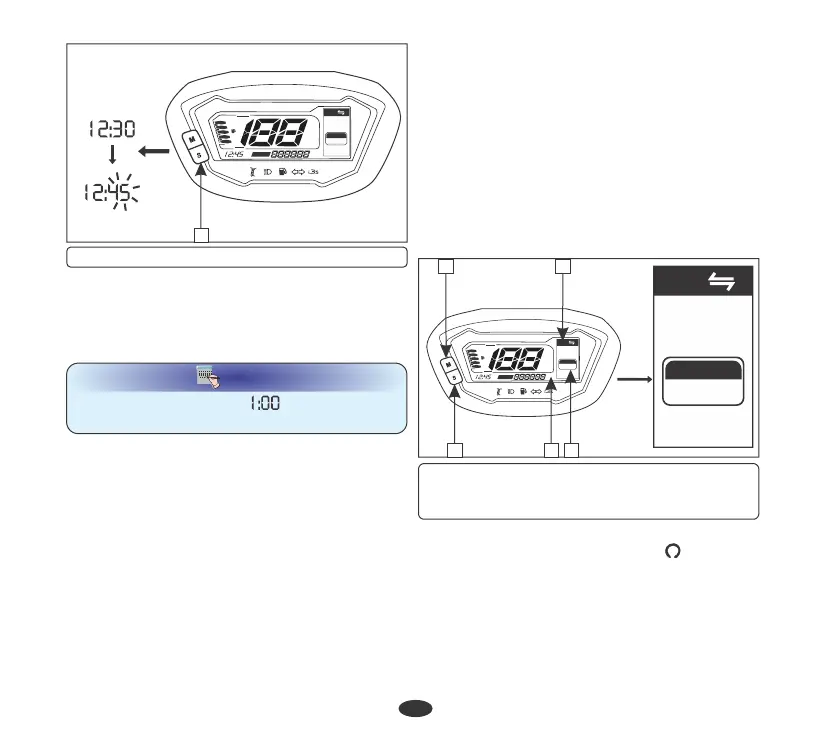
To update the date proceed as follows :
•
Press and hold set button (4) and mode
button (3) simultaneously for more than 2
seconds. The clock display will start blinking
(page 16).
•
Keep pressing and releasing mode button
(3) until date display (5) starts blinking.
•
Turn the ignition switch "ON" ( ).
(1) Odometer (2) Tripmeter
(3) Mode button (4) Set button
(5) Date
F
FF
E
EE
SERVICE
ODO
km
k
m
/h
PM
241.6 km
Trip 2
Date
2 Jan
241.6 km
Trip 2
Date
2 Jan
5
3
2
Tripmeter displays following parameters:
•
Distance: distance covered in a trip.
•
Trip time: time taken to complete a trip.
When tripmeter is selected, long press (more
than 2 seconds) the set button to reset
tripmeter to zero. The odometer can be
displayed from "0 to 999999" km.
•
Avg Speed: it indicates the average
running speed of the vehicle with respect to
km covered per hour throughout the trip.
•
Date: it shows the current date.
F
FF
E
EE
SERVICE
ODO
km
k
m
/h
PM
241.6 km
Trip 2
Date
2 Jan
(2) Set button
•
To end the adjustment press set utton (2). b
The display will stop flashing automatically
and it will return to its pervious value if the
button is not pressed for 30 seconds or
more.
2
NOTE
The clock will reset “AM: “ if the battery is
disconnected.
4
1


 To Next Page