21
6.5. SWITCH OFF
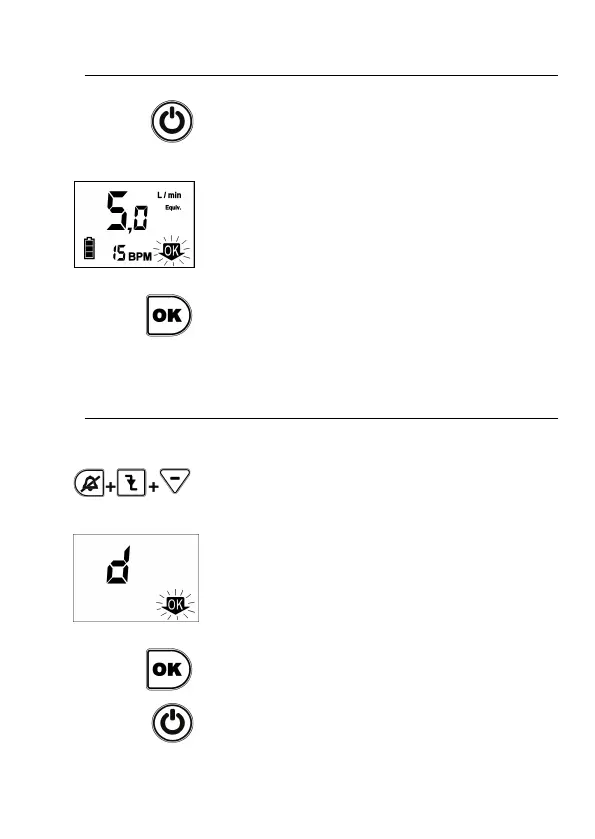
The unit is switched off by pushing the key ON/OFF.
To switch off the unit, the order must be confirmed
by pushing OK before 5 seconds (during that time
the symbol OK blinks in the display). If in 5 seconds
the OK key is not pushed, the unit continues
operative.
6.6. TO DELETE THE MEMORY
After switching on the unit, all blinking symbols on
screen will blink for 3 seconds. If during this time you
press simultaneously Silence alarm, Trigger and
Minus keys, you access to a screen with the letter d
(delete).
You need to press the OK button to confirm erasing
command (OK symbol flashes on the screen until it
is confirmed).
To return to Conserver Mode, press ON/OFF.


 To Next Page