25
6.8.1. Clock Settings
Once inside Configuration Mode (S), the first
available function will be that for date/time settings.
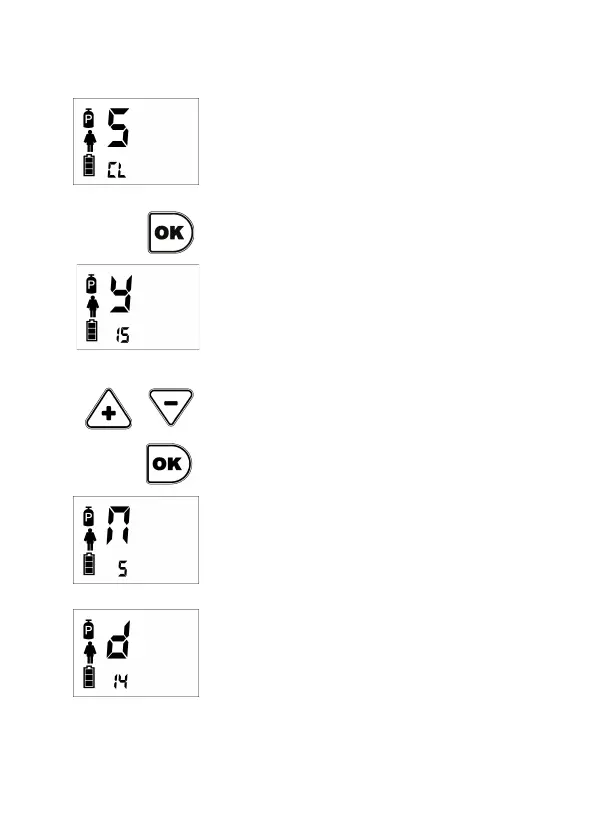
On screen the letters CL (Clock) will be shown.
Clock settings menu is entered by pressing OK key.
Letter S change for y (year) indicating that year can
be selected. Year is shown by two small digits below.
In example the year 2015.
To switch years, use keys Plus and Minus.
Once selected the year, press OK to confirm.
After that, it goes automatically to select the month,
letting show on screen a letter n (month) and in
digits below the number of month (from 1 to 12). To
switch months, same procedure as with years, that
is, Plus and Minus keys and confirming pressing
OK. Example shows month 5 (May).
For day selection, the system again will show
automatically on screen letter d (day) and in digits
below the number of day (from 1 to 31). Same
selecting method as before. Example shows day14.


 To Next Page