EasyManua.ls Logo

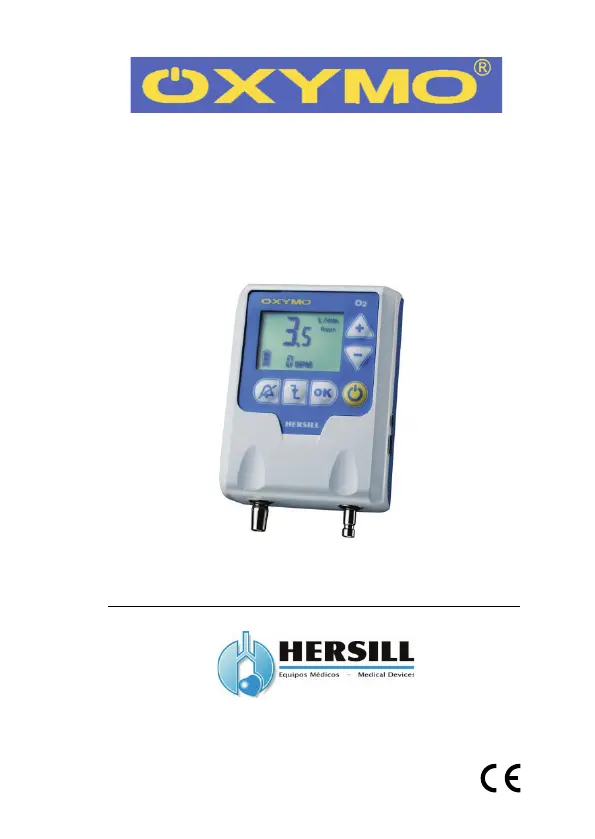
HERSILL OXYMO - User Manual

HERSILL OXYMO
64 pages
Print Icon
To Next Page IconTo Next Page
Loading...
Manual Ref.: 9550601 Rev.: 1.6 Jan 2016
Demand Oxygen Delivery System and
Respiratory Monitor
User Manual
www.hersill.com
0051

Other manuals for HERSILL OXYMO

Questions and Answers

  • V
    vmyersAug 3, 2025
    How to fix oxygen leaks in HERSILL OXYMO?
    • A
      Anthony KingAug 3, 2025
      If you notice oxygen leaks in your HERSILL Oxygen Equipment, there are several possible causes. First, ensure the spiral hose is correctly connected to both the pressure regulator outlet and the OXYMO inlet connector. If the hose is broken or damaged, replace it with a new one. Also, check that the pressure regulator is fully inserted into the cylinder after you close the cylinder. Finally, if the pressure regulator is faulty, it should be replaced.
  • L
    lisaburnettAug 8, 2025
    What to do if the alarm for low O2 pressure supply is activated on HERSILL OXYMO Oxygen Equipment?
    • J
      Judith MarshallAug 8, 2025
      If an alarm for low O2 pressure is activated on your HERSILL Oxygen Equipment, it could be due to several reasons. The oxygen cylinder might be empty, in which case you should replace it. Alternatively, the oxygen cylinder might be closed; slowly open the valve. The spiral hose could be clogged or folded, so remove any obstructions or replace the hose. Lastly, the oxygen outlet connector in OXYMO might be clogged; try to clear any blockage.
  • G
    George AlvaradoAug 13, 2025
    Why won't my HERSILL Oxygen Equipment turn on?
    • N
      Nancy RodriguezAug 13, 2025
      If your HERSILL Oxygen Equipment won’t turn on, several factors could be responsible. First, ensure the batteries are not exhausted and are correctly positioned; replace them if faulty. Next, connect the adapter to the network supply. If the unit is broken down, disconnect the nasal cannula and spiral hose from OXYMO and connect the adapter for a continuous flow instead to achieve a continuous oxygen flow of 3 L/min.
  • A
    Alexander CastilloAug 18, 2025
    What causes the alarm for disconnection/apnea to activate on HERSILL OXYMO?
    • D
      David FordAug 18, 2025
      If the alarm for disconnection or apnea is activated on your HERSILL Oxygen Equipment, it could be due to the unit not detecting the patient's inspiration; check that the patient is not in apnea. Also, ensure the patient breathes through the nostrils and not through the mouth. Verify the nasal cannula is correctly located in the device, that its tubing is not folded or clogged, and that it is correctly placed in the patient's nostrils. Do not use a nasal cannula longer than 2 meters. Replace OXYMO with the 3 L/min continuous flow accessory.
  • T
    Theresa BrownAug 23, 2025
    How to troubleshoot HERSILL OXYMO batteries not charging?
    • B
      burtonjoshuaAug 23, 2025
      If the batteries in your HERSILL Oxygen Equipment are not charging, first check the adapter connections to ensure they are correctly connected. If the adapter is faulty, replace it with a new one. Also, make sure you have inserted rechargeable NiMH batteries in the compartment. If the rechargeable batteries are faulty, replace them with new ones.
  • J
    Joseph MorseAug 29, 2025
    What to do if HERSILL Oxygen Equipment device is blocked?
    • M
      Meredith HernandezAug 29, 2025
      If your HERSILL Oxygen Equipment is blocked (not working or responding to the keypad), it may be due to a power failure during operation. Disconnect the power supply (battery, mains, or USB) for more than 30 seconds to completely reset the unit, allowing it to boot up again. Note that you will need to reintroduce the date and hour from the Configuration Mode.

Summary

INTENDED USE

OXYMO Device Overview

OXYMO is a portable electronic demand oxygen delivery device.

SAFETY INFORMATION

MEANING OF SYMBOLS

Explains the meaning of various warning, caution, and note symbols used in the manual.

IMPORTANT SAFETY PRECAUTIONS

Details crucial safety precautions regarding oxygen handling, patient use, and device operation.

TECHNICAL SPECIFICATIONS

Device Specifications

Details the physical, operational, and performance specifications of the OXYMO device.

SCHEME OF THE DEVICE

Device Component Diagram

Provides a diagram illustrating the different parts and connectors of the OXYMO device.

INNOVATIVE FEATURES

SMART FLOW SYSTEM

Explains the Smart Flow system, which adjusts oxygen delivery based on respiratory rate.

SMART ASSIST SYSTEM

Describes the Smart Assist system, which helps detect and manage inspiratory efforts and apnea.

SMART TRIGGER FUNCTION

Details the Smart Trigger function for detecting weak inspirations and optimizing oxygen delivery.

SMART SUPERVISION

Covers patient compliance monitoring and data logging capabilities of the OXYMO device.

ADDITIONAL FEATURES

Lists other important features like visible/audible alarms, programmability, and keyboard lock.

OPERATION INSTRUCTIONS

CONNECTION TO AN O2 CYLINDER

Detailed instructions for connecting the OXYMO device to a compressed oxygen cylinder.

CONNECTION TO AN O2 PIPELINE

Instructions for connecting the OXYMO device to a low-pressure oxygen pipeline.

CONNECTION TO A LIQUID O2 TANK (LOX)

Guidance on operating OXYMO with a liquid oxygen tank (LOX).

SWITCH ON AND NASAL CANNULA PLACEMENT

Steps for powering on the device and correctly placing the nasal cannula for optimal performance.

SWITCH OFF PROCEDURE

Procedure for safely switching off the OXYMO device.

DELETE DEVICE MEMORY

Instructions on how to erase stored data and settings from the OXYMO device.

KEYBOARD LOCKING

How to lock and unlock the device keypad to prevent accidental changes or tampering.

DEVICE CONFIGURATION

Overview of the configuration options available for the OXYMO device, via PC or keyboard.

CLOCK SETTINGS

Detailed steps for setting the date and time on the OXYMO device.

SMART FLOW CONFIGURATION

Instructions for activating and configuring the Smart Flow system's parameters.

SMART ASSIST CONFIGURATION

Guide to activating and configuring the Smart Assist system.

SETTING THE TIME FOR DISCONNECTION;APNEA ALARM

Configures the time threshold for triggering disconnection or apnea alarms.

SAFETY FLOW CONFIGURATION

Enables or disables the safety flow feature during apnea or disconnection events.

AUTOMATED POWER-OFF CONFIGURATION

Sets up the automatic power-off function to conserve battery life.

OPERATING MODES

Explains the different operating modes of the OXYMO device.

RESPIRATORY MONITOR MODE

Describes the mode for monitoring respiratory parameters without oxygen delivery.

CONSERVER MODE

Details the standard mode for oxygen delivery and patient monitoring.

SETTING THE EQUIVALENT FLOW

Instructions for adjusting the oxygen flow rate (equivalent flow) to meet patient needs.

SETTING THE TRIGGER

Guide to adjusting the trigger sensitivity for optimal oxygen delivery.

ALARMS

LOW BATTERY ALARM

Information on the low battery warning and how to address it.

LOW O2 PRESSURE SUPPLY ALARM

Covers the alarm for insufficient oxygen pressure supply and its causes.

DISCONNECTION OR APNEA ALARM

Explains the disconnection or apnea alarm, its triggers, and potential causes.

POWER SUPPLY

RECHARGEABLE BATTERIES FEEDING

Instructions for recharging the NiMH batteries used with the OXYMO device.

CHANGE BATTERIES

Procedure for replacing the batteries in the OXYMO device.

POWER SUPPLY FEEDING

Details how the OXYMO operates when connected to the AC/DC power adapter.

OXYGEN SOURCE

HIGH PRESSURE CYLINDER

Connecting OXYMO to a high-pressure oxygen cylinder.

LOW PRESSURE OXYGEN PIPELINE (HOSPITAL)

Connecting OXYMO to a hospital's piped oxygen supply system.

LIQUID OXYGEN

Operating OXYMO with a liquid oxygen tank (LOX).

CONTINUOUS FLOW ADAPTER

Using the Continuous Flow Adapter

Details the use of the continuous flow adapter for alternative oxygen delivery.

SOFTWARE OXYMO-SW

OXYMO-SW Software Functions

Information about the OXYMO-SW software for configuration and data management.

SPARE PARTS AND ACCESSORIES

Available Parts and Accessories

Lists available spare parts and accessories for the OXYMO device.

TROUBLESHOOTING

OXYGEN LEAKS

Addresses issues related to oxygen leaks in the OXYMO system.

UNIT WONT TURN ON

Troubleshooting steps when the OXYMO unit fails to power on.

BATTERY CHARGING ISSUES

Diagnoses and resolves issues with battery charging for the OXYMO device.

DISCONNECTION;APNEA ALARM TROUBLESHOOTING

Troubleshooting the disconnection or apnea alarm.

LOW O2 PRESSURE ALARM TROUBLESHOOTING

Resolves issues related to the low oxygen pressure supply alarm.

DEVICE UNRESPONSIVE TROUBLESHOOTING

Troubleshooting steps when the OXYMO device becomes unresponsive.

MAINTENANCE, STORAGE AND REMOVAL

MAINTENANCE GUIDELINES

Recommendations for routine maintenance and checks of the OXYMO device.

STORAGE PROCEDURES

Proper procedures for storing the OXYMO device to ensure its longevity.

REMOVAL AND DISPOSAL

Guidelines for the safe removal and disposal of the OXYMO device and its parts.

WARRANTY INFORMATION

Product Warranty Terms

Details the warranty terms and conditions for the OXYMO device.

QUALITY STANDARDS

ELECTROMAGNETIC STANDARDS COMPLIANCE

Information on the electromagnetic emissions and immunity standards for OXYMO.

HERSILL OXYMO Specifications

General IconGeneral
BrandHERSILL
ModelOXYMO
CategoryOxygen Equipment
LanguageEnglish