12
3. HICAPS
3.1 Registering a new provider
To add providers you will need to register their details by completing the online form
(Register a new provider), available on the HICAPS website www.hicaps.com.au/forms.
Once the completed form and supporting documents have been submitted and approved
by HICAPS, the provider updates will be sent to the associated health funds and the new
provider/s will automatically appear on your HICAPS Trinity terminal within 5 business
days. Once a new provider appears on the terminal, they will be able to transact. There is
no further action required.
3.2 Modifying a provider
To modify provider details, login to HICAPS Accounts Online.
You can refer to the HICAPS Accounts Online User Guide for more information on making
modications.
3.3 Deleting a provider
You can remove a provider that is no longer practising at your location from your
HICAPSTrinity terminal by completing the online form, available on the HICAPS
websitewww.hicaps.com.au/forms.
Once the completed online form has been submitted and approved by HICAPS, the removal
of the provider will be updated with the associated health funds and the requested
provider/s will automatically be removed from your terminal within 5 business days.
3.4 Processing a HICAPS claim
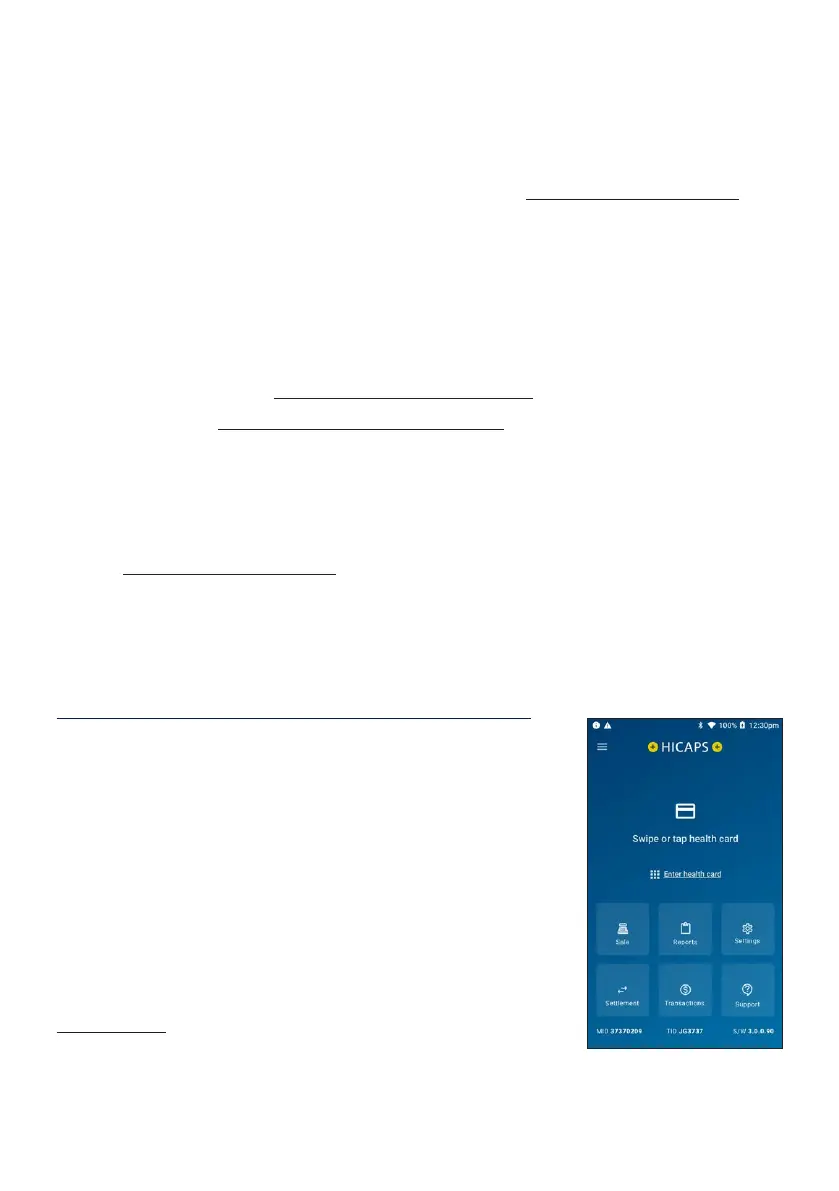
STEP 1
To process a HICAPS claim transaction from the home
screen, swipe or tap a patient’s Health Fund card on the
terminal. Alternatively for Health Funds that allow key
entry, you can manually enter the card number by tapping
Enter health card on the home screen.
Note: Some of the HICAPS participating health funds will
not be supporting Wi-Fi or mobile terminal claiming. Claims
processing is supported by all participating health funds
when the terminal is Bluetooth paired with the base, with an
ethernet cable connected. A list of the participating health
funds that support mobile transactions is available on
hicaps.com.au.


 To Next Page