55
7.2 Accessing item level HICAPS response codes
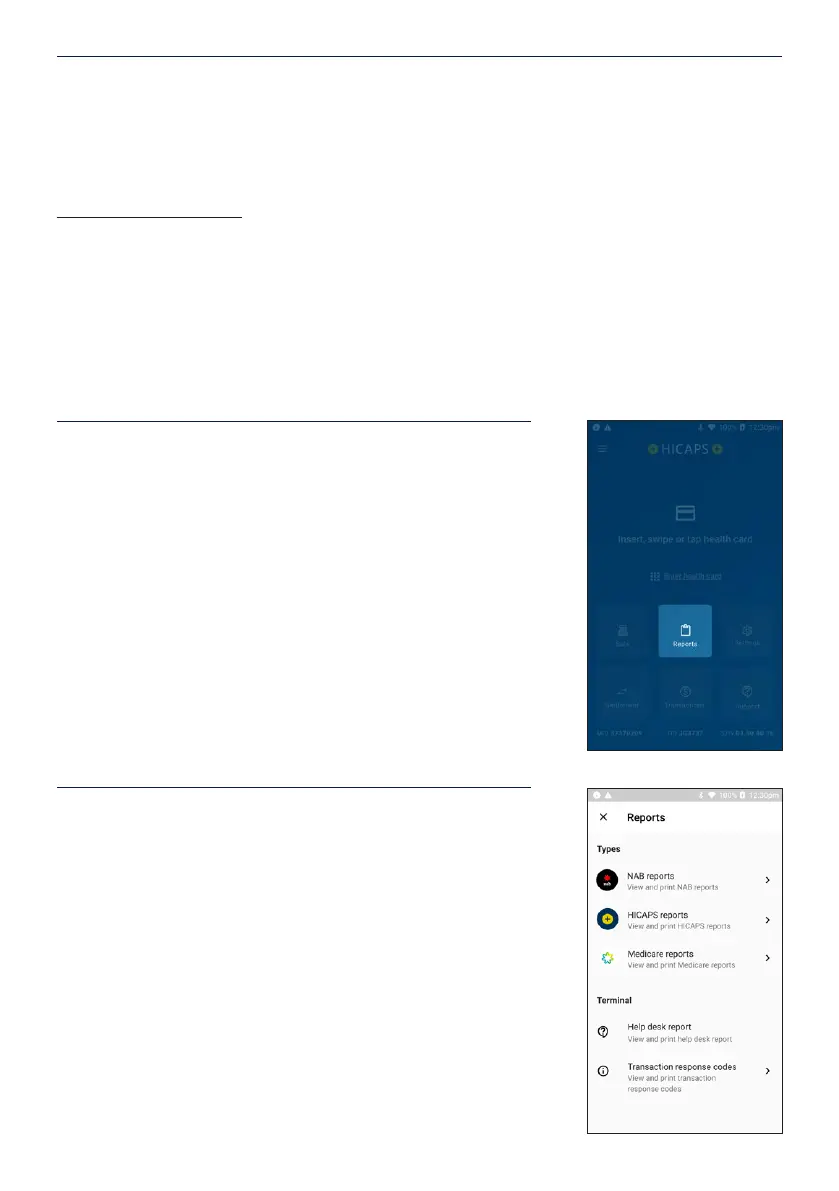
To access the item level HICAPS response codes on the
HICAPS Trinity terminal, follow the steps below:
STEP 1
From the Home Screen, Tap on Reports
STEP 2
Tap Transaction response codes
STEP 4
Scroll through the list of codes or use the search bar to enter numbers or letters to display
the code you’re searching.
Note: You can print a list of HICAPS response codes by tapping the print icon in the top left
corner while on the HICAPS response codes screen and tap OK on the conrmation screen.
HICAPS response codes – Click for a full and current list of transaction level HICAPS
response codes.


 To Next Page