23
4. EFTPOS
4.1 Sale
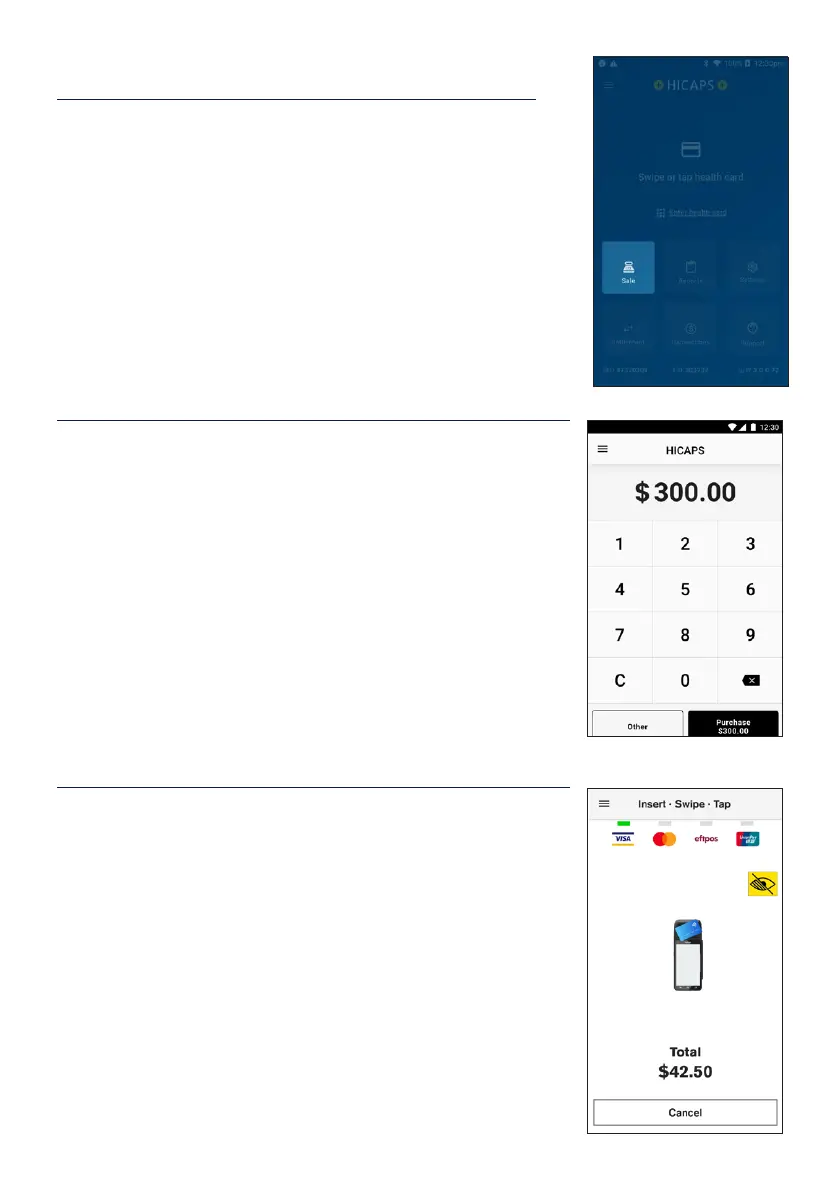
STEP 1
To process an EFTPOS Sale transaction, tap the Sale icon on
the home screen.
Note: If the terminal has been congured as a multi
merchant terminal you will be prompted to select the
appropriate merchant for the transaction.
STEP 2
Enter the transaction amount and tap Next.
STEP 3
On the card presentation screen, tap or insert a customer
payment card to complete the transaction.


 To Next Page