42
5.1.4 Changing Colour/Large Text
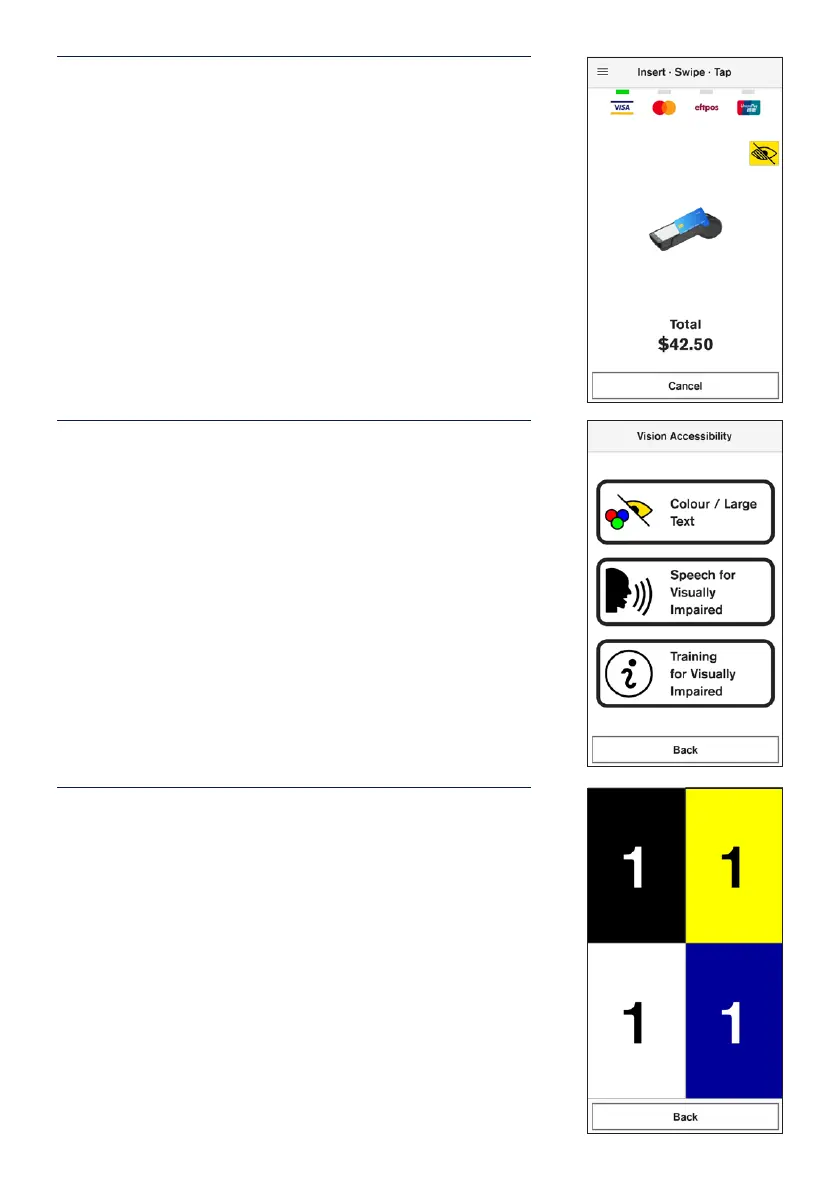
STEP 1
On the card presentation screen, tap the accessibility icon
in the top right-hand corner.
STEP 2
Select Colour / Large Text to change colour contrast and
text size.
Note: Customers can connect headphones via the audio
jack if required.
STEP 3
Cardholder can choose from 4 dierent colour options and
will be used for the payments ow. All options will also
provide larger buttons on screen and voice guidance.


 To Next Page