19
3.6 Cancelling a HICAPS claim
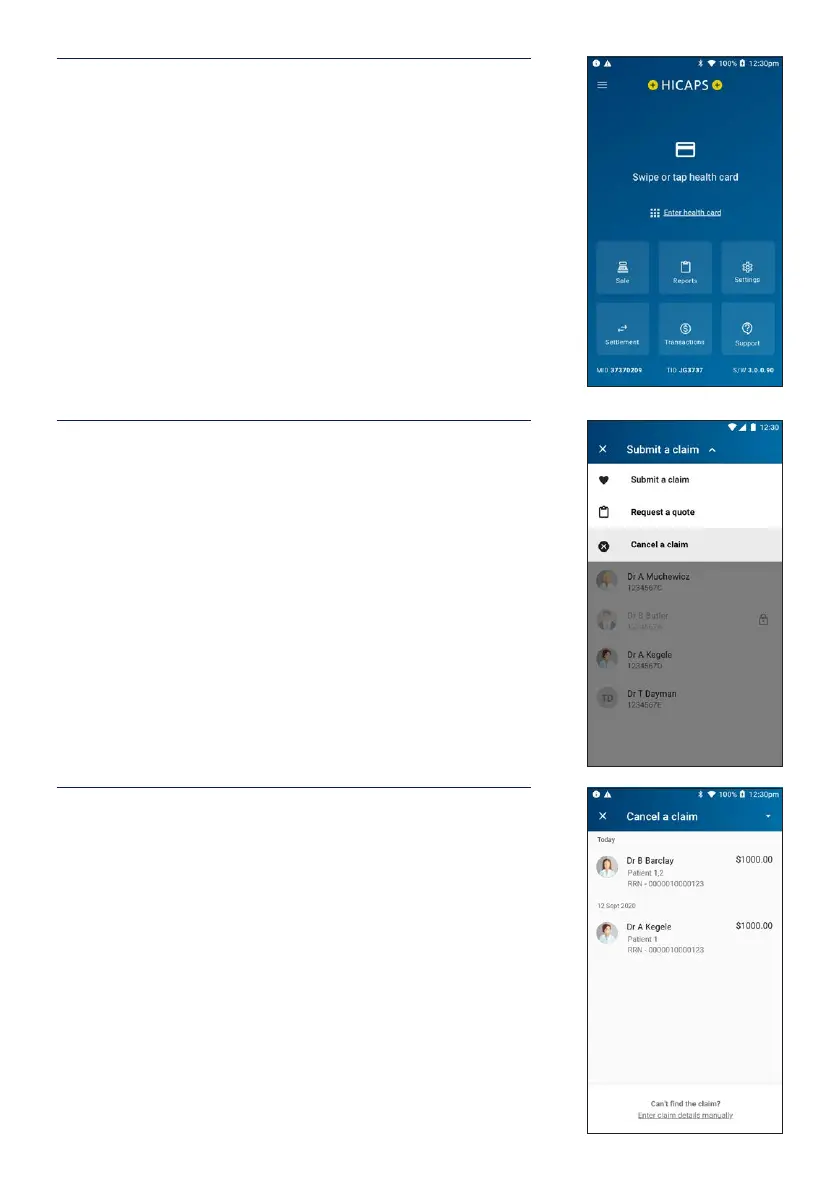
STEP 1
To cancel a HICAPS claim transaction from the home
screen, swipe or tap a patient’s Health Fund card on the
terminal.
STEP 2
Tap Submit a claim at the top of the screen to open the
dropdown list and select Cancel a claim.
STEP 3
Select the claim you wish to cancel.
If the claim is not shown on the terminal, you can tap Enter
claim details manually.


 To Next Page