20
STEP 4
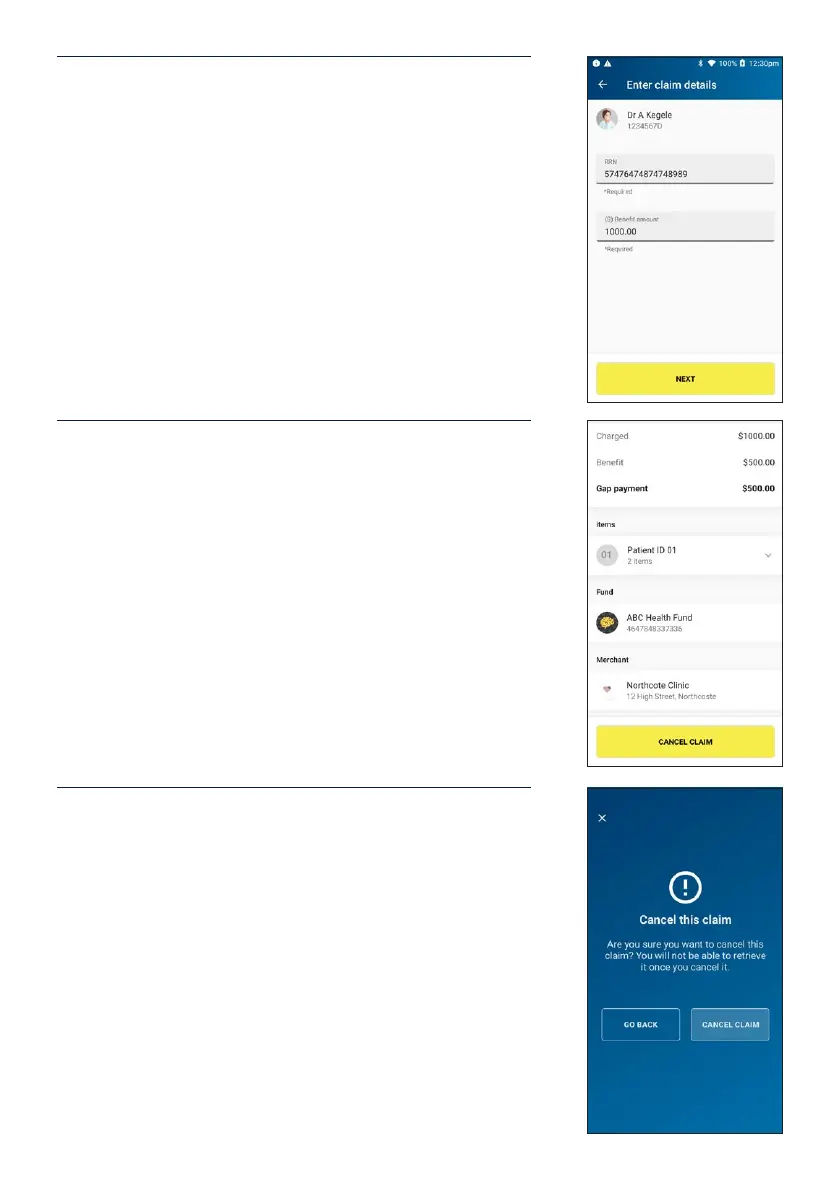
If entering the claim manually, type in the RRN and benet
amount from the original transaction receipt and tap
NEXT.
STEP 5
Summary of the HICAPS claim will be shown. Check the
claim details and tap Cancel Claim to proceed.
STEP 6
Warning message will be displayed to conrm cancelling
of claim. Tap Cancel Claim to continue to cancel claim.
Once a claim is cancelled, the claim is reversed and there is
no way to reinstate the claim.
If you do not wish to cancel the claim tap Go Back.
Note: The terminal will produce two copies of the
cancellation receipt. The rst copy must be signed by the
Fund member and retained for your records, the second
copy is for the member’s records.


 To Next Page