51
6.5 Conguring Wi-Fi
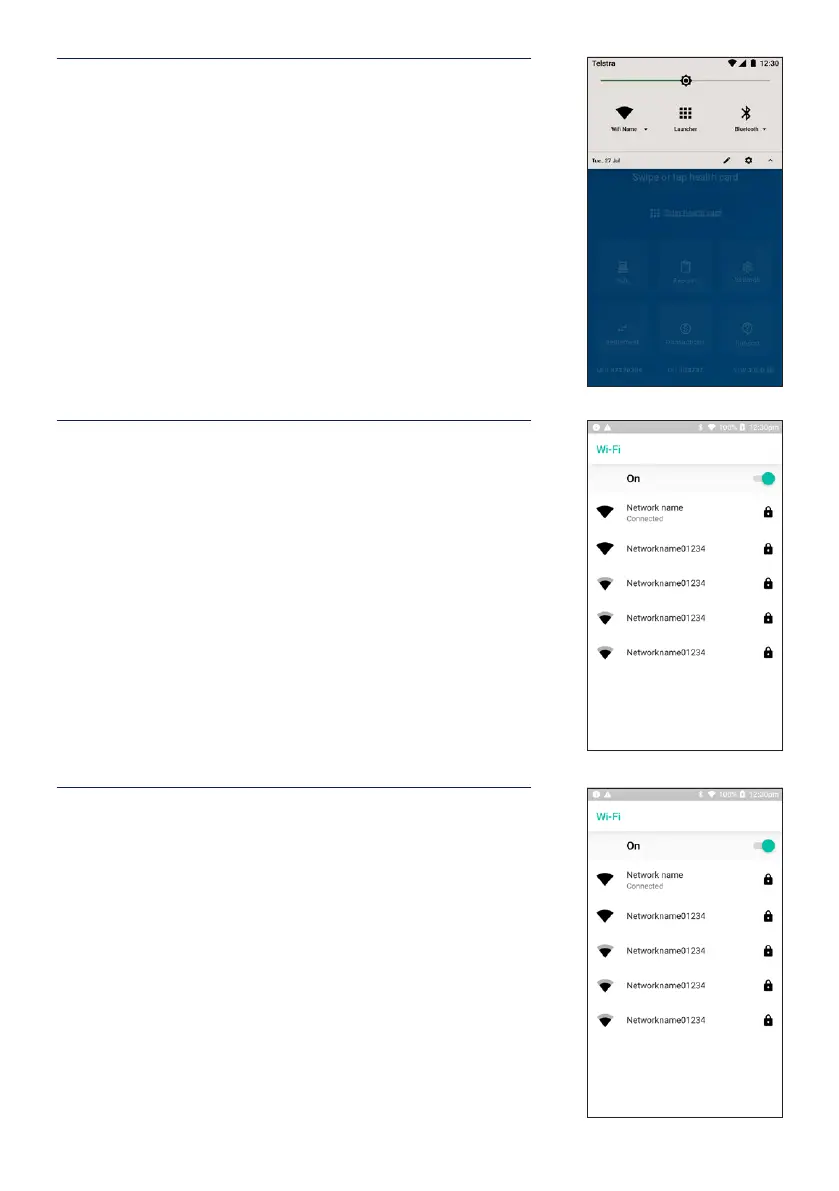
STEP 1
From the HICAPS home screen, drag your nger from top
of the screen to display the Android ‘quick settings’ panel.
STEP 2
Hold the Wi-Fi icon, until the Wi-Fi conguration screen is
open.
STEP 3
Conrm Wi-Fi is enabled with the toggle facing right (On)
and select the desired Wi-Fi Name. HICAPS recommends
that each device is connected to a secure Wi-Fi network
with a strong password.


 To Next Page