16
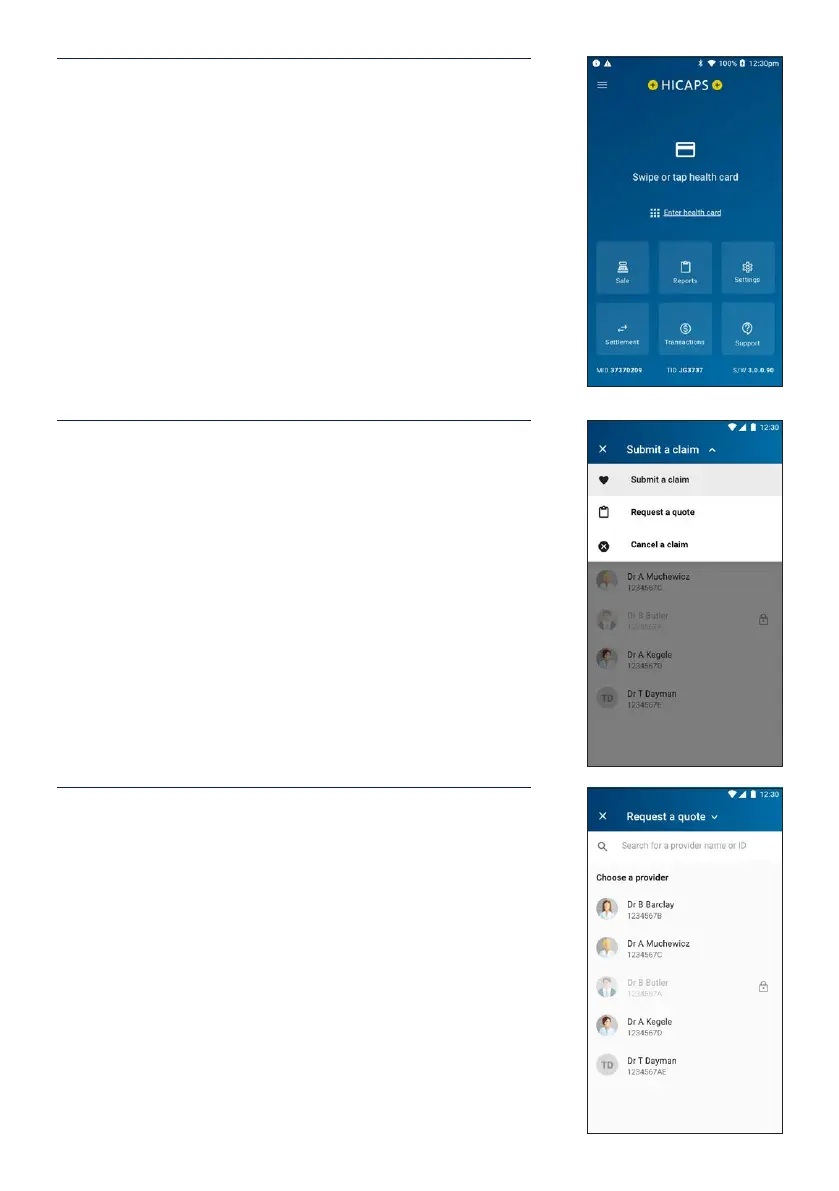
3.5 Processing a HICAPS quote
STEP 1
To start a HICAPS Quote transaction from the home screen,
swipe or tap the patient’s membership card to start the
transaction.
Alternatively, for health funds that allow key entry you can
manually enter the card number by tapping Enter health
card on the screen.
STEP 2
Tap Submit a claim at the top of the screen to open the
dropdown list and select Request a quote.
STEP 3
Select a health provider from the list, or search for a provider
by entering part of the provider’s name or ID in the search
bar.
Note: This prompt will only be displayed if more than one
provider is loaded into the terminal.


 To Next Page