44
5.2 Support
On the home screen tap the Support icon to view the support options available on the
terminal.
5.2.1 Contact
From the Support screen, tap Contact to display the contact numbers and opening hours
for the HICAPS Help Desk and HICAPS Sales.
The HICAPS Sales team email address (hicapssales@hicaps.com.au) and the HICAPS website
(www.hicaps.com.au) are also displayed.
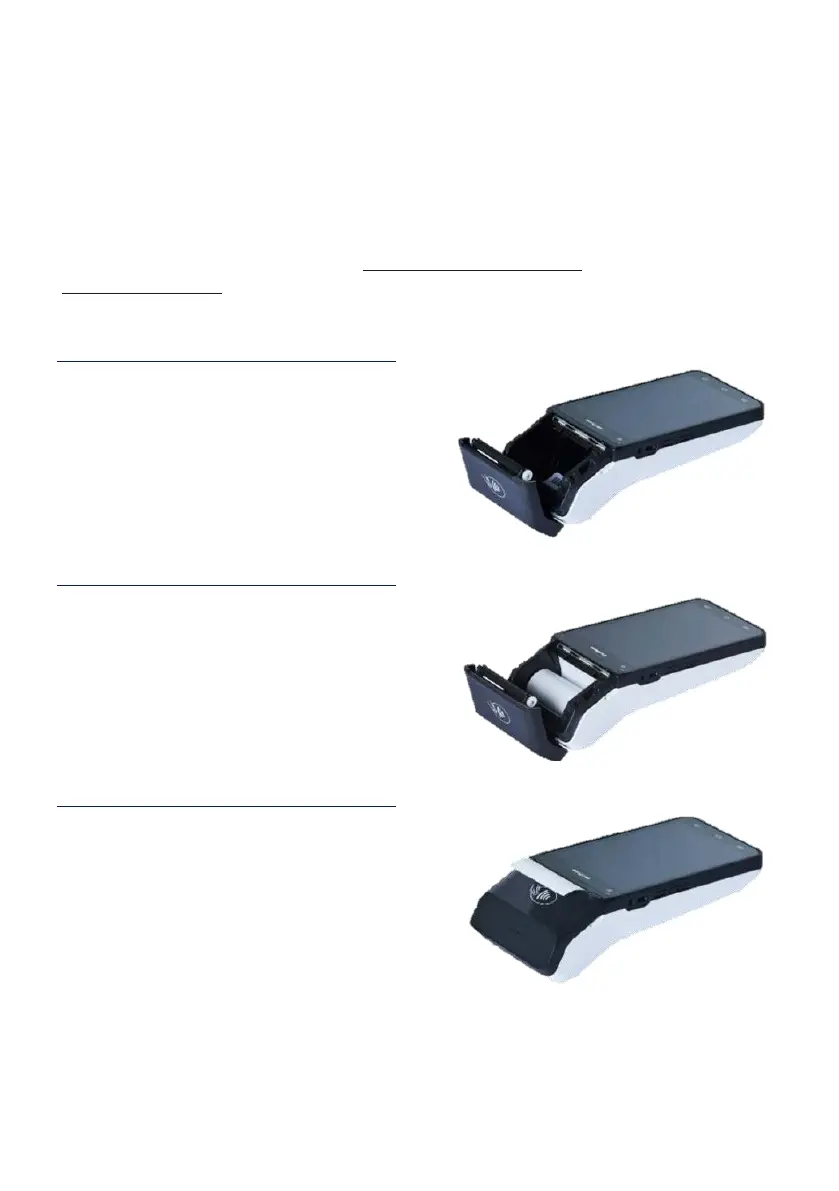
5.2.2 Changing the paper roll
STEP 1
Open the paper roll cover and remove the
used paper roll.
STEP 2
Insert the new roll so the paper feeds
from the bottom and up against the top
of the terminal screen.
STEP 3
Close the printer door, pressing gently
until it clicks shut, ensuring the leading
edge of the paper is exposed.


 To Next Page