36
4.4 EFTPOS Settlements
4.4.1 Manual EFTPOS settlement
From the HICAPS Trinity terminal, you can view, perform
and print settlements.
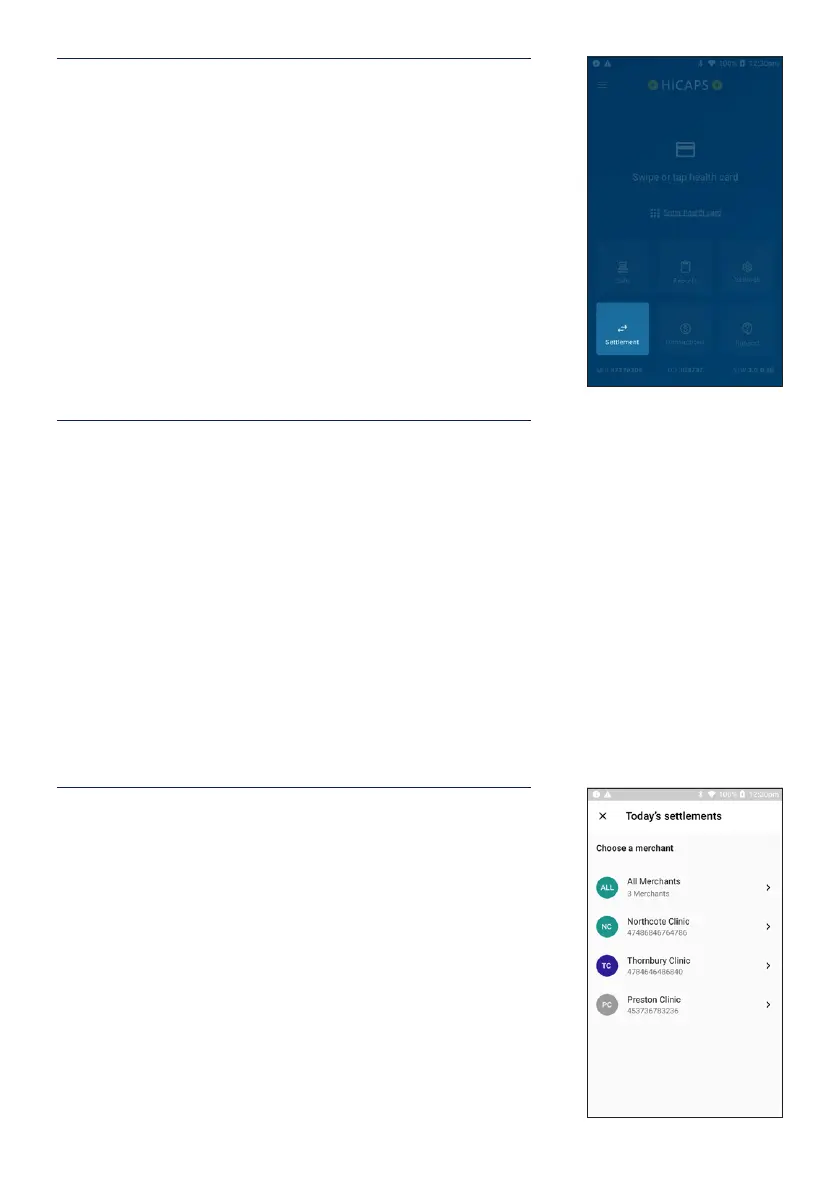
STEP 1
From the Home screen, tap the Settlement button.
STEP 2
Select from the options provided:
Today’s settlement – you can view and manually settle
transactions for the day.
Pre-settlement – you can view and print transactions for
the day.
Previous settlements – you can view and print up to 30
days of settlements by selecting the date of the settlements
you want to view and print.
Note: Settlements older than 30 days cannot be viewed on
the terminal.
STEP 3
If the terminal has multiple merchants, select the merchant
account you wish to settle or view. You may also settle all
merchants at once by selecting the All Merchants option.


 To Next Page