25
4.2 Sale – Manual Entry
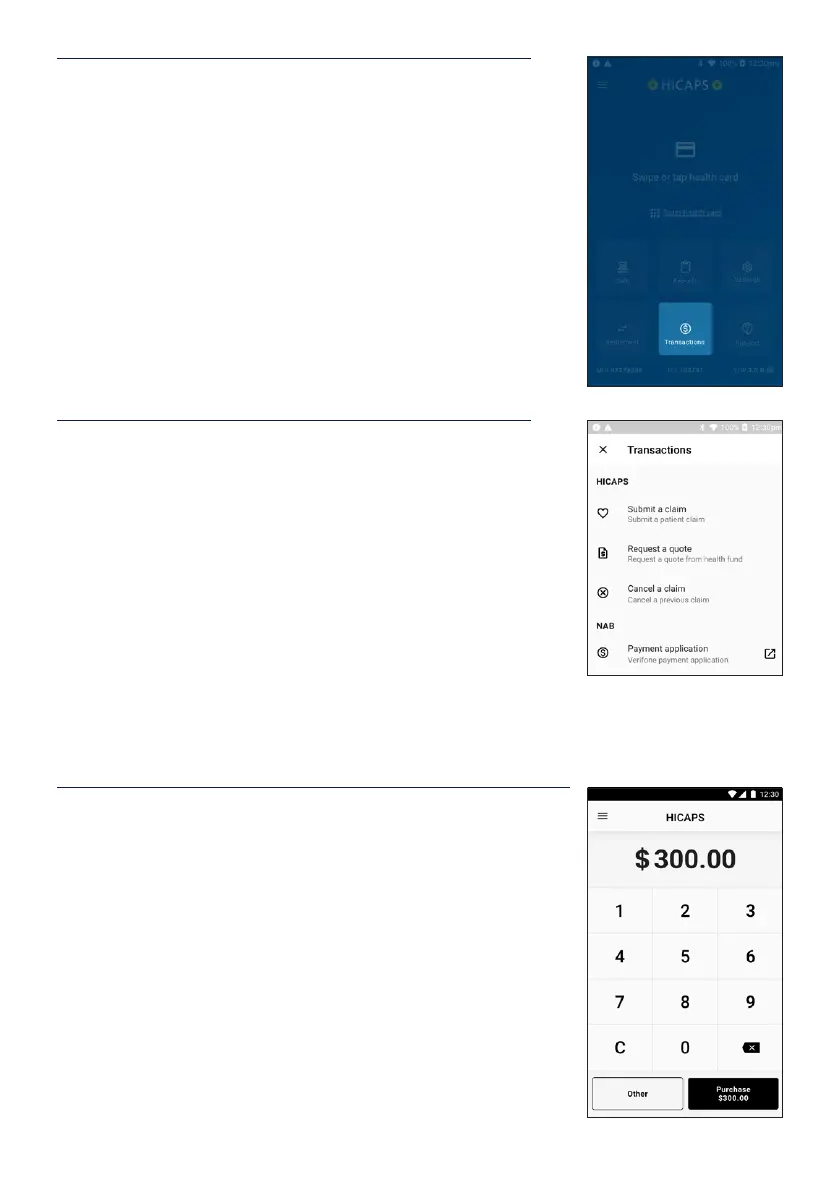
STEP 1
To enter the card details, select the Transactions icon from
the Home Screen.
STEP 2
Select the Payment Application option under NAB group.
Note: If the terminal has been congured as a multi
merchant terminal you will be prompted to select the
appropriate merchant for the transaction.
STEP 3
Enter the transaction amount and tap Other in the bottom left
hand corner of the screen.


 To Next Page