7
• Volume Controls – use these buttons to adjust the volume of sounds and alerts.
Thevolume buttons are used to adjust the volume of spoken instructions through
thein-built speaker or headphones.
• Power/Accessibility Button – used to power the terminal on and o or to restart
theterminal.
• USB-Charging Port – for a USB-C charging cable.
• Audio Jack – in accessibility mode, used by cardholders to assist with hearing audio
prompts.
• Base Charging Port and Indicator Lights – every terminal comes with a power pack
which connects into the side of the base.
– A solid white light indicates the base is being powered.
– A solid blue light indicates terminal connection with Bluetooth. A ashing blue light
indicates pairing mode.
Note: Any touch screen stylus can be used on the terminal screen.
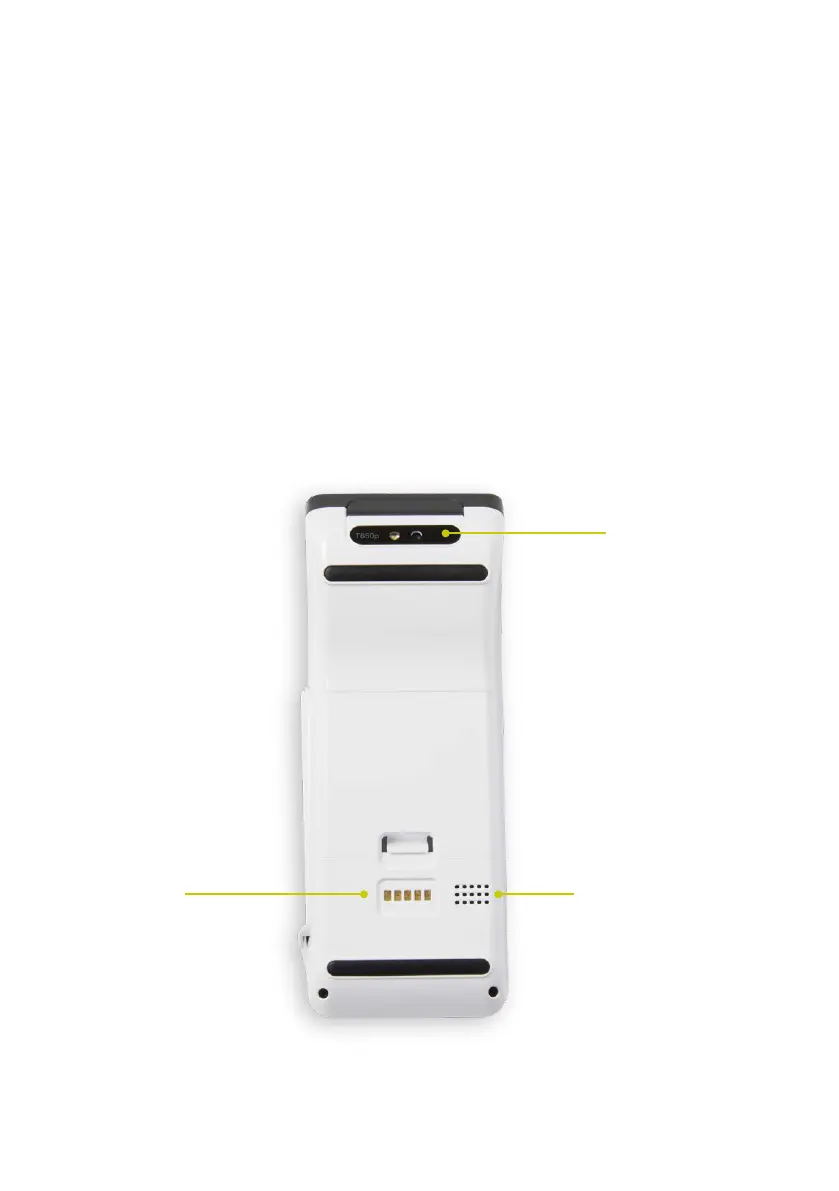
Terminal base
Rear Camera
SpeakerCharging
Pads
• Rear camera – required to pair with terminal base
• Speaker – for audio prompts
• Charging pads – for charging the terminal


 To Next Page