18
STEP 7
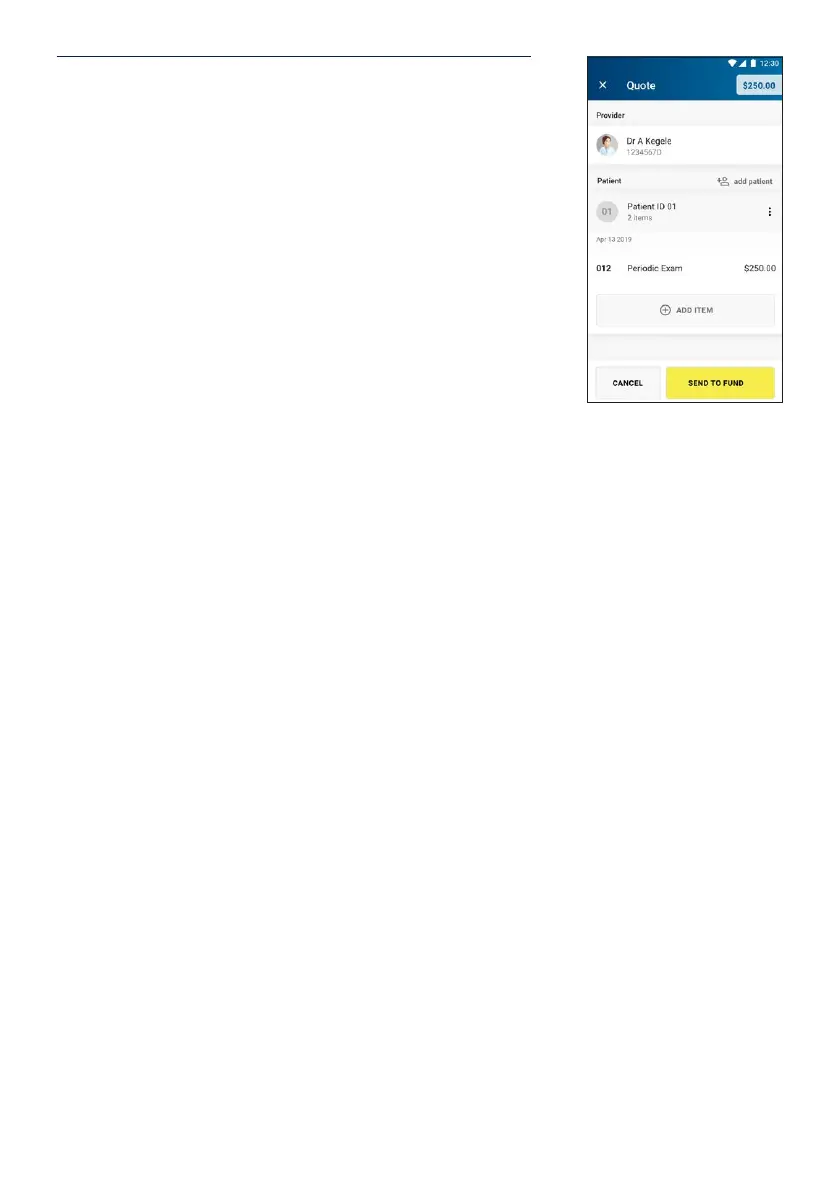
Summary of the quote is shown and can add/delete/
modify items and patients.
To add additional items, tap Add Item. To make a claim for
a dierent patient, tap Add Patient.
When nished, tap Send to Fund.
The quote will be sent to the member’s health fund for
assessment. A receipt with the quote and applicable gap
payment will print. The receipt will be clearly marked with
***QUOTE ONLY***.


 To Next Page