34
STEP 6
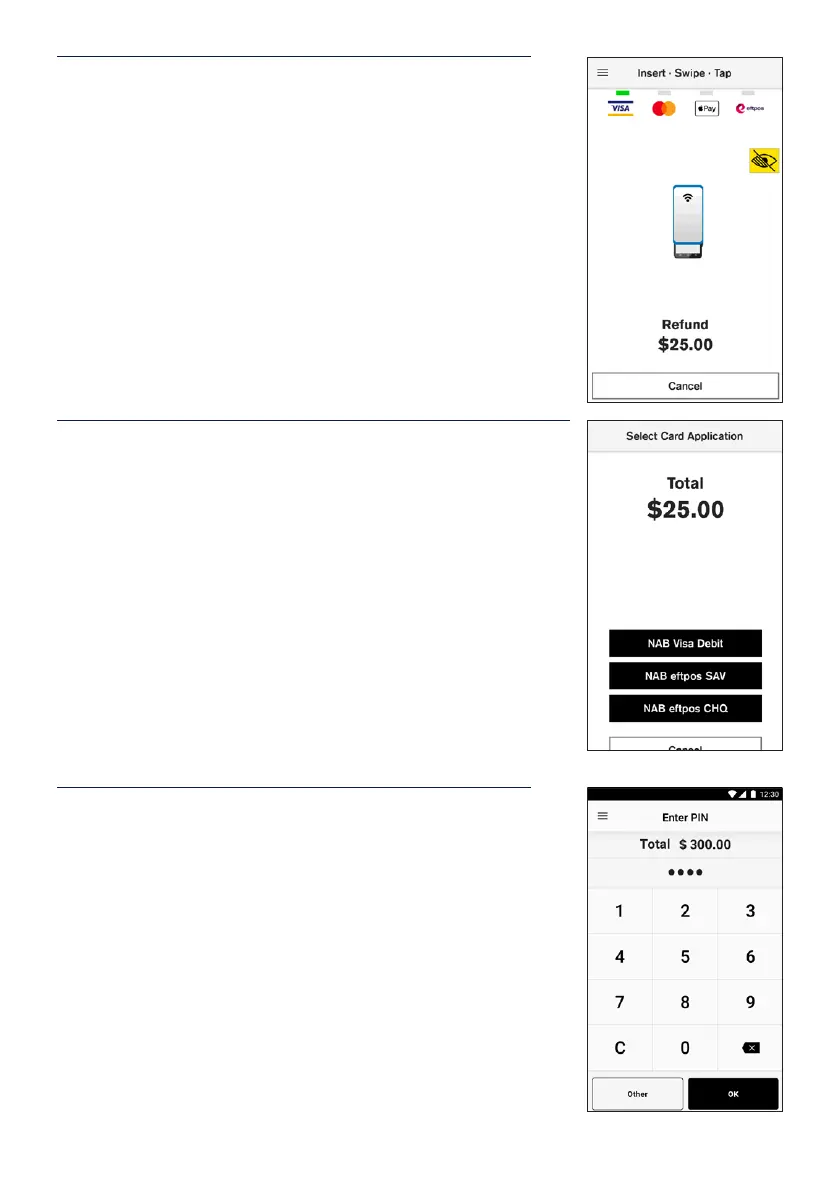
On the card presentation screen, tap or insert the original
transaction card to process the refund.
STEP 7
Cardholder may be prompted to select their account on
thetouch screen.
STEP 8
If a PIN is required to complete the transaction, a keypad
will be displayed for a customer to enter their PIN and tap
Enter to complete the transaction.
Note: In some cases, the card will not require a PIN and
therefore a signature will be required to complete the
transaction.


 To Next Page