Web-Based Access Control Solution
ACW2-XN
REX input not working
Key indicators
• Pressing the REX button should drive the relay and unlock the lock.
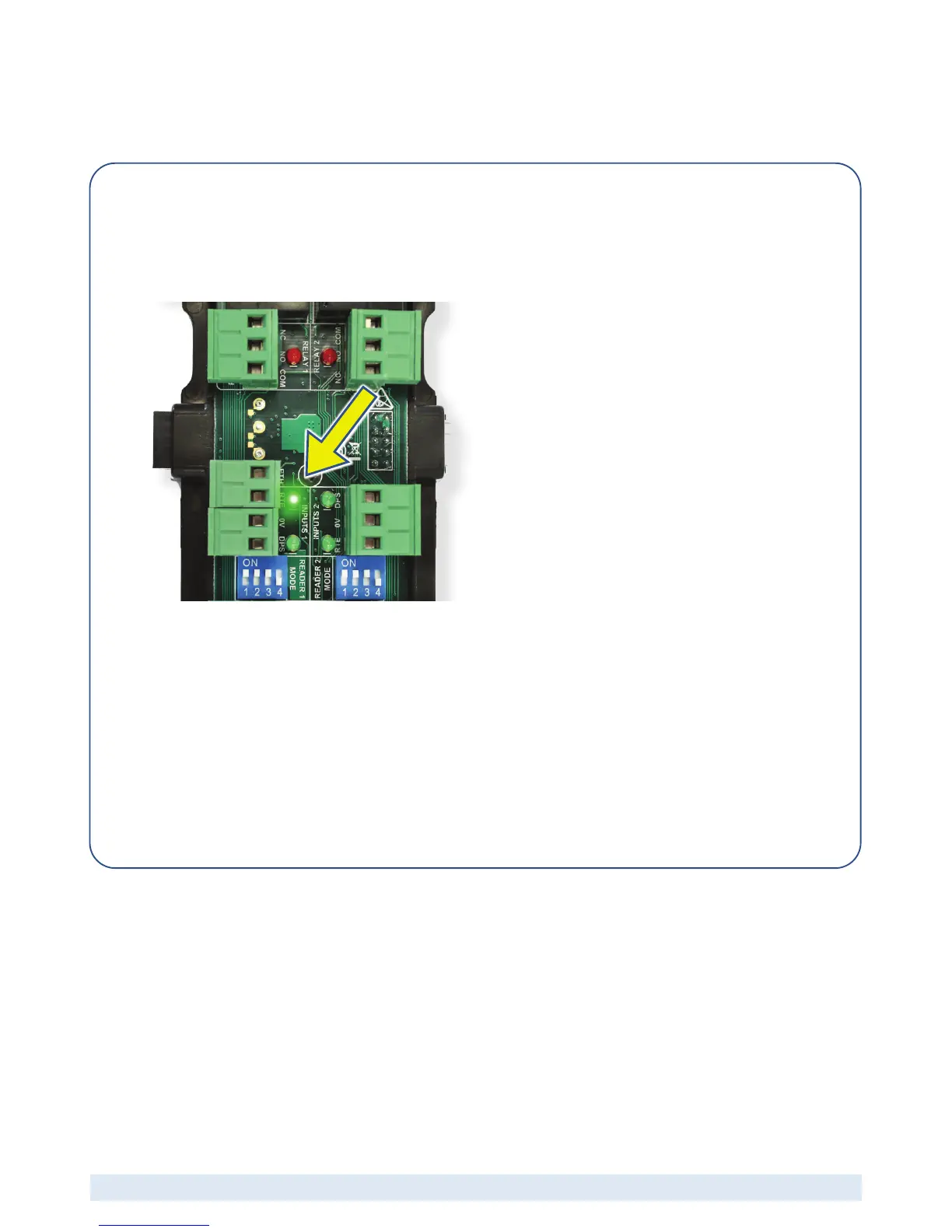
• The REX (RTE) LED on the relevant AW2 module should be ON while the REX button is pressed.
(Picture shows the LED for REX1 illuminated)
Analysis
• Has the REX input been wired correctly?
o Wire REX input correctly.
• Has the REX input been configured correctly in the software?
o Check that REX has been configured in the software
• Is the REX switch defective?
o Replace REX switch.
• Is the Wiegand Door Module defective?
o Replace Wiegand Door Module.


 To Next Page