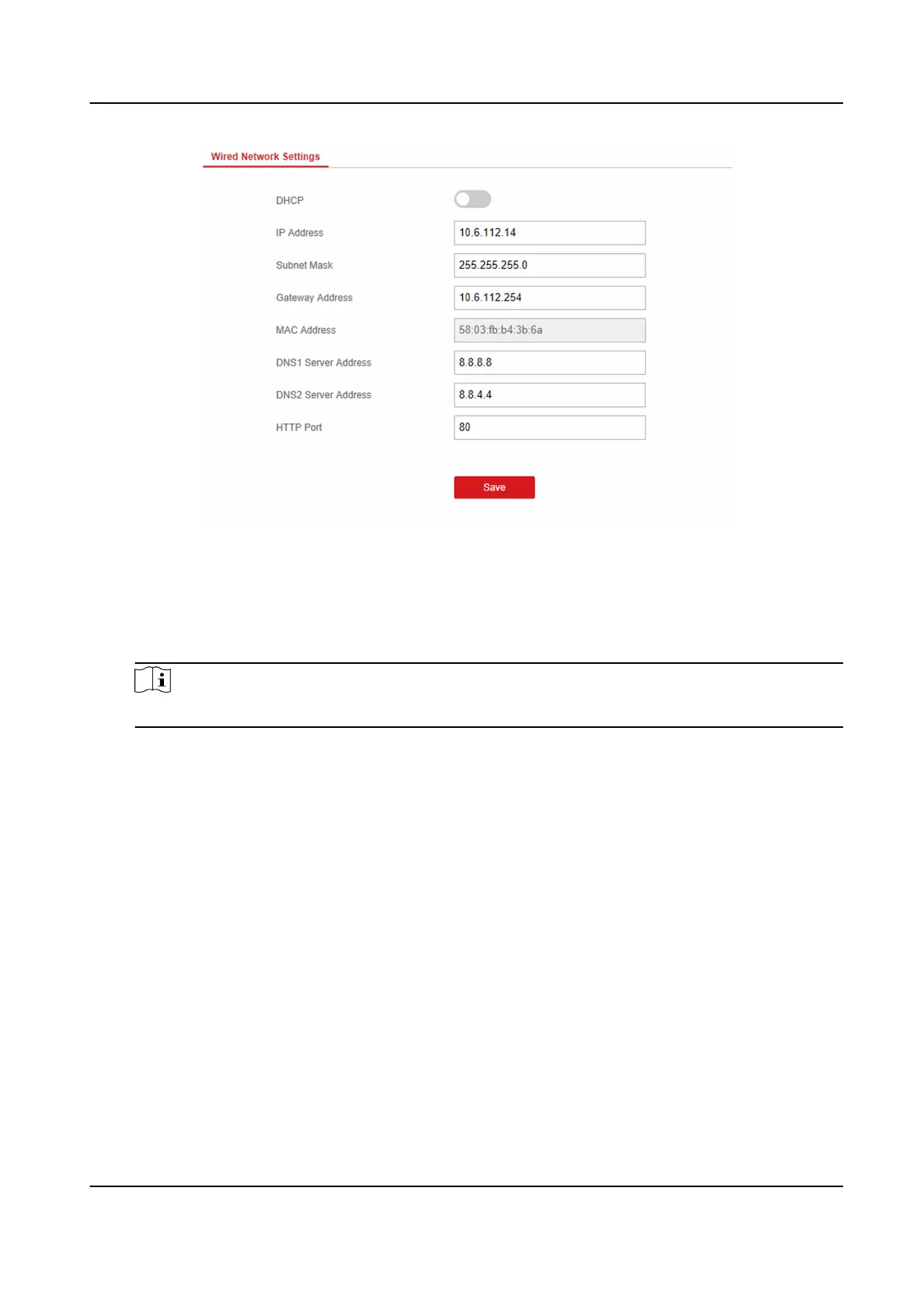
Figure 4-1 Wired Network Sengs Page
4. Set the parameters.
-
Automac Sengs: Enable DHCP and set the HTTP port.
-
Manual
Sengs: Disabled DHCP and set IP Address, Subnet Mask, Gateway Address, DNS
Server Address.
Note
By default, the HTTP port is 80.
5. Oponal: Set correct DNS server address if the device needs to visit Hik-Connect server via a
domain name.
6. Click Save.
Wi-Fi
You can set the Wi-Fi parameters if there are secure and credible Wi-Fi networks nearby.
Steps
1. Click
Communicaon Parameters → Wi-Fi to enter the Wi-Fi page.
AX Security Control Panel
19



 To Next Page
 Loading...