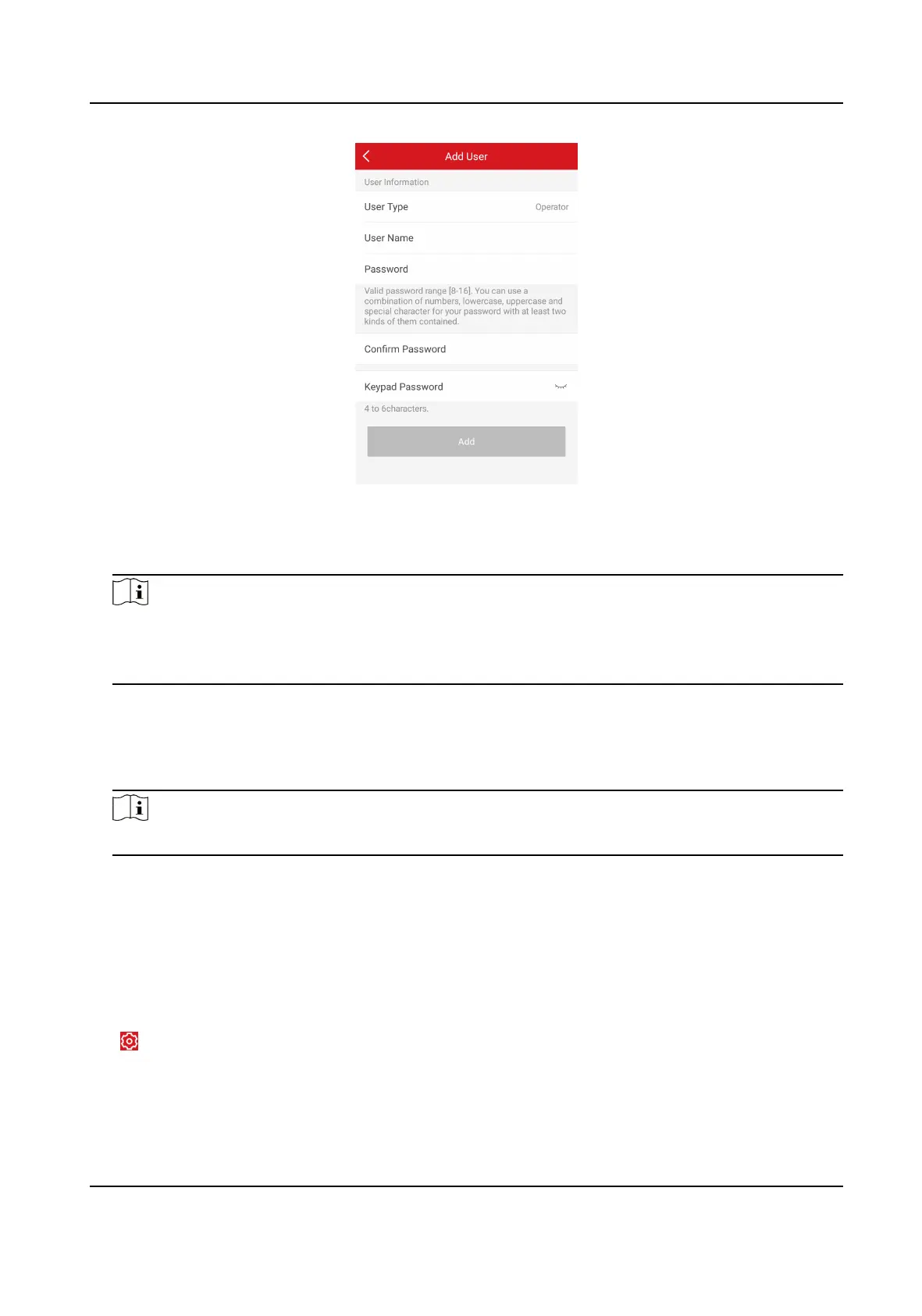
Figure 4-37 Add User
4. Select User Type. Enter User Name and Password.
5. Enter Keypad Password.
Note
The keypad password +1 or -1 is the duress code. Use the duress code can operate the keyboard
to arm and disarm normally and upload a duress alarm. For example, if the keypad password is
123456, the duress code is 123455 or 123457.
6. Tap Add to add the user.
7.
Oponal: Tap a user to edit the parameters. You can choose to enable the user or not. Select
the linked paron and the permission.
8.
Oponal: Tap a user and tap Delete to delete the user.
Note
Admin, installer and mabufacturer can not be deleted.
4.4.8 System Sengs
System Opon
On the device list page, tap the security control panel and then log in to the device (if required) to
enter the control panel page.
Tap → System Opon to set parameters.
For
Opon Management:
AX Security Control Panel
65



 To Next Page
 Loading...