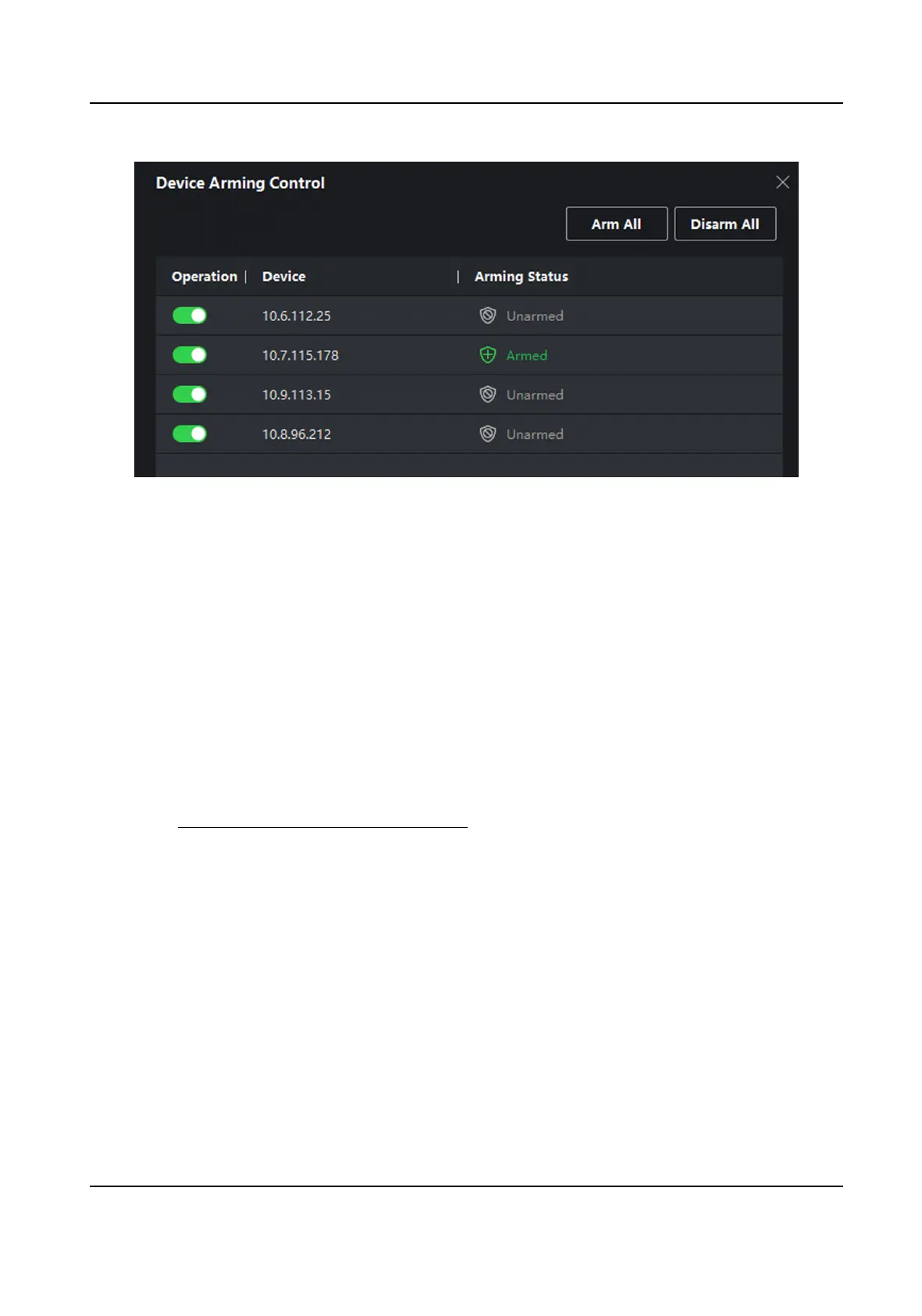
Figure 6-3 Device Arming Control
3.
View the arming status of each device in the Arming Status column.
Result
The events of armed device(s) are
automacally uploaded to the client when the event is
triggered.
6.8.2 View Real-Time Events
In the Real-me Event module of the event center page, you can view the real-me event
informaon, including event source, event me, priority, event key words, etc.
Before You Start
Enable receiving events from devices before the client can receive event informaon from the
device, see Enable Receiving Events from Devices for details.
Steps
1.
Click Event Center →
Real-me Event to enter the real-me event page and you can view the
real-me events received by the client.
Event Time
For video device, event me is the client me when it receives the event. For none-video
device, event
me is the me when the event is triggered.
DS-K1A802A Series Fingerprint Time Aendance Terminal User Manual
81


 To Next Page
 Loading...