8
©2017 Hill-Rom Services, Inc. ALL RIGHTS RESERVED.
205278 rev 2 13-SEP-2017 ENG – US
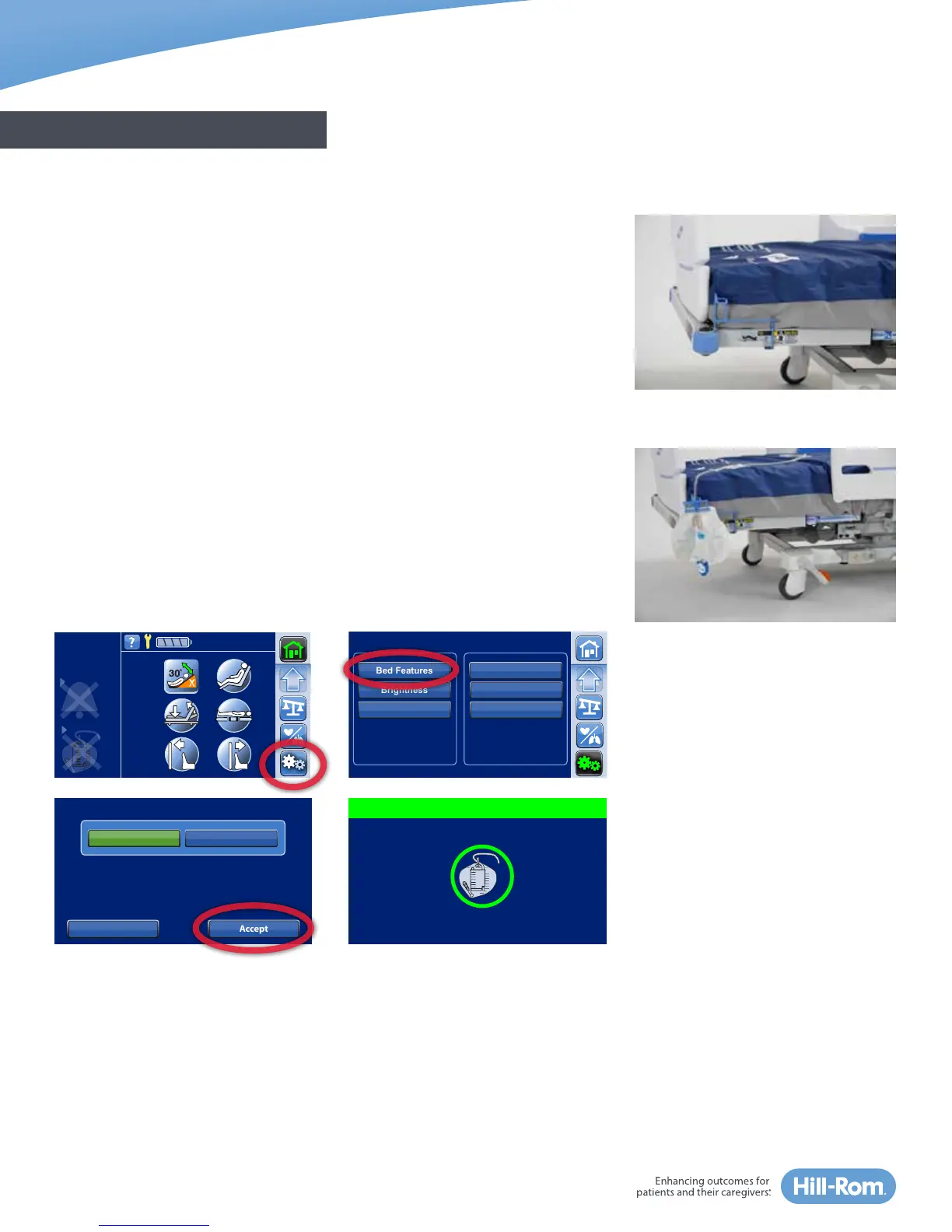
Foley/Drainage Bag Holders & Foley Position Limit
There are two drainage bag holders at the foot-end of each side of the bed. It
includes different height and length options for attachment to accommodate
various drainage devices and help prevent them from touching the floor or
being pulled.
NOTES:
• The bed length can be adjusted to accommodate drainage bags.
• Follow your facility protocol for placement of drainage bags. Make sure
drainage bags are placed so they will not touch the floor.
The Foley Position Limit restricts the amount of foot-down motion during
reverse Trendelenburg and chair positioning to reduce the risk of drainage
bags touching the floor.
To turn the Foley Position Limit on and off, press the Settings Menu control
in the Navigation Menu of the home screen, then select Foley Limit. Press
Off or On, and Accept to lock in the new setting. A confirmation screen will
show that the Foley Position Limit is set and an indicator will show on the
Home screen.
GENERAL BED OVERVIEW
Head Angle
32˚
<30˚
Limit
Stand
Assist
Brightness
Siderail Lights
Bed Features Bed Info
Settings/Preferences
Brightness Bed Service
Service Connect
Foley Limit
Foley Position Limit
On
Accept
Off
Reduces the likelihood of drainage bags
touching the ground by limiting foot down
and Reverse Trendelenburg.
Cancel
Foley Limit Set















 To Next Page