4.7 Battery Backup
Chapter 4: Removal, Replacement, and Adjustment Procedures
Page 4 - 16 Hill-Rom® Basic Care™ Bed, Hill-Rom® 305 Manual Bed,
Hill-Rom® 405 Electric Bed Service Manual (MAN336 REV 2)
4.7 Battery Backup
Tools required: Phillips head screwdriver
Needle nose pliers
Removal
1. Raise the head section to the highest position.
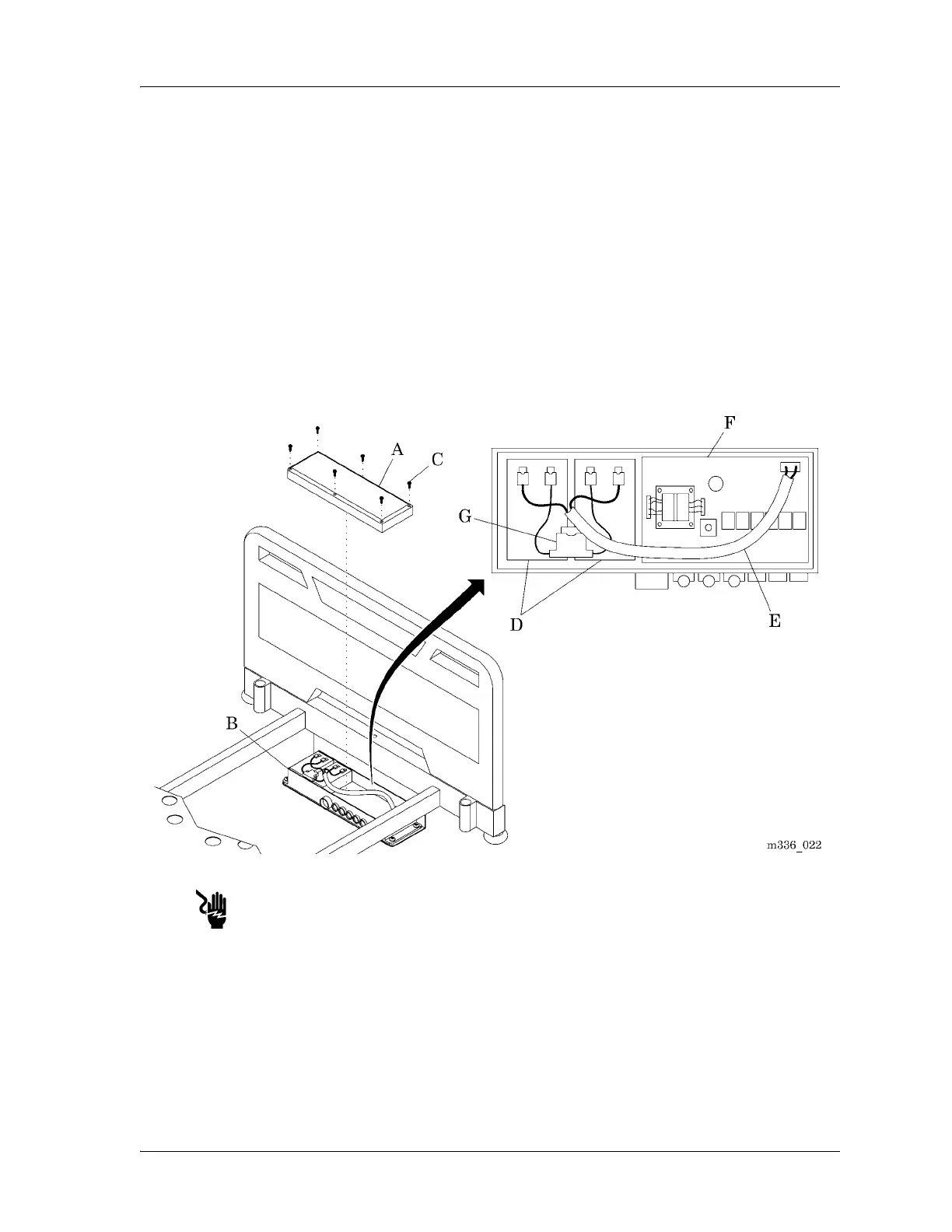
2. Adjust the bed height to have access to the cover (A) (see figure 4-7 on
page 4-16).
Figure 4-7. Control Box Assembly
Disconnect the bed from its power source. Failure to do so could cause
injury or equipment damage.
3. Disconnect the bed from its power source.
4. Remove the six screws (C) that attach the cover (A) to the control box
assembly (B).









 To Next Page