Enjoy Live TV
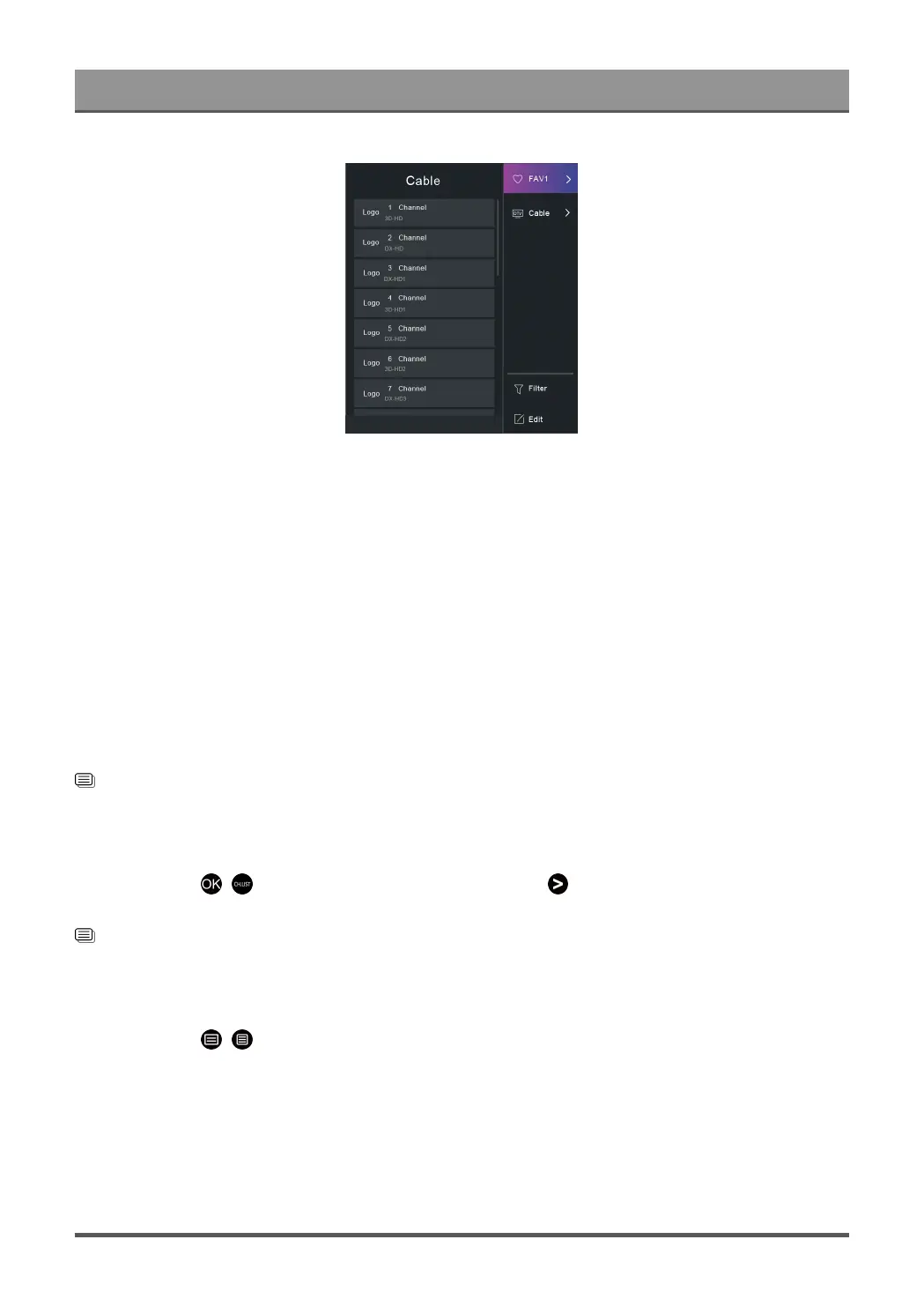
TV List
Display Live TV channel categories, such as Cable and Antenna.
FAV1-4
Display favourite lists 1 to 4.
Filter
Select channels by Content, HD, Channel Block, Scrambled and Sort.
Some options in Filter may not be available in some models/countries/regions.
Edit
Edit the channel list.
Note:
• The sub-menu options may vary depending on models/countries/regions.
Related information
Edit Channel List on page 16
Display Favourite Channel List
In Live TV, press / button on your remote control and press button, then select FAV1-4 to display
the favourite list.
Related information
Edit Favourite Channel List on page 17
Learn about the On-Screen Menu
In Live TV, press / button to access the on-screen menu.
• Guide
Quick access to Guide (EPG).
• PVR
Launch Schedule Recording.
• Timeshift
Launch Timeshift.
15



 To Next Page