Enjoy Live TV
1.
In Live TV, press / button to display the channel list.
2.
Press / button and select the channel(s) you want to add to the favourite list.
3. Select Add to Favourite and choose from FAV1-FAV4.
4. Then, a heart-shape icon will appear next to the added channel.
Move or remove channels in a favourite list
In Live TV, press / button on your remote control and press , select FAV1-4, then use D-pad to
select Edit.
Alternatively, in Live TV, press / button on your remote control and select Settings > Channel >
Channel Edit, then select FAV1-FAV4.
You can add, move, or remove favourite channels.
•
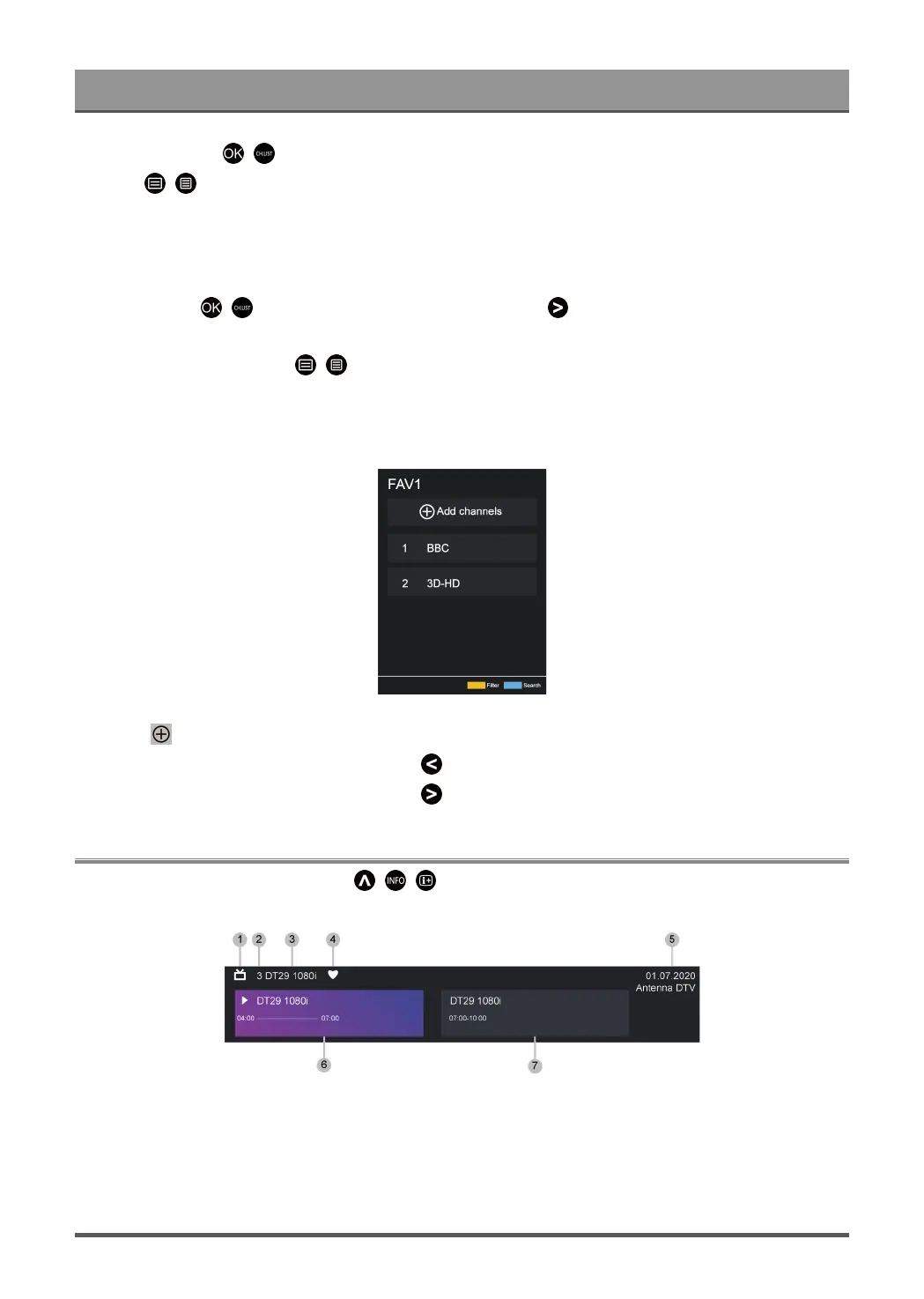
Select Add channels to add the selected channel to the favourite list.
•
Select a channel in a favourite list, and press button to move it.
•
Select a channel in a favourite list, and press button to remove it.
Programme Info
While watching TV programmes, press / / button to load the programme info bar.
1. Channel logo
2. Channel number
3. Channel name
4. Indicator of Favourite
5. Date and time, and channel category
18



 To Next Page