7
5.1.2 Cooling
● After the main power supply on, restart the
machine and the previously set functions will
appear on the LCD screen.
● When the fan coil is available, the cooling mode
can be used
Step 1
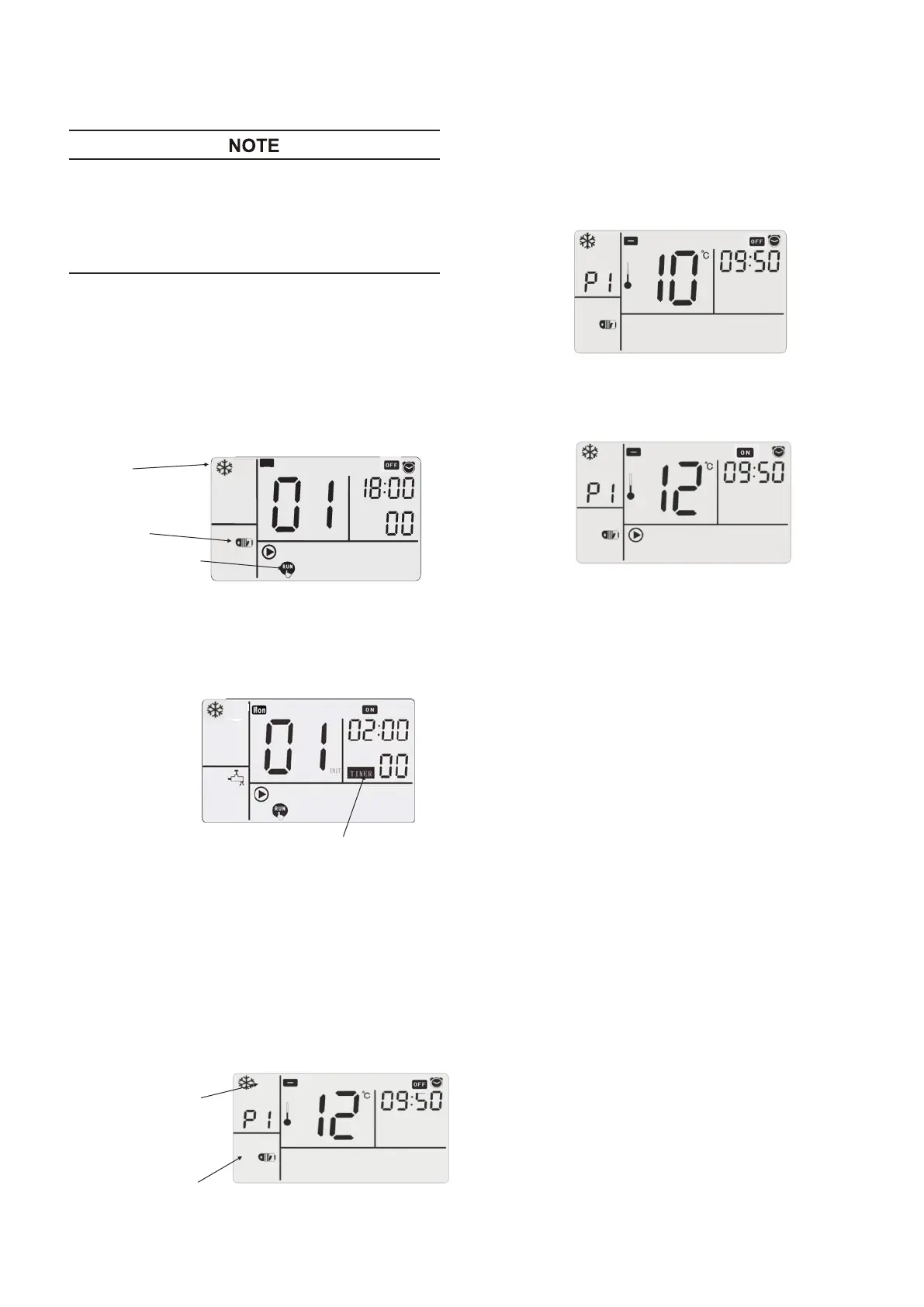
At the standby state, press simultaneously the
mode key ⑦ and the
CHECK
key
④
for 3
seconds, and start the hot water test run function,
seen below:
Cooling Mode
Test Run
关
Fan coil
5.1.2.1 Cooling test run
Step 2
Press the ON/
OFF
⑧
, the LED lamp on, and the
machine begins running, meanwhile 2 hours’
countdown starts.
Countdown Starts
Step 3
Countdown ends and quit from the hot water test run.
Step 2
If the water outlet set temperature is increased,
press “ġ” of the temperature setting key ③; if
it is reduced, press “Ģ” . For cooling, the highest
water outlet set temperature is 20°C, and the
lowest set temperature is 5°C.
5.1.2.2 Cooling
Step 1
Power on, the default state of wire remote controller
will appear, and previously running function may
appear on the LCD screen. Press the function key ⑦,
Cooling appears on the LCD screen; The cooling
terminal only include fan coil.
Cooling
Fan coil
Step 3
Press the ON/
OFF
⑧
, the LED lamp on, and the
machine begins running.




 To Next Page