17
Step 5
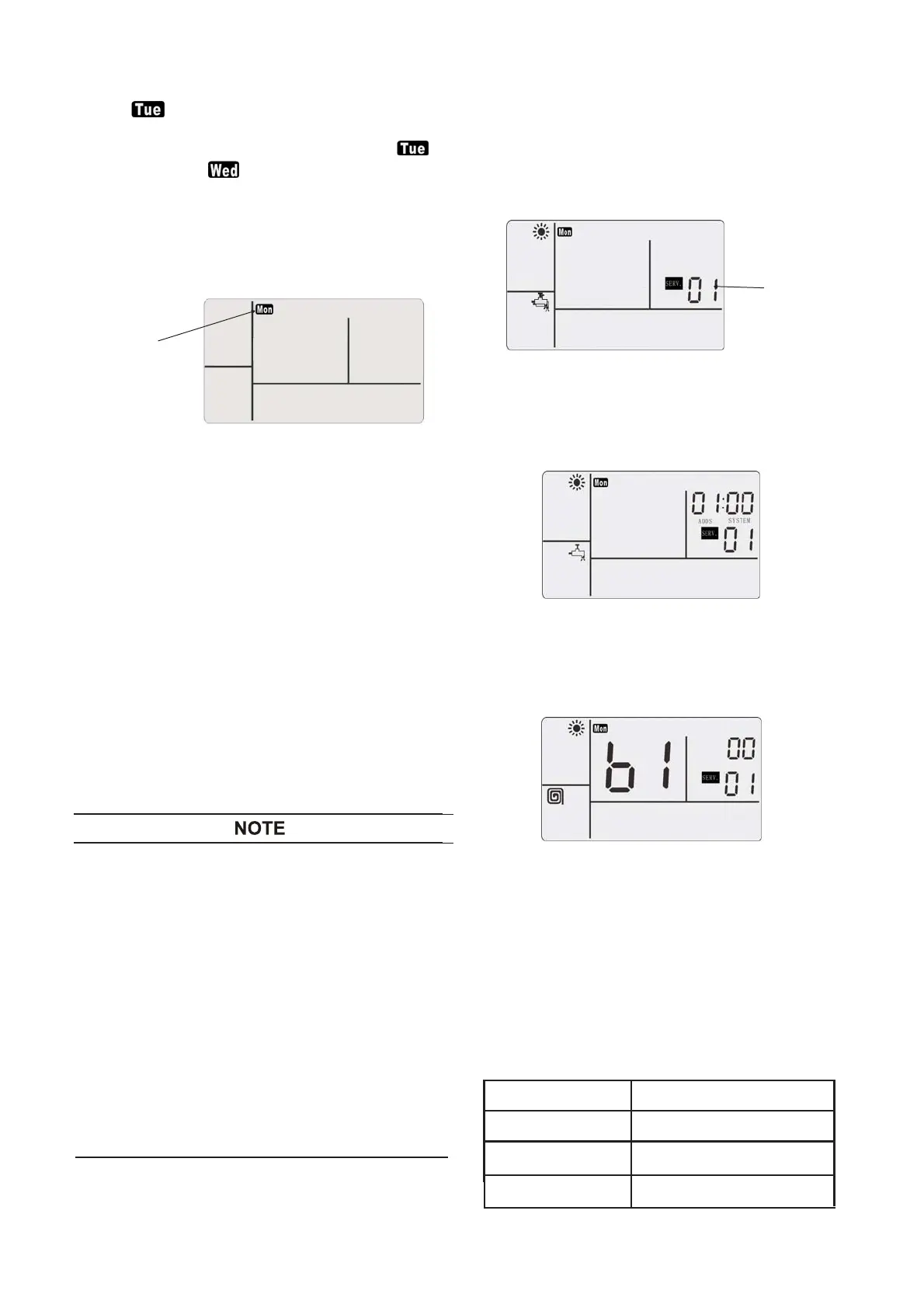
When “ ” flashes at 1 Hz, press the hot water
key ② for 3s, copy the settings of the previous day
(Monday) to the current day (Tuesday), and “ ”
is changed to be “ ” and flashes at 1 Hz. If
press the hot water key ② for 3s again, the
settings can be copied from Tuesday to
Wednesday. This function can copy the settings of
the previous day. 7 days are finished in order, and
the 7-day timing function can be quickly set.
Monday
Step 6
After setting, repeat Step 4 and quit from the time
schedule setting. After all settings for the seven
day timing, fill the details of settings in “Table 7.2
Seven-Day Timed Running Schedule” for inquiry.
5.1.7 In-situ Settings
(functions of wire remote controller)
With the wire remote controller, the user can set
different terminals in the in-situ settings according to
the installation of terminals. Functional change of the
wire remote controller can be selected only when
this function is effective, see details in Step 4. User
may select whether to start the floor heating, outlet
temperature control function (OTC), electric heater
of water module, electric heater of water tank and
the outdoor environmental temperature of electric
heating.
● When the machine is on, it is unable to go to the
in-situ settings of wire remote controller.
● During selection of set mode, press “ġ ”, “Ģ ” of
the temperature regulation key ③, and select
the cooling system number and address for
in-situ settings. If system and address selection
is unnecessary, follow the default settings of
system.
● In the in-situ setting state, if no operations within
2 hours, wire remote controller automatically
returns to the usual state.
●
After going to the in-situ setting state, when it is
reenergized after power off, either instant or
long-time, the wire remote controller will return
to the usual state.
Step 1
④ and the reset key ⑤ for 3
seconds, and go to the in-situ settings. The
service function number flashes at 1 Hz. The wire
remote controller displays below.
Service Code
01
Step 2
④ on the interface
above, and go to in-situ setting mode.
Step 3
④ again and go to
the in-situ function setting state.
Step 4
Press “>”, “<” of time setting key to change
the items to be set; press the sterilization key ①
④
to change the set
value. If these functions need being used, such
as floor heating, domestic hot water and fan coil
of the wire remote controller, the floor heating is
set as the default value as the relevant options of
in-situ settings and already set before ex-factory.
Only this function is active, it may make selection,
see details below.
Ԣ
Press
key
CHECK
Press the
key
CHECK
At the OFF state, press simultaneously the
key
CHECK
and the
key
CHECK
d2
Function
Fan coil
In-situ Setting
d4
d3
Floor Heating
Domestic Hot Water




 To Next Page