8
5.1.3 Heating
● After the main power supply on, restart the
machine and the previously set functions will
appear on the LCD screen.
● Heating functions comprise: floor heating ,
water tank heating .
●
Heating functions must be selected according to
actually mounted terminals. If the terminals
aren’t mounted, set in the in-situ settings (5.1.7
In-situ Settings “d3”, “d4”).
●
Hot water test run should be carried out (default
as 2 hours) after the equipment is installed (see
details in the installation manual and the in-situ
setting operation steps).
●
Test run should be selected according to
actually mounted terminals. During test run
period, all corresponding terminals must be test
run, including floor heating and domestic hot
water tank, etc.
5.1.3.1 Hot Water Test Run
Step 1
At the standby state, press simultaneously the
mode key ⑦
④
for 3
seconds, and start the hot water test run function,
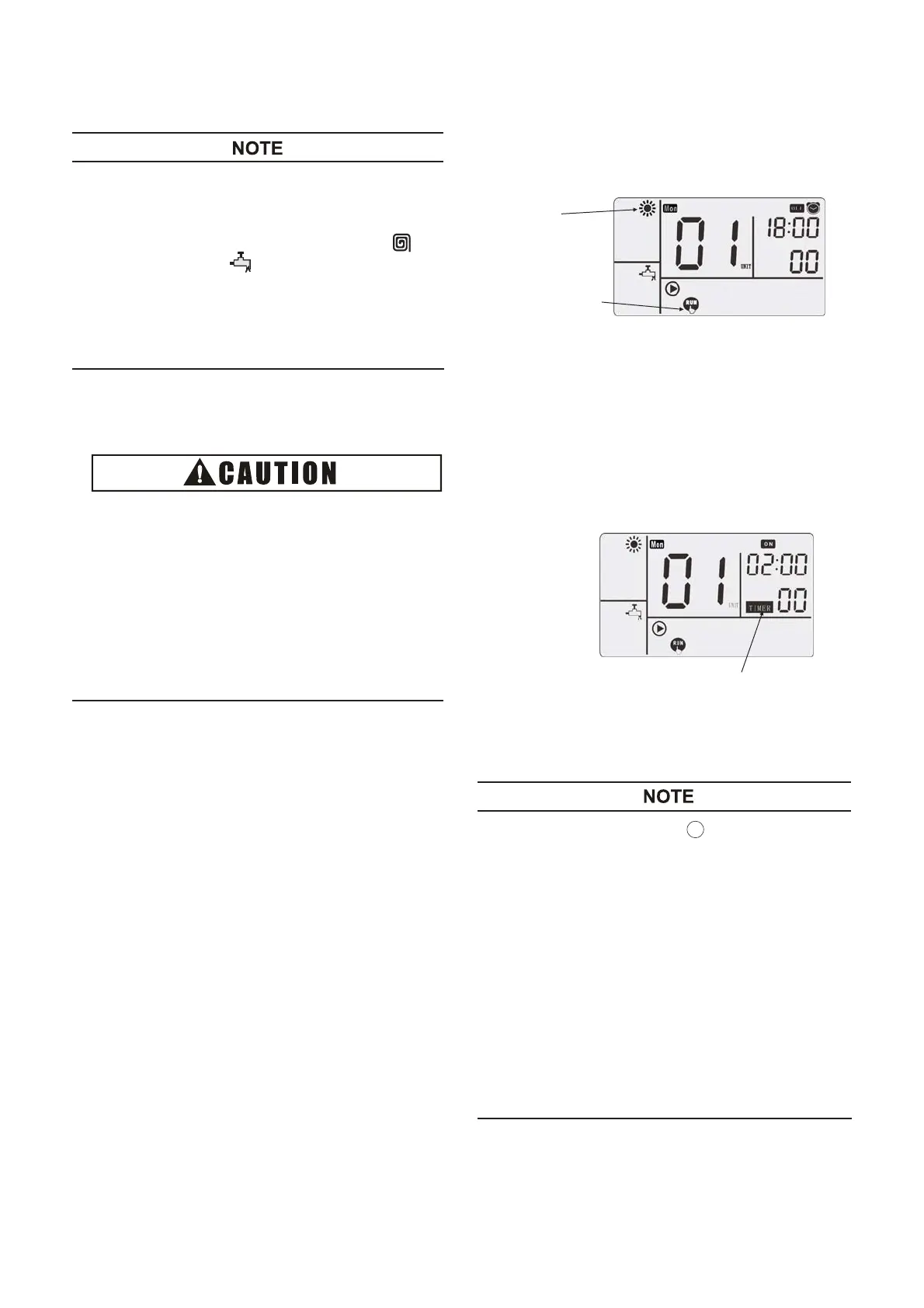
seen below:
Heating Mode
Test Run
Step 2
Press the function key ⑥, switch to the floor heating
or domestic water tank function.
Step 3
Press the ON/
⑧
, the LED lamp on, and
the machine begins running, meanwhile 2 hours’
countdown starts.
Countdown Starts
Step 4
Countdown ends and quit from the hot water test run.
● Press the time setting key to adjust the time;
press right key once to add 30 minutes, and
press left key to minus 30 minutes, and the
default time is 2 hours.
●
The default set temperature for test run is 55°C
(target value of water outlet temperature),
● Test run is counting down and the clock minuses
once every 30 minutes. After countdown, it
automatically quit from test run.
● Test run is used for machine commissioning and
ensures normal running of refrigerant system
and water system. After normal running, press
⑧ to quit from the hot water test
run in advance.
OFF
key
ON/OFF
and the
key
CHECK
11




 To Next Page