Operating the Vehicle
8
-3
the turn toggle switch.
To indicate a left turn, push on the upper half
of the turn toggle switch.
When the left or right signal is activated, the
indicated turning light will flash and the other
will stay on.
The indicator lamp at the instrument panel also
flashes indicating the direction of the turn.
NOTE:
The turn signal light switch is only
operative when the key switch is in the
“ON”
positio
n.
If
the emergency light switch is pressed to
the “ON” position while the turn signal is
a
ctivated, the indicated turning light wi
ll
f
lash and other will stay
on.
Be sure to return switch to center position
after turning.
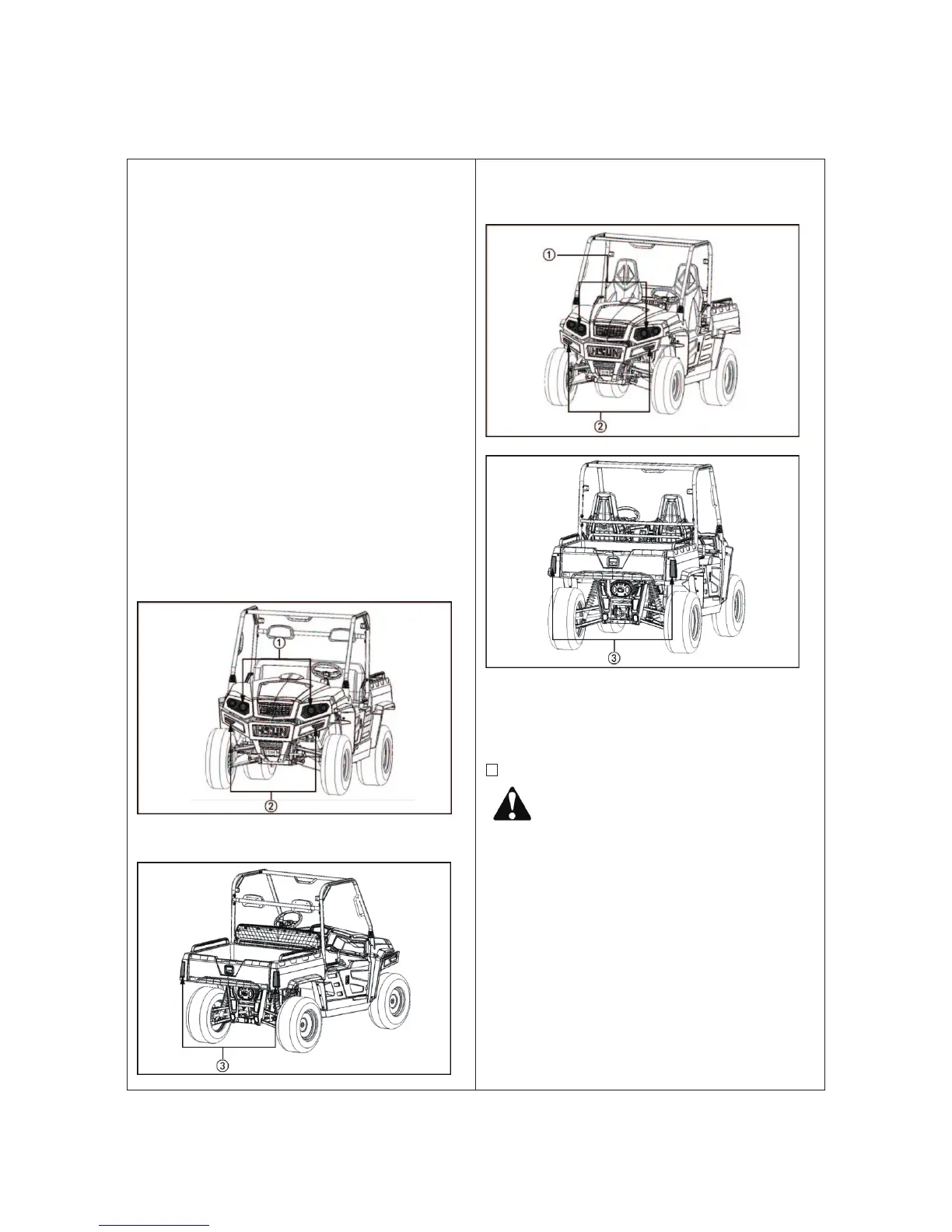
Bench seat
① H
ead light ② Head turn signal lamp;
③
Tail turn signal lamp
B
ucket seat
① H
ead light ② Head turn signal lamp;
③ Tail turn signal la
mp
3. Checking the brake pedal.
■
Brake Pedal
CAUTION:
To avoid personal injury:
If the operator suddenly brakes, an
accident may occur due to loss of
control or the shifting forward of heavy
loads.
When driving on icy, wet or loose
surface, make sure the vehicle is
correctly loaded to avoid skidding or
loss of steering control. Reduce the
speed.
The brake pedal is the left pedal on the foot
board. Depress the pedal to slow or stop the vehicle



 To Next Page