14
(3) Turn the power ON.
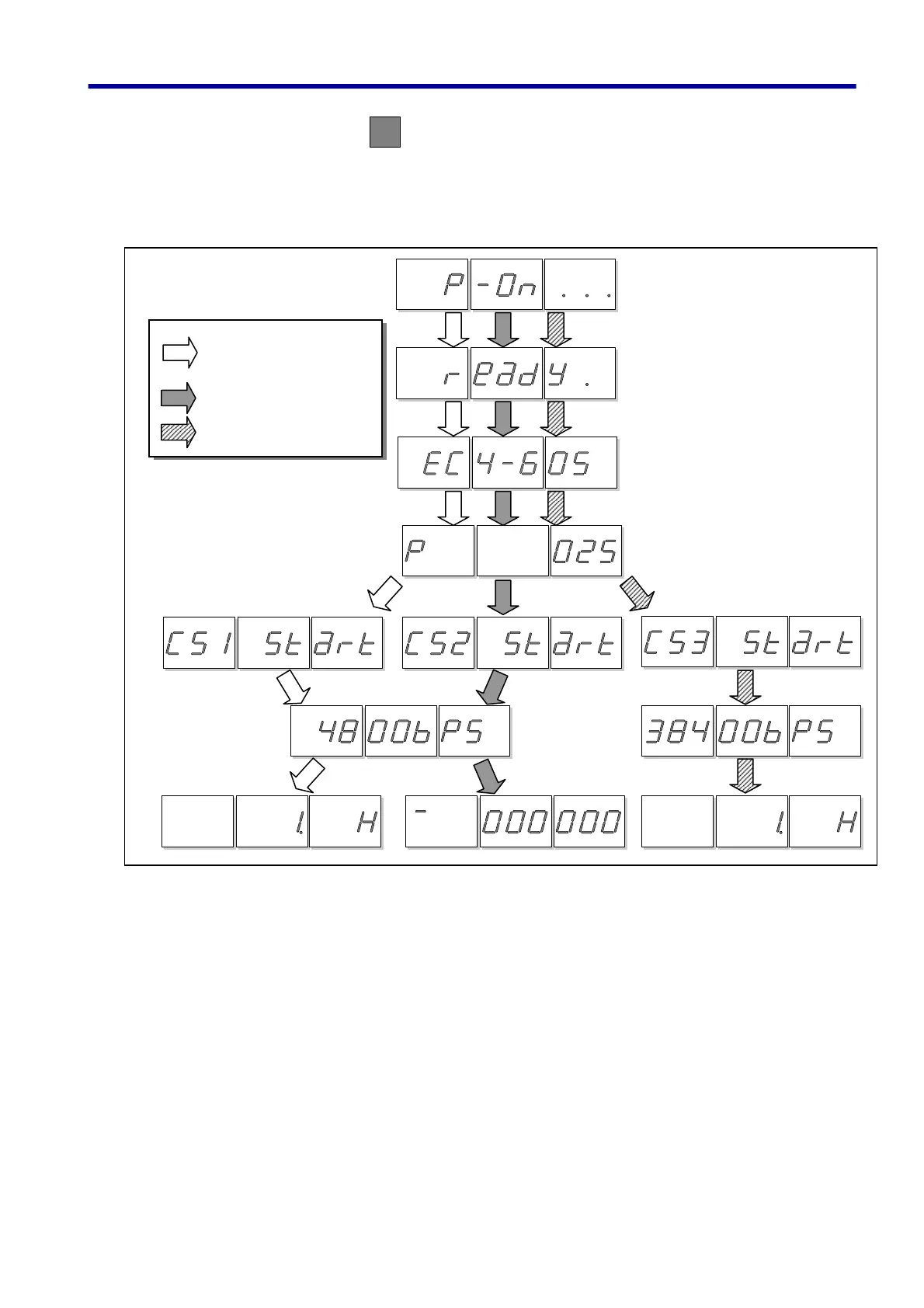
Depress the console Power Button 1 second or longer. The Display will indicate as shown in the
figure and the console is ready to use. Be sure to depress the button until the display indicates Power-On
(P-On). (Don’t press other button than Power Button when tuning the console ON, or the console may not
start normally.)
ON
(1) Power-ON indication (P-On …)
(2) Console ready to use
(ready. Hardware check completed)
(3) Console type indication
(See note 1)
(6) Transmission
rate indication
(4800bps)
(38400bps)
(7) Start command
Elevator/Escalator other
than UA-03/04 types
Includin
UAX
Group/Door/ES-terminal
UA-03/04(Including UAG)
(5) Console start mode
indication (See note 3)
(4) Elapsed-time indication
(See note 2)
3. Connection Method. How to Turn the Power ON-OFF



 To Next Page